

In the rapidly evolving world of printing technology, UV printer machines have emerged as a game - changer, offering high - quality, durable prints on a variety of materials. One of the frequently asked questions by our customers as a leading UV Printer Machine supplier is whether a UV printer machine can be connected to a computer wirelessly. In this blog, we will delve into this topic, exploring the feasibility, benefits, and potential challenges of wireless connectivity for UV printer machines.
Feasibility of Wireless Connectivity for UV Printer Machines
The short answer is yes, many modern UV printer machines can be connected to a computer wirelessly. The advancement in wireless technology, such as Wi - Fi and Bluetooth, has made it possible for printing devices to communicate with computers without the need for physical cables.
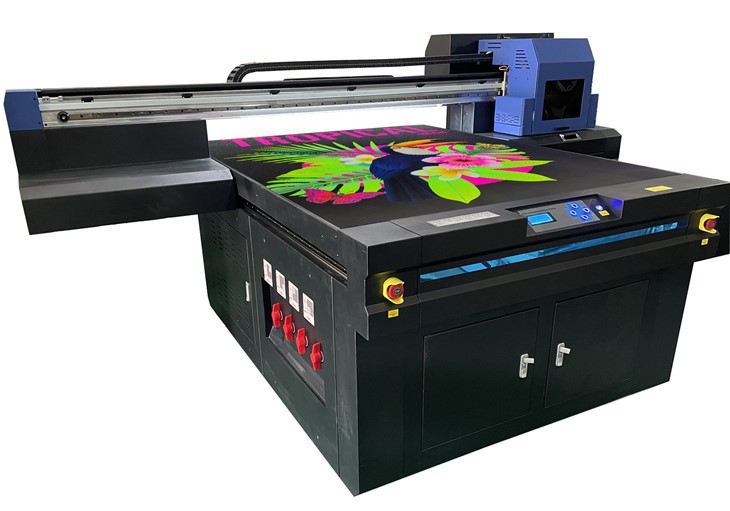
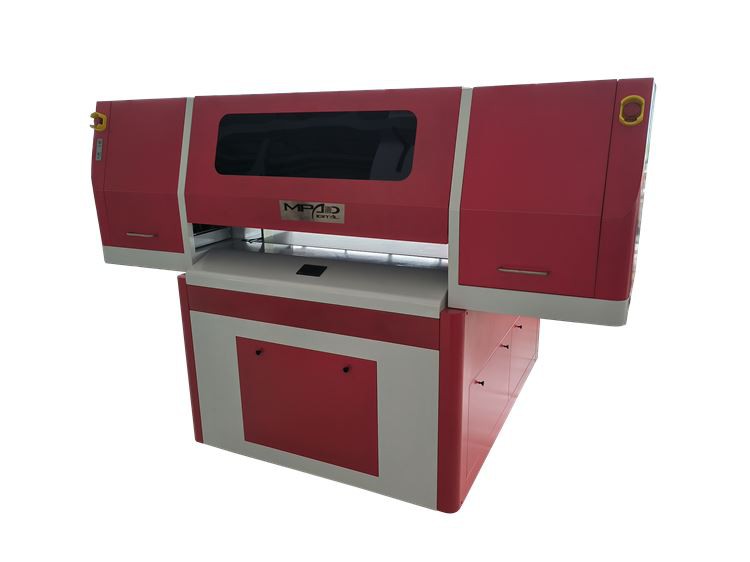
Most UV printer manufacturers are now equipping their machines with built - in wireless modules. These modules allow the printer to connect to a local Wi - Fi network, just like any other smart device. Once connected, the printer can receive print jobs from any computer or mobile device that is also connected to the same network. For example, our UV 6090 Printer comes with an option for wireless connectivity, enabling users to print directly from their laptops, tablets, or smartphones without the hassle of cables.
Bluetooth is another wireless technology that can be used for short - range connections. Some smaller UV printer models support Bluetooth connectivity, which is especially useful for quick and easy printing from mobile devices. This feature is handy for on - the - go printing or for users who want to print from a device that is in close proximity to the printer.
Benefits of Wireless Connectivity
1. Mobility and Flexibility
Wireless connectivity offers unparalleled mobility and flexibility. With a wireless UV printer, you can place the printer anywhere within the range of your Wi - Fi network. This means you can move the printer to different locations in your workspace without having to worry about cable length or finding a suitable power outlet near a computer. For instance, if you need to print large - format items, you can position the printer closer to the material, improving the efficiency of the printing process.
2. Ease of Use
Connecting a printer wirelessly is generally much easier than using cables. There is no need to fumble with cords or worry about compatibility issues between different types of connectors. Users can simply connect their devices to the same Wi - Fi network as the printer and start printing. This is particularly beneficial for non - technical users who may find cable connections confusing.
3. Multiple Device Connectivity
Wireless UV printers can be connected to multiple devices simultaneously. This means that different users in an office or a workshop can send print jobs to the printer from their own computers or mobile devices. Our Digital Flatbed UV Printer supports multiple device connectivity, allowing for a more collaborative and efficient printing environment.
4. Remote Printing
One of the most significant advantages of wireless connectivity is the ability to print remotely. If you are away from the office but still need to send a print job, you can do so as long as your device and the printer are connected to the same network. This feature is especially useful for businesses that have multiple locations or for individuals who work from home.
Potential Challenges
1. Network Stability
The reliability of wireless connections depends on the stability of the Wi - Fi network. If the network has a weak signal or is experiencing interference, it can lead to printing errors or slow transfer speeds. To mitigate this issue, it is important to ensure that your Wi - Fi network is strong and secure. You may need to position the printer closer to the router or use a Wi - Fi extender to improve the signal strength.
2. Security Concerns
Wireless connections also pose some security risks. Since the printer is connected to the network, it may be vulnerable to cyberattacks if proper security measures are not in place. To protect your printer and the data being transmitted, it is recommended to use a secure Wi - Fi network with encryption and to keep the printer's firmware up - to - date.
3. Compatibility Issues
Although most modern devices support wireless connectivity, there may still be some compatibility issues between different operating systems and printer models. It is important to check the printer's specifications and ensure that it is compatible with your computer or mobile device before making a purchase.
How to Connect a UV Printer Machine to a Computer Wirelessly
1. Wi - Fi Connection
- Step 1: Check the Printer's Wi - Fi Settings
First, turn on the printer and access its settings menu. Look for the Wi - Fi or network settings option and select the option to connect to a Wi - Fi network. - Step 2: Select the Network
Once you are in the Wi - Fi settings, scan for available networks and select your home or office Wi - Fi network from the list. - Step 3: Enter the Password
Enter the Wi - Fi password when prompted. Make sure to enter it correctly to establish a successful connection. - Step 4: Connect the Computer
On your computer, go to the network settings and connect to the same Wi - Fi network as the printer. Then, open the printing software and add the printer to your list of available printers.
2. Bluetooth Connection
- Step 1: Enable Bluetooth on the Printer and the Device
Turn on the Bluetooth function on both the UV printer and your computer or mobile device. - Step 2: Pair the Devices
On your device, search for available Bluetooth devices. When the printer appears on the list, select it and follow the on - screen instructions to pair the two devices. Once paired, you can start sending print jobs to the printer.
Conclusion
In conclusion, wireless connectivity for UV printer machines is not only feasible but also offers numerous benefits in terms of mobility, ease of use, and collaboration. While there are some potential challenges, such as network stability and security concerns, these can be easily addressed with proper planning and maintenance.
As a trusted UV Printer Machine supplier, we are committed to providing our customers with high - quality printers that meet their specific needs. Our UV Printing Flatbed series offers a range of options with wireless connectivity, ensuring that you can enjoy the latest printing technology with maximum convenience.
If you are interested in purchasing a UV printer machine or have any questions about wireless connectivity, please feel free to contact us. Our team of experts is ready to assist you in finding the perfect printer for your business or personal use.
References
- "UV Printing Technology: Principles and Applications" - A comprehensive guide on UV printing technology, including details on connectivity options.
- Manufacturer's manuals for various UV printer models, which provide information on wireless connectivity features and setup instructions.