

As a supplier of Banner Printers, I understand the importance of protecting these valuable machines from dust and debris. A clean and well - maintained banner printer not only ensures high - quality printing but also extends the lifespan of the equipment. In this blog, I'll share some effective strategies to safeguard your banner printer from dust and debris.
Understanding the Risks of Dust and Debris
Dust and debris can cause a multitude of problems for banner printers. Firstly, they can clog the print heads. Print heads are extremely delicate components that are responsible for precisely depositing ink onto the banner material. When dust particles enter the print head nozzles, they can block the flow of ink, resulting in streaky, uneven, or incomplete prints. This not only wastes valuable materials but also requires time - consuming and costly cleaning procedures to restore the print head's functionality.
Secondly, dust can accumulate on the moving parts of the printer, such as the rollers and belts. This buildup can increase friction, causing the parts to wear out more quickly. Over time, this may lead to mechanical failures, misalignments, and inaccurate printing. Moreover, dust and debris can also interfere with the electrical components of the printer. They can settle on circuit boards, potentially causing short - circuits or other electrical malfunctions, which can be extremely difficult and expensive to repair.
Creating a Clean Printing Environment
One of the most fundamental steps in protecting a banner printer from dust and debris is to establish a clean and controlled printing environment. This begins with the physical location of the printer. Choose a room that is well - ventilated but away from areas with high foot traffic, construction sites, or other sources of dust. For example, avoid placing the printer near an open window where outside dust can easily blow in.
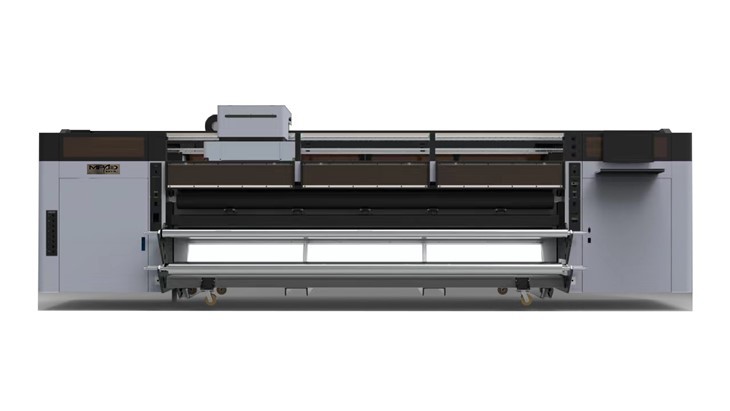
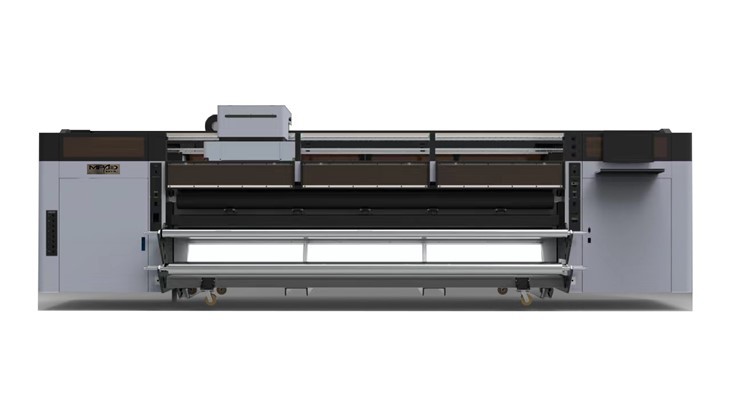
Regularly clean the floor and surrounding areas of the printer. Use a vacuum cleaner with a HEPA filter to effectively remove dust particles from the floor. A HEPA filter can trap even the smallest dust particles, preventing them from being recirculated into the air. Wipe down surfaces in the printing area, including desks, shelves, and the printer itself, with a microfiber cloth. Microfiber cloths are excellent at attracting and holding onto dust, ensuring a thorough clean.
It's also a good idea to install air purifiers in the printing room. Air purifiers can continuously filter the air, removing dust, pollen, and other airborne particles. Look for models with a high Clean Air Delivery Rate (CADR) to ensure efficient air purification. Additionally, consider using positive air pressure in the room. This can be achieved by using fans or ventilation systems to push clean air into the room, preventing dust from entering through cracks and gaps.
Using Protective Covers
When the banner printer is not in use, it should be covered with a protective cover. A high - quality cover can act as a physical barrier, preventing dust and debris from settling on the printer's surface. Look for covers that are specifically designed for banner printers, as they will fit the machine's shape and size properly.
The cover should be made of a durable and dust - resistant material, such as nylon or polyester. These materials are not only strong but also easy to clean. Some covers come with additional features, such as zippers or Velcro closures, which can provide a more secure fit. Before covering the printer, make sure it is completely cooled down to prevent moisture buildup inside the cover.
Regular Maintenance and Cleaning
Regular maintenance and cleaning are essential for keeping a banner printer free from dust and debris. Start by following the manufacturer's recommended maintenance schedule. This usually includes tasks such as cleaning the print heads, checking the ink levels, and inspecting the rollers and belts.
To clean the print heads, use a cleaning solution specifically designed for the printer model. Most manufacturers provide detailed instructions on how to perform this task safely. Generally, it involves using a cleaning cartridge or a special cleaning fluid to flush out any dust or dried ink from the print head nozzles.
The rollers and belts of the printer should also be cleaned regularly. Use a soft, lint - free cloth dampened with a mild cleaning solution to wipe them down. Be careful not to apply too much pressure, as this can damage the delicate surfaces. Check for any signs of wear or damage during the cleaning process, and replace any worn - out parts immediately.
The interior of the printer should also be cleaned periodically. However, this task should be performed with caution, as opening the printer without proper knowledge can cause damage. If you're not comfortable doing it yourself, consider hiring a professional technician to clean the interior components.
Filter Replacement
Many banner printers are equipped with filters to trap dust and debris before they can enter the sensitive parts of the machine. These filters need to be replaced regularly to ensure optimal performance. Check the printer's user manual to determine the recommended filter replacement interval.
When replacing the filters, use only genuine replacement parts recommended by the manufacturer. Generic filters may not fit properly or may not provide the same level of filtration. Make sure to follow the correct installation procedure to ensure that the filter is installed securely and functions effectively.
Staff Training
If you have a team of operators using the banner printer, it's crucial to provide them with proper training on how to protect the machine from dust and debris. Train them on the importance of maintaining a clean printing environment, using protective covers, and following the regular maintenance schedule.
Show them how to handle the printer correctly, including how to load and unload banner materials without introducing dust or debris into the machine. Encourage them to report any signs of dust accumulation or potential problems immediately. By involving the entire team in the protection of the printer, you can ensure that it remains in good condition for a long time.
Conclusion
Protecting a banner printer from dust and debris is a multi - faceted process that requires a combination of creating a clean environment, using protective covers, regular maintenance, filter replacement, and staff training. By implementing these strategies, you can significantly reduce the risk of dust - related problems and ensure that your Banner Printer continues to produce high - quality prints.
If you're in the market for a reliable banner printer, we offer a range of Large Format Banner Printers and Digital Roll Printing Machine that are designed to meet your printing needs. Our printers are built with high - quality components and are easy to maintain. If you're interested in learning more about our products or have any questions about printer protection, please feel free to reach out to us for a procurement discussion.
References
- Manufacturer's user manuals for banner printers
- Industry research on printer maintenance and protection
- Publications on cleanroom technology and air quality control