

Adjusting the printing parameters of a UV varnish printer is a crucial process that can significantly impact the quality and efficiency of your printing projects. As a supplier of UV varnish printers, I understand the importance of getting these parameters right. In this blog, I'll share some in - depth insights on how to adjust these parameters effectively.
Understanding the Basics of UV Varnish Printing
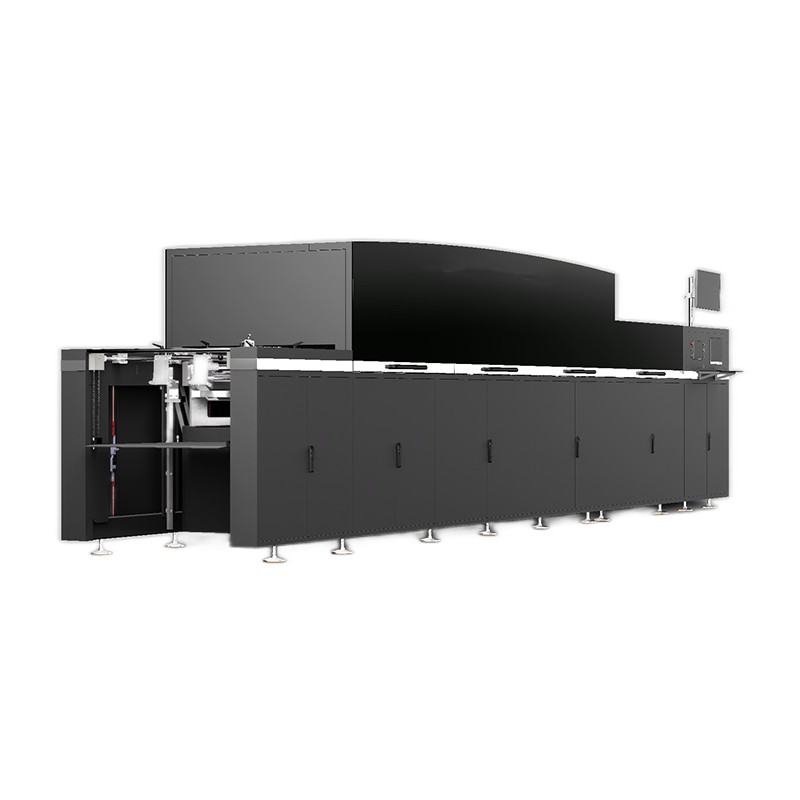
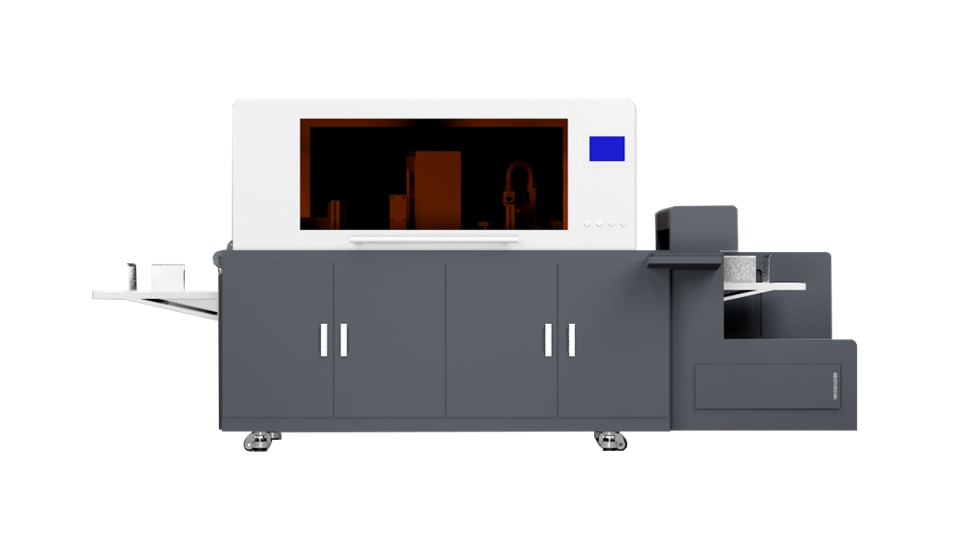
Before delving into parameter adjustment, it's essential to have a basic understanding of UV varnish printing. UV varnish is a type of coating that is cured instantly under ultraviolet light. This process provides a high - gloss finish, enhances durability, and protects the printed material. UV varnish printing can be used for various applications, including UV Spot Varnish Printing, which adds a shiny, raised effect to specific areas of the print.
Ink - Related Parameters
Viscosity
The viscosity of the UV varnish ink is one of the most critical parameters. If the viscosity is too high, the ink may not flow smoothly through the printer nozzles, leading to clogs and uneven printing. On the other hand, if the viscosity is too low, the ink may spread too much on the substrate, resulting in a lack of definition in the printed image.
To adjust the viscosity, you can use a viscometer to measure the current viscosity of the ink. If the viscosity is too high, you can add a small amount of a compatible thinner. However, be cautious when adding thinners, as excessive use can affect the curing properties of the UV varnish. If the viscosity is too low, you may need to use a thickening agent. It's advisable to follow the manufacturer's recommendations for the specific ink you are using.
Ink Flow Rate
The ink flow rate determines how much ink is deposited on the substrate during the printing process. A proper ink flow rate is essential for achieving the desired coating thickness and quality. If the flow rate is too low, the varnish may not provide adequate coverage, resulting in a dull or patchy finish. If the flow rate is too high, it can cause over - saturation, leading to longer curing times and potential smudging.
Most modern UV varnish printers allow you to adjust the ink flow rate through the printer's control panel. Start by referring to the printer's manual for the recommended flow rate range based on the type of substrate and the desired coating thickness. You can then make small adjustments and test - print a sample to evaluate the results.
Curing - Related Parameters
UV Light Intensity
UV light intensity is crucial for curing the UV varnish properly. Insufficient UV light intensity can result in incomplete curing, where the varnish remains sticky or soft. This can cause problems during handling and finishing processes, such as scratching or smudging. On the other hand, excessive UV light intensity can lead to over - curing, which may cause the varnish to become brittle and crack over time.
To adjust the UV light intensity, you can usually control it through the printer's software. Many printers have adjustable UV lamps that allow you to increase or decrease the power output. It's a good practice to start with a lower intensity and gradually increase it while monitoring the curing results. You can use a UV light meter to measure the actual intensity at the printing surface.
Conveyor Speed
The conveyor speed of the printer also affects the curing process. A faster conveyor speed means that the printed material spends less time under the UV lamps. If the speed is too fast, the UV varnish may not have enough time to cure properly. Conversely, if the speed is too slow, it can reduce the overall printing efficiency.
The ideal conveyor speed depends on several factors, including the UV light intensity, the type of UV varnish, and the substrate. You need to find a balance between speed and curing quality. Start by setting the conveyor speed according to the printer's manual recommendations and then make fine - adjustments based on test prints.
Substrate - Related Parameters
Surface Tension
The surface tension of the substrate plays a significant role in how the UV varnish adheres to it. If the surface tension of the substrate is too low, the varnish may bead up and not spread evenly. This can result in poor adhesion and a patchy appearance. If the surface tension is too high, the varnish may spread too much, causing a lack of definition in the printed image.
You can improve the surface tension of the substrate through various methods. For some substrates, such as plastics, corona treatment can be used to increase the surface energy. Before printing, it's advisable to test the surface tension using a surface tension pen. This pen can quickly indicate whether the surface tension is within the acceptable range for the UV varnish.
Substrate Thickness
The thickness of the substrate can also affect the printing parameters. Thicker substrates may require a higher ink flow rate and longer curing times to ensure proper coverage and curing. Thinner substrates, on the other hand, may be more sensitive to heat generated during the curing process and may require lower UV light intensities.
When printing on different substrate thicknesses, make sure to adjust the printer parameters accordingly. You may need to refer to the printer's manual for specific guidelines on how to adjust for different substrate thicknesses.
Printer - Specific Parameters
Nozzle Configuration
The nozzle configuration of the UV varnish printer can have a significant impact on the printing quality. Nozzles can become clogged over time, which can lead to missing dots or uneven printing. Regular maintenance, such as cleaning the nozzles, is essential to ensure optimal performance.
Some printers allow you to adjust the nozzle firing frequency and pattern. A proper nozzle configuration can help achieve a more even distribution of the UV varnish on the substrate. You can experiment with different nozzle settings and test - print samples to find the configuration that works best for your specific printing project.
Print Head Height
The print head height refers to the distance between the print head and the substrate. If the print head is too close to the substrate, it may cause the nozzles to come into contact with the substrate, leading to damage to the print head or uneven printing. If the print head is too far away, the ink droplets may spread too much in the air before reaching the substrate, resulting in a loss of resolution.
Most printers have an adjustable print head height feature. You can adjust it according to the thickness of the substrate. A general rule of thumb is to set the print head height so that there is a small gap, usually a few millimeters, between the print head and the substrate.
Testing and Quality Control
After making any adjustments to the printing parameters, it's crucial to conduct thorough testing. Print a small sample and carefully examine it for any signs of problems, such as uneven coating, incomplete curing, or poor adhesion. You can use tools like magnifying glasses or microscopes to inspect the details of the printed sample.
If you notice any issues, go back and make further adjustments to the relevant parameters. Keep a record of the parameter settings and the corresponding test results. This will help you build a database of optimal settings for different types of substrates, printing jobs, and UV varnishes.
Conclusion
Adjusting the printing parameters of a UV varnish printer requires a combination of technical knowledge, practical experience, and careful testing. By paying attention to ink - related, curing - related, substrate - related, and printer - specific parameters, you can achieve high - quality UV varnish printing results.
If you are in the market for a UV varnish printer or need further assistance with adjusting the printing parameters, we are here to help. Our team of experts has extensive experience in the field of UV varnish printing and can provide you with professional advice and support. Whether you are interested in Spot UV Coating Machine or Digital Foiling Printing Machine, we have a wide range of products to meet your needs. Contact us today to start a discussion about your printing requirements and explore how our UV varnish printers can enhance your printing projects.
References
- Manufacturer's manuals of UV varnish printers and UV varnish inks
- Technical papers on UV curing technology and printing processes
- Industry - specific research on UV varnish printing quality and parameter optimization