

Hey there! If you're in the market for a large UV printer, you've come to the right place. I'm a supplier of these awesome machines, and I'm here to walk you through the installation process. It might seem a bit daunting at first, but with the right guidance, you'll have your printer up and running in no time.
Pre - installation Preparations
Before you even start unpacking the printer, there are a few things you need to take care of. First off, you've got to find the perfect spot for your large UV printer. It needs a stable and level surface. You don't want it wobbling around, as that can mess up the printing quality. Also, make sure the area is well - ventilated. UV printers emit some fumes during operation, and good ventilation will keep the air fresh and safe.
Check the power supply. Your large UV printer will need a reliable power source. Make sure the voltage and frequency match the requirements of the machine. You might want to use a surge protector to safeguard the printer from any sudden power spikes.
Another important thing is to gather all the necessary tools. You'll probably need a set of screwdrivers, wrenches, and maybe some pliers. It's always better to have everything ready before you start the installation.
Unpacking the Printer
Once you've got the preparations out of the way, it's time to unpack the printer. Be really careful when you're doing this. These large UV printers are delicate, and you don't want to damage any of the components.
Start by removing the outer packaging. You'll usually find the printer wrapped in a protective layer. Take your time to peel it off. Inside, you'll see the main body of the printer, the print heads, the ink cartridges, and a bunch of other parts. Make sure to keep all the packing materials in case you ever need to move the printer again.
As you unpack, lay out all the parts on a clean surface. Check for any visible damage. If you notice anything wrong, like a cracked print head or a dented ink cartridge, contact us right away. We'll sort it out for you.
Assembling the Printer
Now, let's get to the assembly part. Most large UV printers come with a detailed instruction manual. Make sure to read it thoroughly before you start putting the parts together.
First, attach the print heads. This is a crucial step, as the print heads are responsible for laying down the ink on the substrate. Align them carefully according to the markings on the printer. Use the appropriate screws to secure them in place.
Next, install the ink cartridges. There are usually specific slots for each color. Insert them gently, making sure they fit snugly. You might need to prime the ink system later to get the ink flowing properly.
Then, it's time to connect the cables. There will be power cables, data cables, and maybe some other cables depending on the model. Connect them all securely. Double - check to make sure there are no loose connections, as this can cause all sorts of problems later on.
Installing the Software
After you've assembled the printer hardware, you need to install the software. This software is what allows you to control the printer and send print jobs to it.
Insert the software CD that came with the printer into your computer's CD - drive. Follow the on - screen instructions to install the software. It might take a few minutes, so be patient.
Once the software is installed, you'll need to configure it. You'll have to set up things like the printer model, the print resolution, and the type of substrate you'll be using. This step is important to ensure that you get the best possible print quality.
Calibration
Calibration is a very important part of the installation process. It ensures that the printer is printing accurately and that the colors are consistent.
Most large UV printers have a built - in calibration function. You can access it through the software. Follow the prompts to perform the calibration. This usually involves printing a test pattern and then adjusting the settings based on the results.
You might need to do a few rounds of calibration to get everything just right. Don't rush this step. A well - calibrated printer will give you much better results in the long run.
Testing the Printer
Once you've completed the calibration, it's time to test the printer. Print a simple test image. Check the print quality. Look for any smudges, streaks, or color inaccuracies.
If you notice any problems, don't panic. It could be something as simple as a loose cable or an incorrect setting. Refer to the troubleshooting section in the manual or contact our support team. We're always here to help you out.
Maintenance Tips
After you've successfully installed and tested your large UV printer, it's important to keep it well - maintained. Regularly clean the print heads to prevent clogging. Use a cleaning solution recommended by the manufacturer.
Also, make sure to keep the printer's interior clean. Dust and debris can accumulate over time and affect the performance of the printer.
Change the ink cartridges when they're running low. Using low - quality or incompatible ink can also damage the printer.
Why Choose Our Large UV Printers
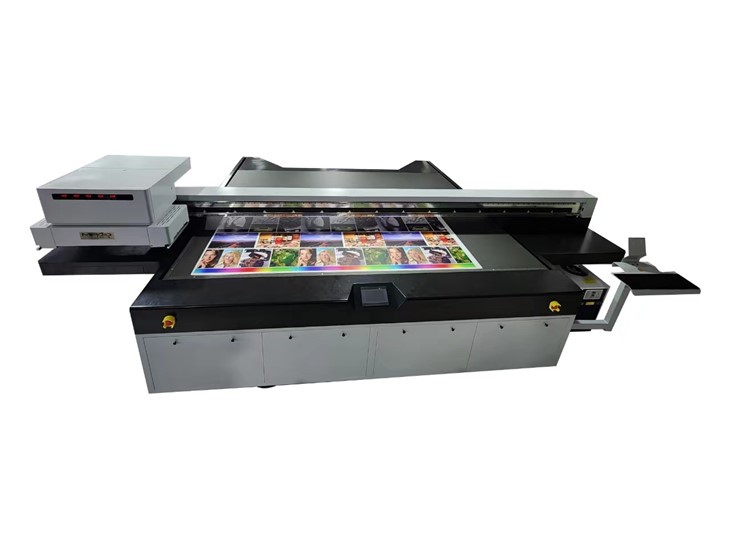
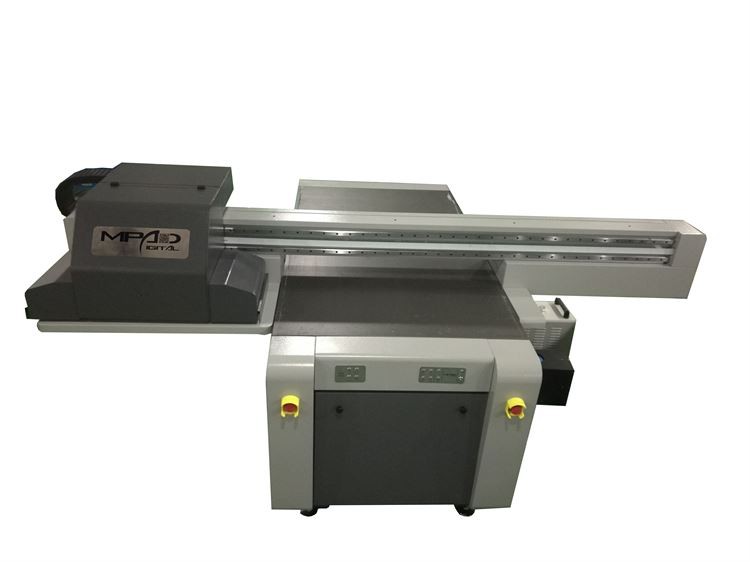
Our large UV printers, like the Flatbed Printer, UV Printer Flatbed, and Digital UV Flatbed Printing Machine, are top - of - the - line products. They offer high - quality printing, fast printing speeds, and a wide range of compatible substrates.
We provide excellent customer support. If you have any questions during the installation process or later on, our team of experts is just a call or an email away.
We also offer a warranty on our printers. So, you can have peace of mind knowing that your investment is protected.
Conclusion
Installing a large UV printer might seem like a big task, but if you follow these steps, you'll be able to do it without any major issues. Remember, we're here to support you every step of the way.
If you're interested in purchasing one of our large UV printers or have any questions about the installation process, don't hesitate to get in touch with us. We're looking forward to helping you take your printing business to the next level.
References
- Manufacturer's Instruction Manual for Large UV Printers
- Industry Best Practices for UV Printer Installation and Maintenance