

Accurately positioning a design on a flag using a flag printer is crucial for achieving high - quality and professional - looking results. As a flag printer supplier, I understand the challenges and intricacies involved in this process. In this blog, I will share some effective methods and tips to help you position your designs accurately on flags.
Understanding the Basics of Flag Printing
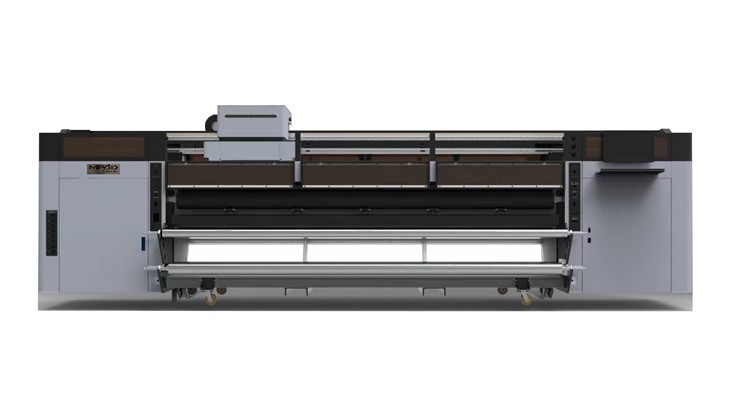
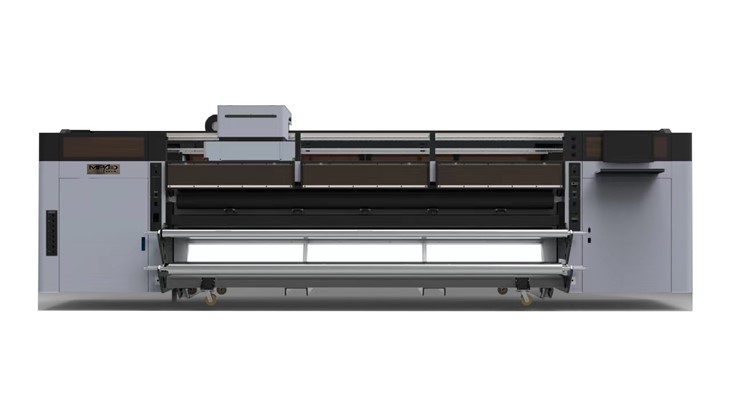
Before delving into the positioning techniques, it's important to have a basic understanding of flag printing. There are different types of flag printers available in the market, each with its own features and capabilities. For instance, Roll To Roll UV Printer is a popular choice for printing on large - scale continuous flag materials. It offers high - speed printing and excellent color accuracy. On the other hand, Commercial UV Flatbed Printer is more suitable for printing on rigid or non - rollable flag substrates, providing precise control over the printing area. And Roll To Roll Digital Printer combines the advantages of digital technology with roll - to - roll functionality, enabling flexible and efficient flag printing.
Pre - Printing Preparation
- Selecting the Right Flag Material
The choice of flag material can significantly affect the design positioning. Different materials have different textures, thicknesses, and stretch characteristics. For example, polyester flags are commonly used due to their durability and good printability. However, they may stretch slightly during the printing process. Cotton flags, on the other hand, have a more natural look but may require more careful handling to prevent wrinkling. Before printing, make sure to test the material with a small sample to understand its behavior and adjust the positioning settings accordingly. - Design Preparation
Create your flag design using graphic design software such as Adobe Illustrator or CorelDRAW. Ensure that the design is in the correct size and resolution. For flag printing, a resolution of at least 300 DPI (dots per inch) is recommended to ensure sharp and clear images. Also, consider the orientation of the design. If the flag has a specific top or bottom, make sure the design is aligned correctly. Mark the key reference points on the design, such as the center, corners, or any important symbols, which will be useful for positioning during the printing process.
Positioning Techniques
- Using Printer Alignment Marks
Most modern flag printers are equipped with alignment marks or registration marks. These marks are printed on the flag material at the beginning of the printing process and serve as reference points for positioning the design. Before starting the actual printing, the printer will use these marks to align the print head accurately. Make sure to check the alignment marks carefully and adjust them if necessary. Some printers also allow you to manually adjust the position of the print head based on the alignment marks. - Manual Measurement and Marking
In some cases, especially when dealing with irregularly shaped flags or complex designs, manual measurement and marking can be a reliable method. Use a ruler or a measuring tape to measure the dimensions of the flag and mark the center, corners, or other important points on the material. Then, align the design with these marks. You can use masking tape or other temporary adhesives to hold the design in place while you make the final adjustments. - Software - Based Positioning
Many flag printers come with dedicated software that allows you to control the positioning of the design. The software usually provides options to move, rotate, and scale the design on the virtual printing area. You can preview the design on the screen and make precise adjustments before sending it to the printer. Some advanced software also offers features such as automatic centering, which can save a lot of time and effort.
Testing and Adjusting
- Test Prints
Before printing the final flag, it's always a good idea to do a test print. Print a small sample of the design on a scrap piece of the same flag material. Check the position of the design on the test print. Look for any misalignments, such as skewing, shifting, or incorrect sizing. If you find any issues, make the necessary adjustments to the positioning settings in the printer software or hardware. - Fine - Tuning
Even after a successful test print, you may still need to make some fine - tuning adjustments during the actual printing process. Monitor the printing closely and check the position of the design as it progresses. If you notice any minor deviations, stop the printer and make the necessary corrections. This may involve adjusting the alignment marks, re - positioning the print head, or modifying the software settings.
Quality Control
- Inspection
Once the flag is printed, inspect it carefully for any positioning errors. Check the alignment of the design with the edges and corners of the flag. Look for any signs of misregistration, such as overlapping or missing parts of the design. If you find any issues, decide whether to re - print the flag or make any necessary touch - ups. - Final Checks
Before packaging and shipping the flag, do a final check to ensure that the design is positioned correctly and the overall quality of the print meets your standards. Check the color accuracy, sharpness, and durability of the print. Make sure the flag is free from any smudges, scratches, or other defects.
Conclusion
Accurately positioning a design on a flag using a flag printer requires a combination of proper preparation, the right techniques, and careful quality control. As a flag printer supplier, I am committed to providing you with the best - in - class printers and support to help you achieve excellent results. Whether you are a small - scale flag maker or a large - scale printing business, these tips and methods can help you improve the accuracy of your flag printing.
If you are interested in purchasing a flag printer or need more information about flag printing solutions, please feel free to contact us. We are here to assist you in finding the most suitable printer for your needs and providing you with professional advice on design positioning and other printing - related issues.
References
- Smith, J. (2020). Flag Printing Technology: A Comprehensive Guide. Printing Press Publications.
- Johnson, A. (2019). Advanced Techniques in Digital Flag Printing. Graphic Arts Journal.
- Brown, C. (2018). Quality Control in Flag Printing. Textile Printing Magazine.