

Hey there! As a supplier of UV flatbed machines, I've dealt with my fair share of print head clogging issues. It's a common headache for many users, but don't worry – I'm here to share the best ways to unclog a print head in a UV flatbed machine.
First off, let's understand why print heads clog in the first place. UV inks are designed to dry quickly when exposed to UV light, which is great for fast printing, but it also means they can dry up inside the print head if not properly maintained. Dust, debris, and old ink residue can also build up over time, leading to blockages.
1. Regular Maintenance
The best way to prevent print head clogging is through regular maintenance. This includes keeping your UV flatbed machine clean and using the right cleaning solutions. Most manufacturers recommend using a specific cleaning solution designed for UV inks. You can usually find these solutions on the official websites of the ink manufacturers or from your UV flatbed machine supplier.
I always tell my customers to clean the print heads after every printing job. It doesn't take long, and it can save you a lot of trouble in the long run. Just follow the instructions in your machine's user manual for the proper cleaning procedure. Usually, it involves using a cleaning cartridge or a syringe to flush the print heads with the cleaning solution.
2. Gentle Flushing
If you notice a slight decrease in print quality or some missing dots in your prints, it might be a sign of a partial clog. In this case, a gentle flushing can often do the trick.
Start by preparing a small container with the cleaning solution. Make sure the solution is at the right temperature, as some cleaning solutions work better when they're slightly warm. Then, carefully remove the print head from the machine (again, refer to your user manual for the correct way to do this).
Submerge the print head in the cleaning solution and let it soak for a few minutes. You can gently agitate the solution to help loosen the clog. After soaking, use a clean syringe to draw out the solution from the print head nozzles. Repeat this process a few times until the solution coming out of the nozzles is clear.
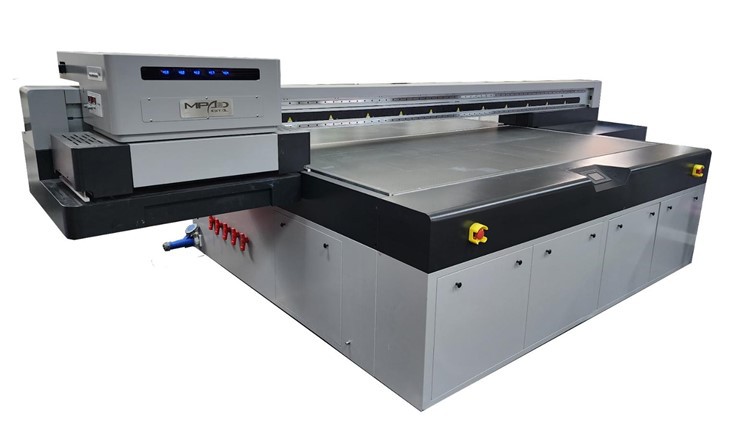
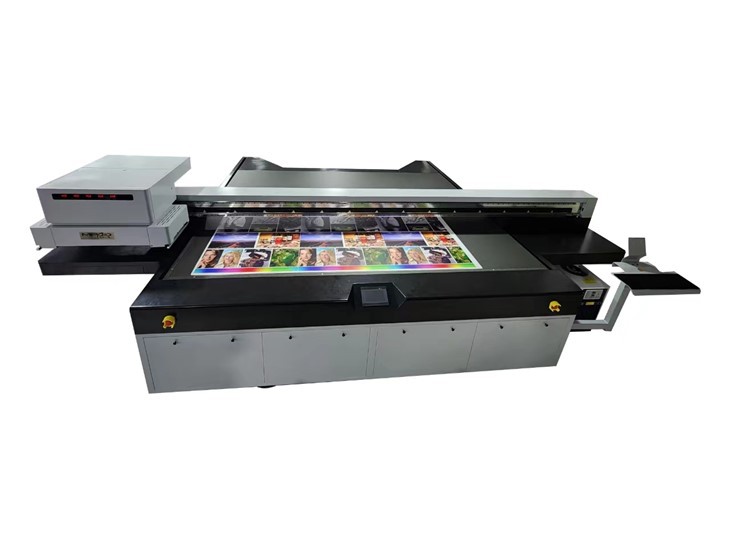
Once you're done, dry the print head with a lint - free cloth and reinstall it in the machine. Run a test print to see if the clog has been cleared.
3. Ultrasonic Cleaning
For more stubborn clogs, ultrasonic cleaning can be very effective. Ultrasonic cleaners use high - frequency sound waves to create tiny bubbles in the cleaning solution. These bubbles implode near the clog, creating a powerful cleaning action that can break up even the toughest blockages.
However, ultrasonic cleaning should be done with caution. Not all print heads are suitable for ultrasonic cleaning, so check your machine's manual first. If it's safe to use, fill the ultrasonic cleaner with the appropriate cleaning solution and set it to the right frequency and time settings.
Place the print head in the ultrasonic cleaner and let it run for the recommended time. Be careful not to over - clean the print head, as this can damage the delicate nozzles. After the cleaning cycle is complete, remove the print head, rinse it with clean water, and dry it thoroughly before reinstalling.
4. Using a Print Head Cleaning Kit
There are many print head cleaning kits available on the market. These kits usually come with all the necessary tools and cleaning solutions to unclog the print heads. They're a convenient option, especially for those who are not very familiar with the internal workings of the UV flatbed machine.
When choosing a cleaning kit, make sure it's compatible with your specific UV flatbed machine and the type of UV inks you're using. Follow the instructions in the kit carefully, and you should be able to get your print heads working again in no time.
5. Professional Help
If all else fails, don't hesitate to seek professional help. As a UV flatbed machine supplier, I offer technical support to my customers. We have a team of experienced technicians who can diagnose and fix print head clogging issues.
Sometimes, a clog might be caused by a more serious problem, such as a malfunctioning ink pump or a damaged print head. In these cases, it's best to have a professional take a look at it. We can also provide replacement parts if needed, ensuring that your machine is up and running as quickly as possible.
Related Products
If you're in the market for a new UV flatbed machine or looking to upgrade your current one, we have a great selection of products. Check out our UV Printer Flatbed for a versatile and high - quality printing solution. For those with smaller printing needs, our Small Format UV Printer is a great option. And if you're interested in printing on wood, our UV Flatbed Printer For Wood is specifically designed for that purpose.
Contact Us for Purchase and Consultation
Unclogging print heads in a UV flatbed machine doesn't have to be a nightmare. By following these tips and taking good care of your machine, you can keep your print heads in top condition and ensure high - quality prints every time.
If you have any questions about UV flatbed machines, print head maintenance, or if you're interested in purchasing a new machine, feel free to reach out. We're here to help you make the most of your printing experience.
References
- Manufacturer's user manuals for UV flatbed machines
- Ink manufacturer's guidelines for ink maintenance and cleaning
- Industry best practices for UV flatbed printer maintenance