

What is the noise level of a Banner Printer during operation?
As a supplier of banner printers, I often get asked about the noise levels during their operation. Understanding the noise level of a banner printer is crucial for several reasons, especially in environments where noise can be a significant concern, such as offices, shops, or shared workspaces. In this blog post, I'll delve into the factors that affect the noise level of a banner printer, typical noise levels, and how you can manage the noise if it becomes an issue.
Factors Affecting the Noise Level of a Banner Printer
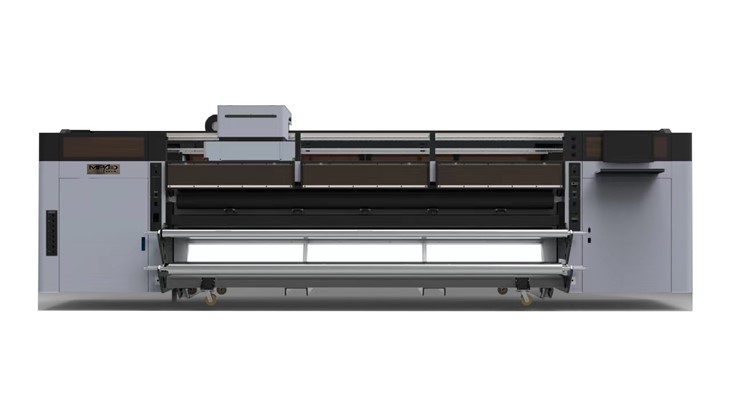
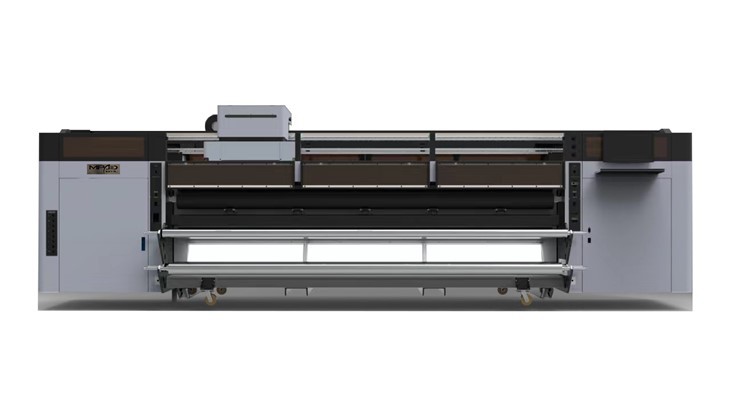
Several factors contribute to the noise generated by a banner printer during operation. The first and most obvious factor is the mechanical components of the printer. Banner printers, especially Large Format Banner Printers, have moving parts such as motors, belts, and rollers. These parts create noise as they move and interact with each other. For example, the stepper motors that control the movement of the print head and the paper feed mechanism can produce a humming or clicking sound.
The type of printing technology used also plays a significant role in determining the noise level. There are different types of banner printers, including inkjet and UV printers. Inkjet printers typically use a series of nozzles to spray ink onto the banner material. The process of firing the ink droplets can create a fine mist and a soft hissing sound. On the other hand, UV printers use ultraviolet light to cure the ink instantly. The curing process involves a UV lamp, which can produce a low - level hum.
The speed of the printer is another important factor. Faster printers tend to generate more noise because the mechanical components are moving at a higher rate. When a printer is set to a high - speed printing mode, the motors have to work harder, and the movement of the print head and other parts becomes more rapid, resulting in increased noise.
The quality of the printer's construction and the materials used can also affect the noise level. Well - built printers with high - quality components and proper insulation are generally quieter than cheaper models. The enclosure of the printer can act as a sound barrier, reducing the amount of noise that escapes into the surrounding environment.
Typical Noise Levels of Banner Printers
The noise level of a banner printer is usually measured in decibels (dB). A quiet office environment typically has a noise level of around 40 - 50 dB, while normal conversation is around 60 dB. Most banner printers operate within the range of 50 - 70 dB.
Entry - level or smaller Roll To Roll Digital Printer models may produce noise levels closer to the lower end of this range, around 50 - 60 dB. These printers are often used in small offices or home - based businesses where noise needs to be kept to a minimum. They are designed with smaller motors and more compact components, which contribute to a quieter operation.
Larger and more industrial - grade Large Format Banner Printers can generate noise levels up to 70 dB or slightly higher. These printers are built for high - volume printing and are often used in commercial print shops or large - scale production facilities. The larger motors and more powerful components required for high - speed and large - format printing result in a higher noise output.
It's important to note that the noise level can also vary depending on the specific model and brand of the printer. Some manufacturers invest in research and development to design printers that are quieter without sacrificing performance.
Managing the Noise of a Banner Printer
If the noise level of a banner printer is a concern, there are several steps you can take to manage it. One of the simplest solutions is to place the printer in a separate room or a dedicated printing area. This can help to isolate the noise and prevent it from disturbing other areas of the office or workspace.
Using a printer enclosure or a sound - absorbing cover can also significantly reduce the noise. These enclosures are designed to fit around the printer and absorb the sound waves, preventing them from spreading into the surrounding environment. Some enclosures are made of special materials that are specifically designed to dampen noise.
Regular maintenance of the printer can also help to keep the noise level down. Over time, the mechanical components of the printer can wear out, which can lead to increased noise. By cleaning the printer regularly, lubricating the moving parts, and replacing worn - out components, you can ensure that the printer operates smoothly and quietly.
When choosing a banner printer, it's a good idea to look for models that are specifically designed to be quiet. Read reviews and product specifications to find out what other users have to say about the noise level of the printer. Some manufacturers provide information about the noise level in their product documentation.
Conclusion
In conclusion, the noise level of a banner printer during operation is influenced by several factors, including the mechanical components, printing technology, speed, and construction quality. Typical noise levels range from 50 - 70 dB, but this can vary depending on the specific model. By taking steps to manage the noise, such as placing the printer in a separate area, using an enclosure, and performing regular maintenance, you can minimize the impact of the printer's noise on your workspace.
If you're in the market for a banner printer and have concerns about noise levels, we're here to help. As a leading supplier of Flag Printer, Roll To Roll Digital Printer, and Large Format Banner Printers, we can provide you with detailed information about the noise levels of our products and help you choose the right printer for your needs. Contact us today to start a conversation about your banner printing requirements and let's work together to find the perfect solution for your business.
References
- Manufacturer's product documentation for various banner printer models.
- Industry research reports on printer noise levels.
- User reviews and feedback on banner printers.