

As a supplier of Banner Printers, I understand the importance of proper storage conditions to ensure the longevity and optimal performance of these valuable machines. One of the most critical factors in storage is temperature. In this blog post, I will discuss the recommended storage temperature for a Banner Printer and why it matters.
Why Storage Temperature is Crucial for Banner Printers
Banner printers are complex pieces of equipment that consist of various components, including print heads, ink systems, motors, and electronic circuits. Each of these components is sensitive to temperature changes, and extreme temperatures can cause significant damage.
High temperatures can lead to several problems. First, they can cause the ink to evaporate or thicken, which can result in poor print quality, clogged print heads, and inconsistent ink flow. Second, excessive heat can damage the electronic components, leading to malfunctions and even permanent failure. Third, high temperatures can cause the plastic and rubber parts of the printer to expand and warp, affecting the alignment and operation of the machine.
On the other hand, low temperatures can also be detrimental. Cold temperatures can cause the ink to freeze, which can damage the ink system and the print heads. Additionally, low temperatures can make the plastic and rubber parts brittle, increasing the risk of cracking and breakage.
Recommended Storage Temperature Range
The recommended storage temperature for a Banner Printer typically falls between 10°C (50°F) and 30°C (86°F). This temperature range is considered ideal because it helps to maintain the integrity of the printer's components and the quality of the ink.
Within this range, it is best to keep the printer at a stable temperature. Fluctuations in temperature can cause condensation to form inside the printer, which can lead to corrosion and electrical shorts. Therefore, it is important to store the printer in a location where the temperature is relatively constant.
Factors Affecting the Recommended Temperature
While the general recommended temperature range is 10°C - 30°C, there are several factors that can influence the specific temperature requirements for a particular Banner Printer.
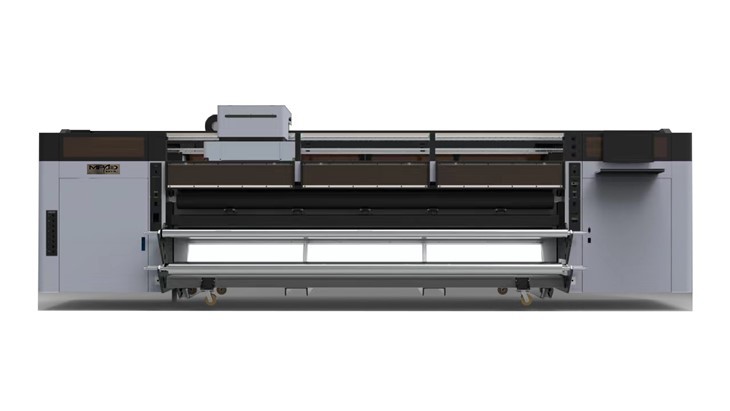
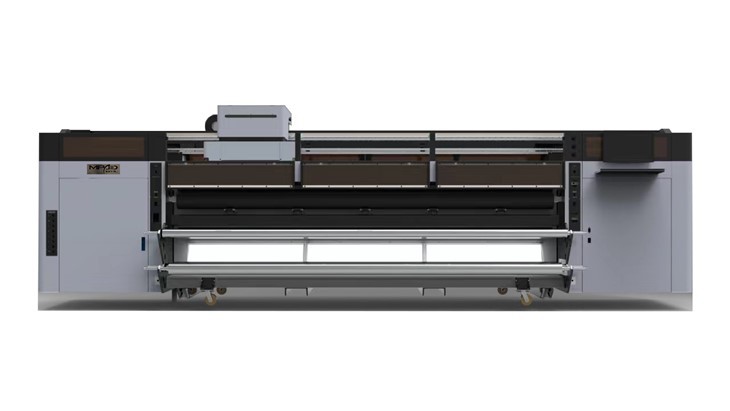
- Printer Model: Different printer models may have different temperature tolerances. Some high - end printers may be designed to operate and be stored within a narrower temperature range for optimal performance.
- Ink Type: The type of ink used in the printer can also affect the storage temperature. For example, UV inks, which are commonly used in UV Roll To Roll Printer High Speed and UV Roll To Roll Printer, may have specific temperature requirements to maintain their viscosity and curing properties.
- Humidity: Humidity levels can interact with temperature. High humidity combined with high temperatures can increase the risk of corrosion and mold growth, while low humidity at low temperatures can cause static electricity problems. It is generally recommended to keep the relative humidity between 30% and 70% during storage.
Tips for Storing a Banner Printer at the Right Temperature
- Choose the Right Location: Select a storage area that is away from direct sunlight, heaters, air conditioners, and other sources of temperature fluctuations. A climate - controlled storage room or a well - ventilated cabinet can be a good option.
- Use Temperature Monitoring Devices: Consider using a thermometer or a temperature - humidity monitor to keep track of the storage environment. This will allow you to take corrective action if the temperature or humidity goes outside the recommended range.
- Prepare the Printer for Storage: Before storing the printer, clean it thoroughly to remove any ink residues and debris. Also, make sure to cap the print heads properly to prevent ink from drying out.
What to Do if the Printer is Exposed to Extreme Temperatures
If your Banner Printer has been exposed to temperatures outside the recommended range, it is important to take the following steps:
- High Temperatures: If the printer has been exposed to high temperatures, let it cool down to the recommended temperature range before turning it on. Check the ink levels and the condition of the print heads. If there are any signs of ink thickening or clogging, you may need to perform a cleaning cycle.
- Low Temperatures: If the printer has been exposed to low temperatures, allow it to warm up gradually to the recommended temperature range. Do not turn on the printer immediately, as this can cause damage due to thermal shock. Check for any signs of frozen ink or cracked parts.
Conclusion
Proper storage temperature is essential for maintaining the performance and longevity of a Banner Printer. By storing your printer within the recommended temperature range of 10°C - 30°C and taking steps to control temperature fluctuations, you can ensure that your printer is ready to produce high - quality banners when you need it.
If you are in the market for a new Banner Printer, or if you have any questions about the storage and maintenance of your existing printer, feel free to contact us. We are here to provide you with the best advice and solutions to meet your printing needs.
References
- Industry standards for printer storage conditions.
- Manufacturer's guidelines for Banner Printers.