

Hey there! As a supplier of UV Digital Printers, I often get asked about the resolution of these amazing machines. So, let's dive right in and break down what the resolution of a UV digital printer really means.
First off, resolution in the context of a UV digital printer refers to the level of detail and clarity that the printer can achieve when creating an image. It's typically measured in dots per inch (DPI). The higher the DPI, the more dots the printer can place within a single inch of the printed surface, resulting in a sharper and more detailed image.
Think of it like this: if you were to look at a printed image up close, a low - resolution print would appear blocky and pixelated. Each dot would be visible, and the overall image quality would suffer. On the other hand, a high - resolution print would have such tiny dots that they blend together seamlessly, creating a smooth and realistic image.
For a UV digital printer, the resolution can have a significant impact on the final output. In applications where fine details are crucial, such as printing high - end graphics for advertising or detailed art reproductions, a higher resolution is essential.
Most UV digital printers on the market today offer a range of resolutions. Some entry - level models might start at around 360 DPI, which is suitable for basic signage and simple graphics. However, for more professional and high - quality work, printers can achieve resolutions of 720 DPI, 1440 DPI, or even higher.
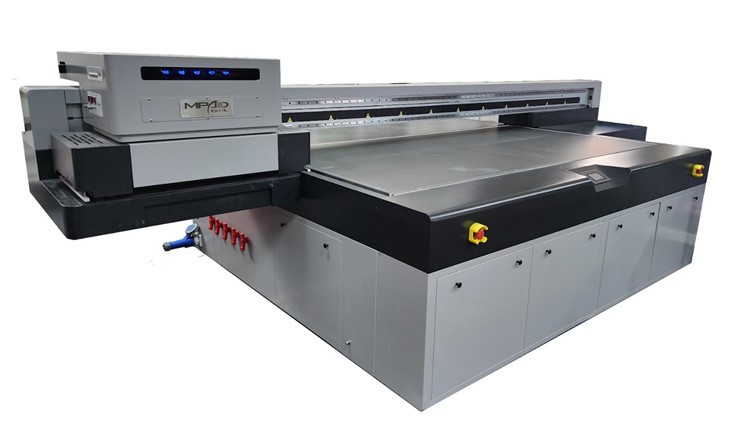
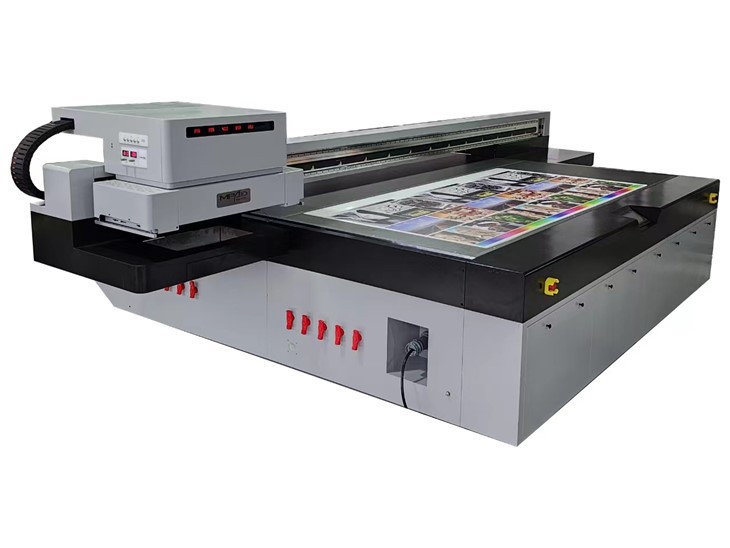
But here's the thing: higher resolution doesn't always mean better. There are a few factors to consider. First, printing at a higher resolution takes more time. Since the printer has to place more dots per inch, the printing process slows down. So, if you're working on a large - scale project with a tight deadline, you might need to balance the need for high resolution with the time it takes to print.
Second, the type of material you're printing on also matters. Some materials, like rough - textured surfaces, might not be able to show the full benefit of a high - resolution print. The texture of the material can scatter the ink, making it difficult to achieve the same level of detail as a smooth surface.
Now, let's talk about how resolution affects different types of UV digital printers. We have Flatbed Printer, which are great for printing on a variety of flat materials. These printers can handle different resolutions depending on the model. A flatbed printer with a higher resolution can produce stunning results on materials like glass, metal, or wood, where the details really matter.
Industrial Flatbed Printer are designed for high - volume production. While they can offer high resolutions, they are often optimized for a balance between speed and quality. In an industrial setting, you need to get the job done quickly without sacrificing too much on the image quality. So, these printers might have a sweet spot in terms of resolution that allows for efficient production.
Digital Flatbed Printer are a more advanced version, offering precise control over the printing process. They can achieve very high resolutions, making them ideal for applications that demand the utmost in detail, such as printing circuit boards or high - end jewelry designs.
Another aspect to consider is the ink used in UV digital printers. UV inks are cured instantly by UV light, which helps in achieving sharp and detailed prints. The quality of the ink also plays a role in how well the printer can utilize its resolution. High - quality inks can produce more consistent dots, resulting in a better overall image.
When it comes to choosing the right resolution for your UV digital printer, it really depends on your specific needs. If you're in the business of printing large - format banners, a lower resolution might be sufficient as the viewing distance is usually far. But if you're creating small - scale, detailed items like business cards or art prints, a higher resolution is a must.
In addition to the DPI, some UV digital printers also offer variable dot technology. This means that the printer can adjust the size of the dots it places on the material. By using different dot sizes, the printer can create a wider range of colors and tones, enhancing the overall image quality.
To sum it up, the resolution of a UV digital printer is a key factor in determining the quality of the printed output. It's not just about going for the highest DPI possible; you need to consider factors like printing time, the type of material, and your specific application.
If you're in the market for a UV digital printer and want to learn more about how resolution can impact your projects, or if you have any other questions, don't hesitate to reach out. We're here to help you find the perfect printer that meets your needs and budget. Whether you're a small - business owner looking to expand your printing capabilities or a large - scale manufacturer in need of high - volume production, we've got the right solution for you. Let's have a chat and see how we can take your printing to the next level.
References
- Industry reports on UV digital printing technology
- Manufacturer specifications of UV digital printers