

Hey there! As a supplier of top UV printers, I often get asked about the resolution of these amazing machines. So, I thought I'd take a few minutes to break it down for you and explain what resolution really means in the context of UV printers.
First things first, let's talk about what resolution is. In simple terms, resolution refers to the number of dots per inch (DPI) that a printer can produce. The higher the DPI, the more detailed and sharp the printed image will be. For example, a printer with a resolution of 1440 DPI can print 1440 dots in a single inch, while a printer with a resolution of 720 DPI can print 720 dots in the same inch.
Now, when it comes to UV printers, resolution is a crucial factor that can significantly impact the quality of the printed output. A high-resolution UV printer can produce stunningly detailed and vibrant prints, making it ideal for applications that require sharp images and fine details, such as signage, packaging, and promotional materials.
So, what is the resolution of top UV printers? Well, the answer isn't as straightforward as you might think. The resolution of UV printers can vary widely depending on several factors, including the type of printer, the printing technology used, and the specific model.
In general, top UV printers can achieve resolutions ranging from 720 DPI to 2880 DPI or even higher. However, it's important to note that a higher resolution doesn't always mean better quality. Other factors, such as ink quality, printhead technology, and color management, also play a crucial role in determining the overall print quality.
Let's take a closer look at some of the factors that can affect the resolution of UV printers:
Printhead Technology
The printhead is the heart of a UV printer, and the technology used in the printhead can have a significant impact on the resolution. There are several types of printhead technologies available, including piezoelectric, thermal, and continuous inkjet.
Piezoelectric printheads are the most common type of printhead used in UV printers. They work by using a piezoelectric crystal to create a pressure pulse that forces ink droplets out of the printhead. Piezoelectric printheads can achieve high resolutions and are known for their reliability and durability.
Thermal printheads, on the other hand, use heat to create a bubble in the ink, which then forces the ink droplet out of the printhead. Thermal printheads are generally less expensive than piezoelectric printheads but may not be able to achieve the same high resolutions.
Continuous inkjet printheads use a continuous stream of ink that is charged and deflected by an electric field to create the printed image. Continuous inkjet printheads are often used in high-speed printing applications but may not be as precise as piezoelectric or thermal printheads.
Ink Quality
The quality of the ink used in a UV printer can also affect the resolution. High-quality UV inks are formulated to dry quickly and adhere to a variety of substrates, including plastic, metal, glass, and wood. They also have a high color density and can produce vibrant, long-lasting prints.
When choosing an ink for your UV printer, it's important to consider the type of substrate you'll be printing on, the desired print quality, and the environmental conditions in which the prints will be used. Some UV inks are designed for specific applications, such as outdoor signage or indoor graphics, so it's important to choose the right ink for your needs.
Color Management
Color management is another important factor that can affect the resolution of UV printers. Color management refers to the process of ensuring that the colors printed by the printer match the colors in the original image. This involves calibrating the printer, using color profiles, and adjusting the print settings to achieve the desired color accuracy.
A good color management system can help to ensure that your prints look their best and that the colors are consistent from print to print. It can also help to reduce waste and improve efficiency by minimizing the need for reprints.
Substrate Compatibility
The type of substrate you're printing on can also affect the resolution of your UV printer. Different substrates have different surface characteristics, such as porosity, smoothness, and absorbency, which can affect how the ink adheres to the substrate and how the printed image looks.
For example, printing on a smooth, non-porous substrate, such as glass or metal, may require a different type of ink and print settings than printing on a porous substrate, such as wood or paper. It's important to choose a UV printer that is compatible with the substrates you'll be using and to adjust the print settings accordingly to achieve the best results.
Now that we've talked about the factors that can affect the resolution of UV printers, let's take a look at some of the benefits of using a high-resolution UV printer:
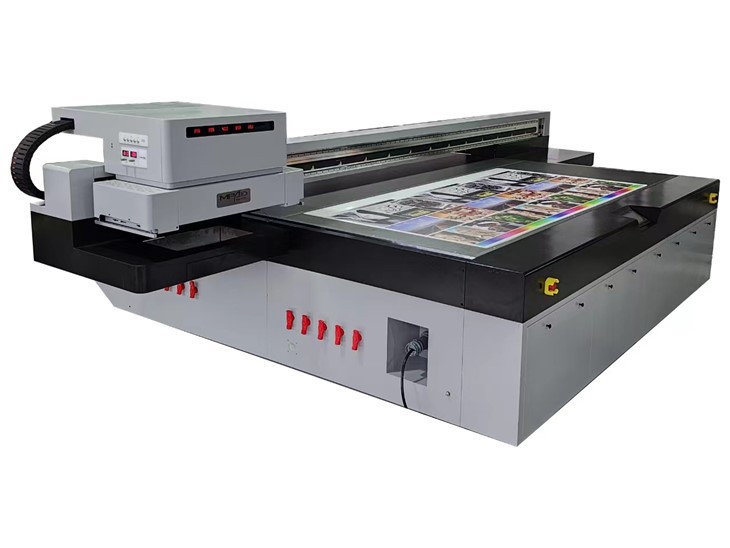
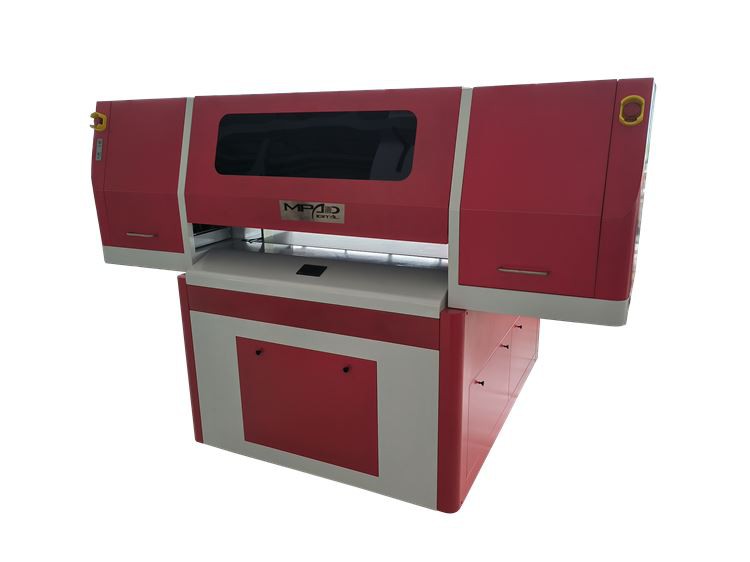
Stunning Print Quality
One of the main benefits of using a high-resolution UV printer is the ability to produce stunningly detailed and vibrant prints. A high-resolution printer can capture even the smallest details in an image, resulting in sharp, clear, and professional-looking prints.
Versatility
UV printers are incredibly versatile and can print on a wide range of substrates, including plastic, metal, glass, wood, and paper. This makes them ideal for a variety of applications, such as signage, packaging, promotional materials, and industrial printing.
Durability
UV inks are designed to be durable and long-lasting, making them ideal for outdoor applications. They are resistant to fading, scratching, and weathering, ensuring that your prints will look great for years to come.
Efficiency
High-resolution UV printers can print at high speeds, making them ideal for large-scale printing projects. They also require less setup time and can produce multiple prints in a single pass, improving efficiency and reducing costs.
If you're in the market for a top UV printer, I highly recommend checking out our UV Printer Golf Balls, Digital Flatbed Printer, and UV Printing Flatbed. These printers are designed to deliver high-resolution, high-quality prints on a variety of substrates, and they come with a range of features and options to meet your specific needs.
If you have any questions or would like to learn more about our UV printers, please don't hesitate to contact us. We'd be happy to help you find the perfect printer for your business and answer any questions you may have.
In conclusion, the resolution of top UV printers can vary widely depending on several factors, including the type of printer, the printing technology used, and the specific model. However, in general, top UV printers can achieve resolutions ranging from 720 DPI to 2880 DPI or even higher. When choosing a UV printer, it's important to consider the factors that can affect the resolution, such as printhead technology, ink quality, color management, and substrate compatibility. By choosing a high-resolution UV printer, you can enjoy stunning print quality, versatility, durability, and efficiency.
References:
- "UV Printing: A Comprehensive Guide." Printing Industries of America, Inc.
- "The Ultimate Guide to UV Printers." SignWarehouse.
- "UV Printer Technology: How It Works and Why It Matters." DuraLabel.