

Hey there! As a supplier of Hybrid Printers, I often get asked about how to adjust the color settings on these nifty machines. It's a crucial aspect of getting the best print quality, whether you're printing photos, graphics, or any other type of content. So, let's dive right in and explore the ins and outs of color adjustment on hybrid printers.
First things first, understanding the basics of color in printing is super important. Most hybrid printers use the CMYK color model, which stands for Cyan, Magenta, Yellow, and Key (black). This model is different from the RGB model used on screens (Red, Green, Blue). In CMYK, colors are created by subtracting light, while in RGB, colors are created by adding light. That's why what you see on your screen might not look exactly the same when printed.
When you start adjusting the color settings on your hybrid printer, the first step is to access the printer's control panel or software. Different printers have different interfaces, but generally, you can find the color settings in the printer's menu. Some printers even come with dedicated software that you can install on your computer, which gives you more control over the color settings.
One of the most common ways to adjust color is by using the saturation, brightness, and contrast settings. Saturation refers to the intensity of the colors. If you want your colors to look more vibrant, you can increase the saturation. But be careful not to overdo it, as too much saturation can make your prints look unrealistic. Brightness, on the other hand, affects how light or dark the colors are. You can increase the brightness if your prints are looking too dark, or decrease it if they're too light. Contrast controls the difference between the lightest and darkest parts of your image. Adjusting the contrast can make your prints look more dynamic.
Another important setting is the color balance. This allows you to adjust the amount of each primary color (cyan, magenta, yellow, and black) in your print. If your prints are looking too blue, for example, you can reduce the amount of cyan or increase the amount of yellow. Color balance is especially important when you're trying to match specific colors, like corporate logos or brand colors.
Some hybrid printers also offer advanced color adjustment features, such as ICC profiles. ICC profiles are files that contain information about the color characteristics of a particular printer, paper, and ink combination. By using the appropriate ICC profile, you can ensure that the colors in your print match the colors on your screen as closely as possible. You can usually download ICC profiles from the printer manufacturer's website or create your own using a color calibration device.
Now, let's talk about the different types of hybrid printers and how their color settings might vary. We offer a range of printers, including UV Hybrid Printers, UV Ink Jet Printer, and Hybrid Ink Printer. UV hybrid printers are known for their ability to print on a wide variety of materials, including plastics, metals, and glass. These printers often have more advanced color management systems to ensure accurate color reproduction on different surfaces.
UV ink jet printers use UV-curable inks, which dry quickly and produce high-quality prints. The color settings on these printers might be a bit different from traditional ink jet printers, as the UV inks have different properties. For example, you might need to adjust the curing time or the ink density to get the best results.
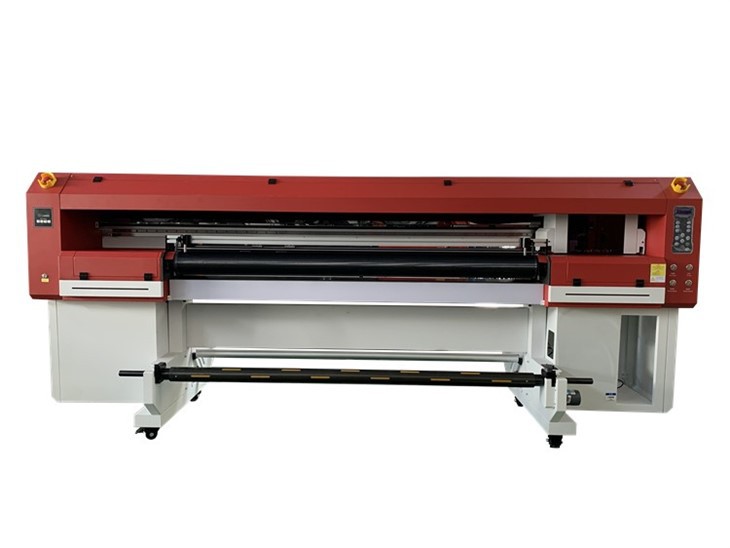
Hybrid ink printers combine the features of different printing technologies, such as ink jet and laser printing. These printers offer the flexibility of different printing methods, but they also require careful color adjustment to ensure consistent results.
When adjusting the color settings on your hybrid printer, it's a good idea to do some test prints. Print a sample image or document with different color settings and compare the results. This will help you see how each setting affects the final print and allow you to fine-tune the settings to your liking.
It's also important to use high-quality paper and ink. The quality of the paper and ink can have a big impact on the color accuracy and print quality. Make sure to use paper that is compatible with your printer and the type of ink you're using.
In addition to adjusting the color settings on the printer, you can also optimize the color in your source files. Use image editing software to adjust the colors before printing. This can help you get better results and reduce the need for extensive color adjustment on the printer.
Finally, if you're still having trouble adjusting the color settings on your hybrid printer, don't hesitate to reach out to us. As a supplier, we have a team of experts who can provide you with technical support and guidance. We can help you troubleshoot any issues and ensure that you're getting the best possible print quality from your printer.
Whether you're a professional photographer, a graphic designer, or a small business owner, having the ability to adjust the color settings on your hybrid printer is essential. It allows you to create high-quality prints that accurately represent your vision. So, take the time to learn about the color adjustment features of your printer and experiment with different settings to find the perfect combination for your needs.
If you're interested in purchasing a hybrid printer or have any questions about our products, feel free to contact us. We're here to help you find the right printer for your business and provide you with the support you need to get the most out of it.
References
- Printer manufacturer's user manuals
- Online resources on color management in printing
- Industry publications on printing technology