

As a seasoned supplier of flatbed printers, I understand the paramount importance of ensuring the long - term performance of these sophisticated machines. In this blog, I'll share some valuable insights and practical tips on how to maintain and enhance the long - term performance of a flatbed printer, drawing on my years of experience in the industry.
1. Initial Installation and Setup
The journey to long - term performance begins with a proper installation. When you first acquire a flatbed printer, it's crucial to follow the manufacturer's guidelines meticulously. Ensure that the printer is placed on a stable, level surface. Any unevenness can lead to misalignment of the print head, resulting in poor print quality over time.
Moreover, make sure the environment where the printer is installed meets the recommended temperature and humidity levels. Extreme temperatures can affect the viscosity of the ink, while high humidity can cause issues with paper feed and ink drying. Most flatbed printers operate optimally in an environment with a temperature range of 20 - 25°C and a relative humidity of 40 - 60%.
2. Regular Cleaning
Regular cleaning is one of the most fundamental steps in maintaining a flatbed printer. The print head is the heart of the printer, and it needs to be kept clean to ensure consistent ink flow. Use a cleaning solution recommended by the manufacturer to clean the print head at regular intervals. This will prevent clogging, which can lead to streaks or missing dots in the printed output.
The platen, the surface on which the material to be printed is placed, also requires regular cleaning. Dust, debris, and ink residue can accumulate on the platen, affecting the flatness of the printing surface and potentially scratching the print head. Wipe the platen with a soft, lint - free cloth and a mild cleaning agent.
3. Quality Ink and Materials
Using high - quality ink is essential for the long - term performance of a flatbed printer. Inferior ink can contain impurities that may clog the print head or cause chemical reactions within the printer's ink system. Always purchase ink from a reputable supplier that is specifically formulated for your printer model.
In addition to ink, the quality of the printing materials also matters. Different flatbed printers are designed to work with specific types of materials, such as paper, plastic, wood, or metal. Using the wrong material can cause excessive wear and tear on the printer, as well as poor print quality. For example, if you use a material that is too thick or too rough for the printer, it may damage the print head or cause jams.
4. Software Updates
Software plays a crucial role in the operation of a flatbed printer. Printer manufacturers regularly release software updates to improve performance, add new features, and fix bugs. Make sure to install these updates as soon as they become available. Software updates can optimize the printer's settings, enhance color accuracy, and improve the overall efficiency of the printing process.
To stay informed about software updates, subscribe to the manufacturer's newsletter or check their official website regularly. Some printers also have an automatic update feature that can download and install updates in the background.
5. Routine Maintenance Checks
Performing routine maintenance checks is an effective way to detect and address potential issues before they become major problems. Check the printer's belts, rollers, and other moving parts for signs of wear and tear. Replace any worn - out parts immediately to prevent further damage to the printer.
Inspect the ink lines for leaks or blockages. A leaky ink line can not only waste ink but also cause damage to the printer's internal components. If you notice any issues with the ink lines, contact the manufacturer's support team for assistance.
6. Proper Storage
If you need to store the flatbed printer for an extended period, proper storage is crucial. First, clean the printer thoroughly to remove any ink or debris. Then, cover the printer with a dust - proof cover to protect it from dust and moisture.
Store the printer in a dry, cool place away from direct sunlight. Avoid storing the printer in an area where it may be exposed to extreme temperatures or humidity. If possible, store the printer in its original packaging, as it is designed to provide the best protection during storage.
7. Training and Operator Knowledge
Well - trained operators are key to ensuring the long - term performance of a flatbed printer. Provide comprehensive training to your operators on how to operate the printer correctly, perform basic maintenance tasks, and troubleshoot common issues.
Operators should be familiar with the printer's control panel, software interface, and safety features. They should also know how to load materials properly, adjust the print settings, and handle ink cartridges. By investing in operator training, you can reduce the risk of operator - error - related issues and extend the lifespan of the printer.
8. Utilize the Right Printer for the Job
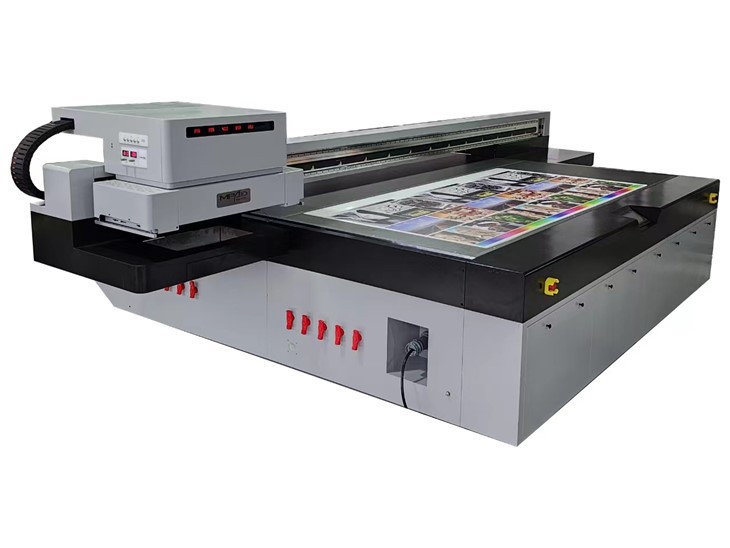
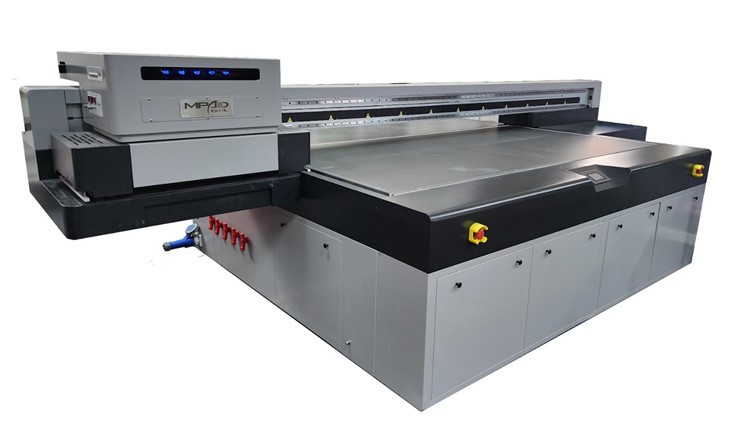
Choosing the appropriate flatbed printer for your specific printing needs is also important. For example, if you require high - volume, high - speed printing, a High Speed UV Printer might be the right choice. These printers are designed to deliver fast and accurate prints, making them suitable for large - scale production.
If you need to print on a variety of materials, including industrial - grade materials, an Industrial Flatbed Printer is more appropriate. These printers are built to handle tough materials and can withstand the rigors of continuous use in an industrial environment.
For those looking for a versatile printer that can handle UV printing, a UV Printing Flatbed is a great option. UV printing offers high - quality, durable prints on a wide range of surfaces.
Conclusion
Ensuring the long - term performance of a flatbed printer requires a combination of proper installation, regular maintenance, the use of quality materials, and well - trained operators. By following these tips, you can extend the lifespan of your printer, reduce downtime, and achieve consistent, high - quality prints.
If you are in the market for a new flatbed printer or need advice on maintaining your existing one, feel free to reach out to us. Our team of experts is always ready to assist you in finding the best solution for your printing needs. We look forward to the opportunity to discuss your requirements and help you make the most of your flatbed printer.
References
- Manufacturer's user manuals for flatbed printers
- Industry best practices for printer maintenance
- Technical articles on flatbed printer technology