

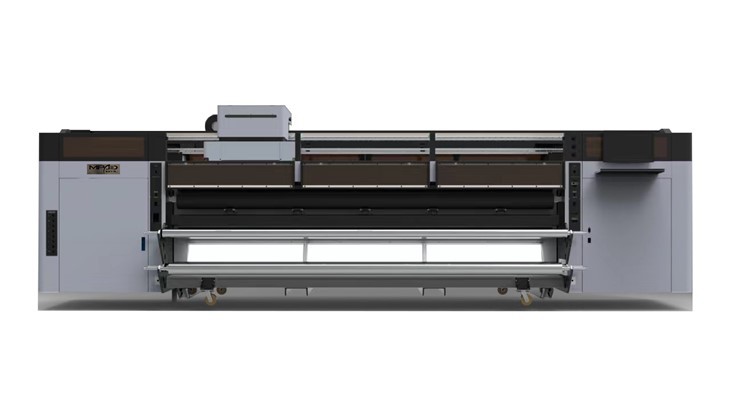
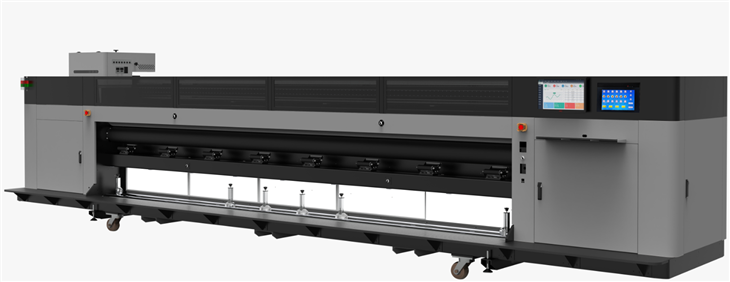
Hey there! As a supplier of UV Roll Printers, I've seen firsthand how crucial it is to get the roll tension just right. In this blog, I'm gonna walk you through the ins and outs of adjusting the roll tension in a UV Roll Printer. Whether you're printing on flags, banners, or using a roll-to-roll system, getting the tension correct can make a world of difference in the quality of your prints.
Why is Roll Tension Important?
Before we dive into how to adjust the tension, let's talk about why it matters so much. Proper roll tension ensures that the media moves smoothly through the printer. If the tension is too loose, the media can bunch up or shift during printing, leading to misaligned prints or even jams. On the other hand, if the tension is too tight, it can stretch the media, causing distortion in the final print.
For instance, when using a Flag Printer, the fabric needs to be fed evenly to ensure that the colors are applied accurately and the design comes out sharp. Similarly, a Banner Printer requires consistent tension to print large, high-quality banners without any wrinkles or unevenness. And in a Roll To Roll UV Printer, maintaining the right tension is essential for continuous, seamless printing.
Understanding Your Printer's Tension System
Most UV Roll Printers come with a built-in tension control system. This system typically consists of a set of rollers and a mechanism for adjusting the pressure or resistance on the media as it moves through the printer. Some printers have manual tension adjustment knobs, while others use electronic sensors and motors to automatically adjust the tension based on the media type and printing speed.
Before you start adjusting the tension, it's important to familiarize yourself with your printer's specific tension control system. Refer to the printer's user manual for detailed instructions on how to access and adjust the tension settings. If you're not sure, don't hesitate to reach out to our customer support team for assistance.
Step-by-Step Guide to Adjusting Roll Tension
Now, let's get into the nitty-gritty of adjusting the roll tension. Here's a general step-by-step guide that you can follow, but keep in mind that the exact process may vary depending on your printer model.
Step 1: Prepare the Printer
Before you start adjusting the tension, make sure the printer is turned off and unplugged for safety. Remove any existing media from the printer and clean the rollers and feed path to ensure there are no debris or dust particles that could affect the tension.
Step 2: Load the Media
Carefully load the media onto the printer's roll holder. Make sure the media is centered and aligned properly. If the media is not loaded correctly, it can cause uneven tension and affect the print quality.
Step 3: Initial Tension Setting
If your printer has manual tension adjustment knobs, start by setting them to the middle position. This will give you a baseline to work from. If your printer has automatic tension control, make sure it is set to the appropriate media type.
Step 4: Test Print
Turn on the printer and run a test print. Pay close attention to the way the media moves through the printer and the quality of the print. Look for any signs of wrinkling, misalignment, or stretching. If the print looks good and the media is moving smoothly, you may not need to make any further adjustments. However, if you notice any issues, it's time to start fine-tuning the tension.
Step 5: Fine-Tuning the Tension
If the media is wrinkling or bunching up, it means the tension is too loose. To increase the tension, turn the tension adjustment knobs clockwise (if using manual adjustment) or increase the tension setting in the printer's control panel (if using automatic adjustment). Make small adjustments and run another test print after each adjustment until the wrinkles disappear.
If the media is stretching or being pulled too tightly, it means the tension is too high. To decrease the tension, turn the tension adjustment knobs counterclockwise or decrease the tension setting in the control panel. Again, make small adjustments and test print until the stretching stops.
Step 6: Final Check
Once you're satisfied with the print quality and the media is moving smoothly through the printer, run a few more test prints to confirm that the tension is set correctly. Check the edges of the prints for any signs of unevenness or distortion. If everything looks good, you're ready to start your production prints.
Tips for Maintaining Proper Roll Tension
Adjusting the roll tension is not a one-time thing. You'll need to monitor and adjust the tension regularly to ensure consistent print quality. Here are some tips to help you maintain proper roll tension:
- Use the Right Media: Different types of media require different levels of tension. Make sure you're using the media recommended by the printer manufacturer and adjust the tension accordingly.
- Keep the Rollers Clean: Dirty or sticky rollers can affect the tension and cause the media to slip. Clean the rollers regularly with a soft, lint-free cloth and a mild cleaning solution.
- Monitor the Print Quality: Pay attention to the quality of your prints. If you notice any changes in the print quality, such as wrinkles, misalignment, or stretching, it may be a sign that the tension needs to be adjusted.
- Check the Roll Holder: Make sure the roll holder is secure and not loose. A loose roll holder can cause the media to shift and affect the tension.
Conclusion
Adjusting the roll tension in a UV Roll Printer is an important part of ensuring high-quality prints. By following the steps outlined in this blog and keeping these tips in mind, you can easily adjust the tension and maintain consistent print quality.
If you have any questions or need further assistance with adjusting the roll tension in your UV Roll Printer, don't hesitate to contact us. We're here to help you get the most out of your printer and achieve the best possible results. Whether you're a small business owner looking to print custom flags and banners or a large printing company in need of a reliable roll-to-roll solution, our team of experts is ready to assist you.
If you're interested in purchasing a UV Roll Printer or have any questions about our products, feel free to reach out to us for a consultation. We can provide you with more information about our printers, help you choose the right model for your needs, and offer competitive pricing. Let's work together to take your printing business to the next level!
References
- Manufacturer's User Manual for UV Roll Printers
- Industry Best Practices for Roll Tension Adjustment in Printing