

Hey there! As a supplier of UV spot printers, I've seen firsthand how these machines can revolutionize the printing industry. They're super versatile, allowing you to add that extra bit of flair to your prints with spot UV coating. But like any piece of equipment, they need proper maintenance to keep them running smoothly and ensure you get the best results. So, let's dive into how to maintain a UV spot printer.
Regular Cleaning
One of the most important aspects of maintaining a UV spot printer is regular cleaning. The printer heads are the heart of the machine, and they can get clogged with ink and debris over time. To clean the printer heads, you'll need to use a cleaning solution specifically designed for UV printers. First, make sure the printer is turned off and unplugged. Then, remove the printer heads according to the manufacturer's instructions. Soak the heads in the cleaning solution for a specified amount of time, usually around 30 minutes to an hour. After soaking, gently rinse the heads with distilled water and dry them with a lint - free cloth.
The print bed also needs regular cleaning. Dust, paper fibers, and ink residues can accumulate on the print bed, which can affect the quality of your prints. Use a soft, damp cloth to wipe down the print bed after each use. If there are stubborn stains, you can use a mild cleaning agent, but make sure to dry the print bed thoroughly before using the printer again.
Ink Management
Proper ink management is crucial for the performance of your UV spot printer. Always use high - quality UV inks that are recommended by the printer manufacturer. Low - quality inks can cause clogging, poor adhesion, and uneven printing.
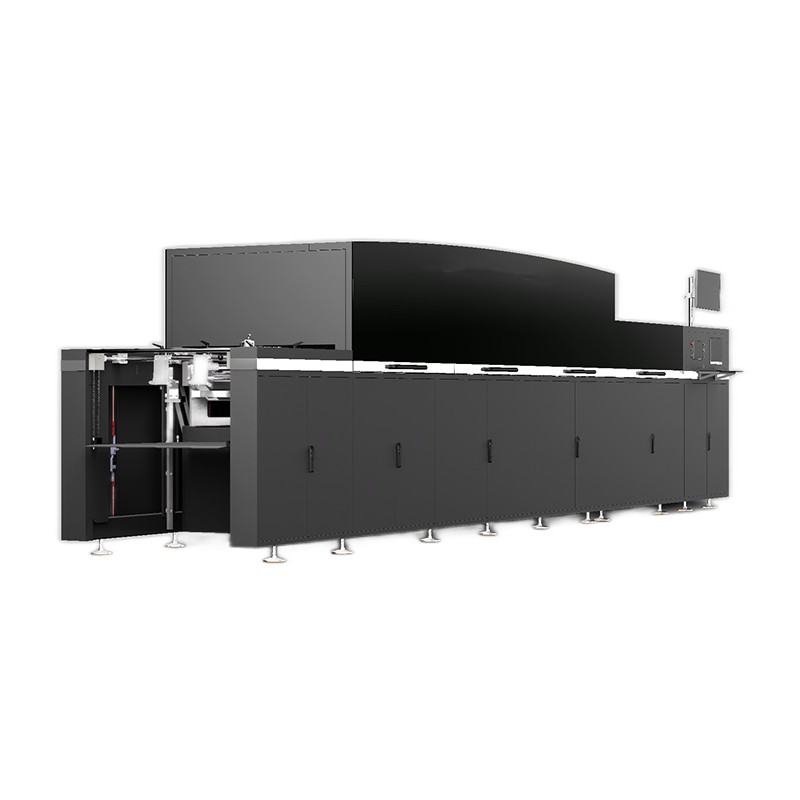
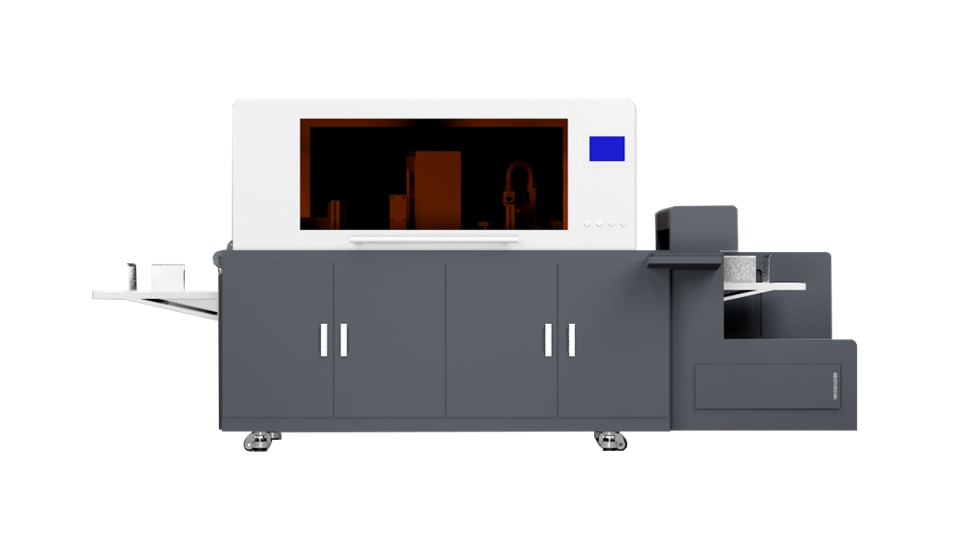
Keep an eye on the ink levels in the cartridges. Running out of ink during a print job can damage the printer heads. Most modern UV spot printers have ink level indicators, but it's still a good idea to check manually from time to time. When replacing the ink cartridges, make sure to follow the correct procedures to prevent air bubbles from entering the ink lines.
Calibration
Regular calibration is essential to ensure accurate and consistent printing. Calibration helps to align the printer heads, adjust the ink flow, and correct any color discrepancies. The frequency of calibration depends on how often you use the printer. If you use it daily, you may need to calibrate it once a week. For less frequent use, once a month should be sufficient.
Most UV spot printers come with built - in calibration tools. Follow the on - screen instructions to perform the calibration. You may need to print a test pattern and then use the printer's software to make adjustments based on the results.
Belt and Rollers Maintenance
The belts and rollers in the UV spot printer are responsible for moving the media through the printer. Over time, they can wear out or become dirty, which can cause misalignment and uneven feeding of the media.
Inspect the belts and rollers regularly for signs of wear, such as cracks or fraying. Clean the rollers with a lint - free cloth and a mild cleaning solution to remove any ink or debris. If you notice any significant wear, replace the belts and rollers as soon as possible to avoid further damage to the printer.
UV Lamp Maintenance
The UV lamp is what cures the UV inks on the prints. A well - maintained UV lamp is essential for proper ink curing. Check the UV lamp regularly for signs of damage, such as cracks or discoloration. The intensity of the UV lamp decreases over time, so it's important to replace the lamp when it reaches the end of its lifespan.
The lifespan of a UV lamp can vary depending on the usage, but it's generally recommended to replace it every 1000 - 2000 hours of use. When replacing the UV lamp, make sure to follow the manufacturer's instructions carefully to avoid any electrical hazards.
Software Updates
Don't forget about software updates! Printer manufacturers often release software updates to improve the performance of the printer, fix bugs, and add new features. Keep your printer's software up - to - date by checking the manufacturer's website regularly.
Updating the software is usually a straightforward process. Download the latest software version from the manufacturer's website and follow the installation instructions. Make sure to back up any important printer settings before performing the update.
Environment Considerations
The environment in which the UV spot printer is located can also affect its performance and lifespan. Keep the printer in a clean, dry, and well - ventilated area. Avoid exposing the printer to extreme temperatures and humidity, as this can cause damage to the printer components.
Dust and debris in the air can also enter the printer and cause problems. Consider using an air filter in the room where the printer is located to reduce the amount of dust.
Troubleshooting
Even with proper maintenance, you may encounter some issues with your UV spot printer from time to time. Here are some common problems and how to troubleshoot them:
- Clogged printer heads: If you notice poor print quality or missing lines in your prints, it could be a sign of clogged printer heads. Try cleaning the printer heads as described earlier. If the problem persists, you may need to use a more powerful cleaning solution or contact the printer manufacturer for further assistance.
- Ink adhesion problems: If the UV ink is not adhering properly to the media, it could be due to incorrect ink type, improper curing, or a dirty print bed. Check the ink compatibility with the media, make sure the UV lamp is working correctly, and clean the print bed.
- Paper jams: Paper jams can occur if the media is not loaded correctly or if there are obstructions in the paper path. Turn off the printer and carefully remove any jammed paper. Check for any debris or foreign objects in the paper path and remove them.
In conclusion, maintaining a UV spot printer is not overly complicated, but it does require some regular attention. By following these maintenance tips, you can ensure that your printer runs smoothly, produces high - quality prints, and has a long lifespan.
If you're in the market for a new UV spot printer or need any assistance with your existing one, we've got a great range of products to offer. Check out our Spot UV Coating Machine, Digital Foiling Printing Machine, and UV Spot Varnish Printing options. If you have any questions or want to discuss your specific needs, don't hesitate to reach out. We're here to help you make the most of your printing experience.
References
- Manufacturer's user manual for UV spot printers
- Industry best practices for UV printer maintenance