

Hey there! As a supplier of UV Digital Printers, I've seen firsthand how crucial it is to optimize print quality. In this blog, I'm gonna share some tips and tricks to help you get the most out of your UV digital printer.
1. Choose the Right Printer
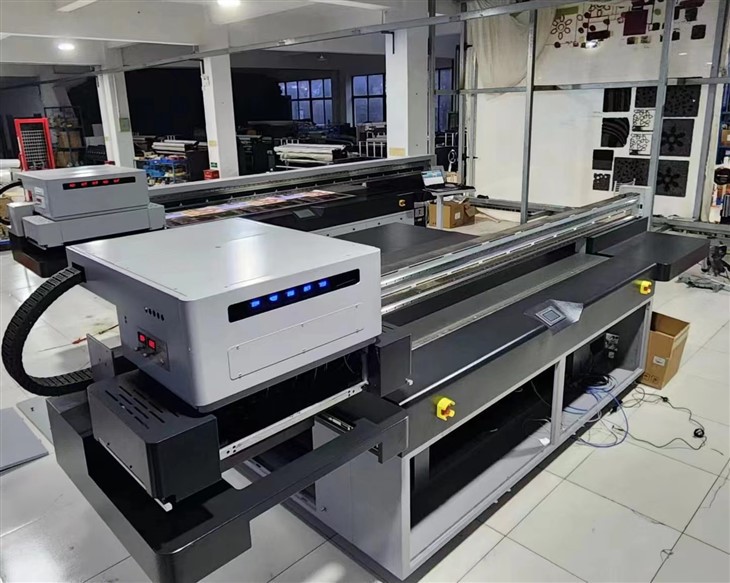
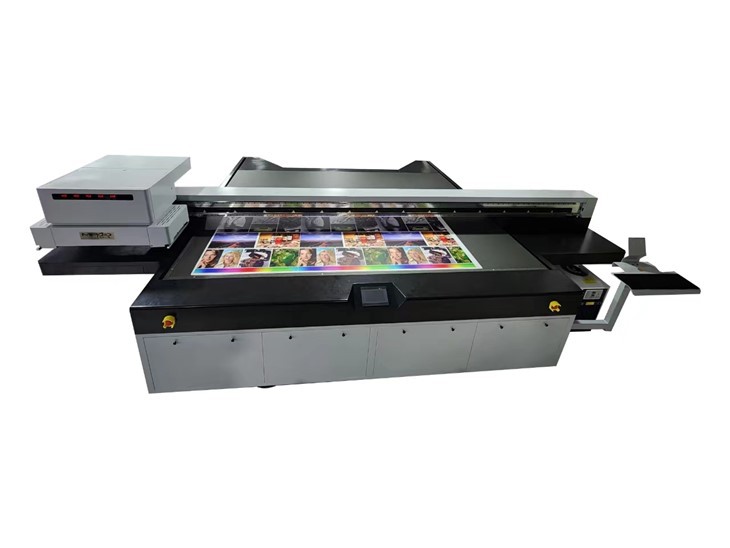
First things first, you gotta pick the right printer for your needs. We offer a range of printers, like the Flatbed Digital Printer. This bad boy is great for printing on various flat surfaces. If you're looking for a more general - purpose option, the UV Printer Machine might be the one for you. And if you're into printing on wood, our UV Flatbed Printer For Wood is specially designed to handle that material.
When choosing a printer, consider the size of the prints you'll be making, the type of materials you'll use, and your budget. A printer with a higher resolution will generally produce better - quality prints, but it might also cost more.
2. Select the Appropriate Ink
The ink you use plays a huge role in print quality. UV inks come in different types, and each has its own characteristics. Some inks are more vibrant, while others are more durable.
For high - quality prints, go for inks that are formulated for your specific printer and the materials you're using. Make sure the ink has good adhesion to the substrate. If the ink doesn't stick well, the print can start to peel or fade over time.
Also, pay attention to the ink's drying time. UV inks dry quickly under UV light, but different inks may have slightly different drying requirements. Using the wrong ink can lead to smudging or uneven drying, which will mess up your print quality.
3. Prepare the Substrate Properly
The surface you're printing on matters a lot. Before you start printing, clean the substrate thoroughly. Dust, dirt, or grease on the surface can prevent the ink from adhering properly and can cause blemishes in the print.
For some materials, like wood or metal, you might need to sand the surface to create a more even texture. This helps the ink to spread more evenly and improves the overall print quality.
If the substrate has a glossy finish, you may need to apply a primer. A primer can enhance the ink's adhesion and make the colors look more vibrant.
4. Calibrate the Printer Regularly
Calibration is key to getting consistent, high - quality prints. Your UV digital printer needs to be calibrated regularly to ensure that the colors are accurate and the print head is working properly.
Most printers come with calibration tools and software. Follow the manufacturer's instructions to calibrate the printer. This usually involves printing a test pattern and adjusting the printer settings based on the results.
Calibration can correct issues like color shifts, banding, or uneven ink distribution. By calibrating your printer regularly, you can avoid a lot of print quality problems.
5. Optimize the Print Settings
The printer settings you choose can make or break your print quality. Here are some important settings to consider:
Resolution
Higher resolution settings generally produce sharper and more detailed prints. However, printing at a very high resolution can also slow down the printing process and use more ink. Find the right balance between resolution and speed based on your needs.
Print Speed
Printing too fast can lead to poor print quality. The ink may not have enough time to dry properly, or the print head may not be able to apply the ink evenly. On the other hand, printing too slowly can be a waste of time. Experiment with different print speeds to find the optimal one for your printer and materials.
Color Mode
Most printers offer different color modes, such as RGB or CMYK. Choose the color mode that is most suitable for your project. RGB is great for digital images, while CMYK is more commonly used for commercial printing.
6. Maintain the Printer
Proper maintenance is essential for keeping your UV digital printer in top shape. Here are some maintenance tasks you should do regularly:
Clean the Print Head
The print head can get clogged with ink over time. A clogged print head can cause streaks or missing dots in the print. Use the printer's cleaning function regularly to keep the print head clean. You may also need to perform a deep cleaning occasionally, following the manufacturer's instructions.
Check the UV Lamps
UV lamps are responsible for curing the ink. If the UV lamps are not working properly, the ink may not dry completely, leading to smudging or poor adhesion. Check the UV lamps regularly and replace them when they start to lose their effectiveness.
Replace Worn - Out Parts
Over time, some parts of the printer, like belts or rollers, may wear out. These worn - out parts can affect the printer's performance and print quality. Keep an eye on the condition of these parts and replace them as needed.
7. Train Your Staff
If you have a team using the printer, make sure they are properly trained. Training your staff on how to operate the printer correctly, how to prepare the materials, and how to troubleshoot common issues can significantly improve print quality.
Provide your staff with comprehensive training on the printer's features, functions, and maintenance procedures. Encourage them to ask questions and stay updated on the latest printing techniques.
8. Test and Evaluate
Before starting a large - scale printing project, it's always a good idea to do a test print. This allows you to check the print quality, make any necessary adjustments to the settings, and ensure that the final print will meet your expectations.
After printing, evaluate the results. Look for any issues like color accuracy, sharpness, or ink adhesion. If you find any problems, analyze what went wrong and make the appropriate changes for the next print.
Conclusion
Optimizing the print quality of a UV digital printer takes a combination of the right equipment, proper materials, and careful attention to detail. By following these tips, you can significantly improve the quality of your prints and get the most out of your investment.
If you're interested in learning more about our UV Digital Printers or have any questions about optimizing print quality, don't hesitate to reach out. We're here to help you with all your printing needs and can assist you in choosing the best solutions for your business. Contact us to start a procurement discussion and take your printing to the next level.
References
- Industry knowledge and experience in UV digital printing
- Manufacturer's manuals and guidelines for UV digital printers and inks