

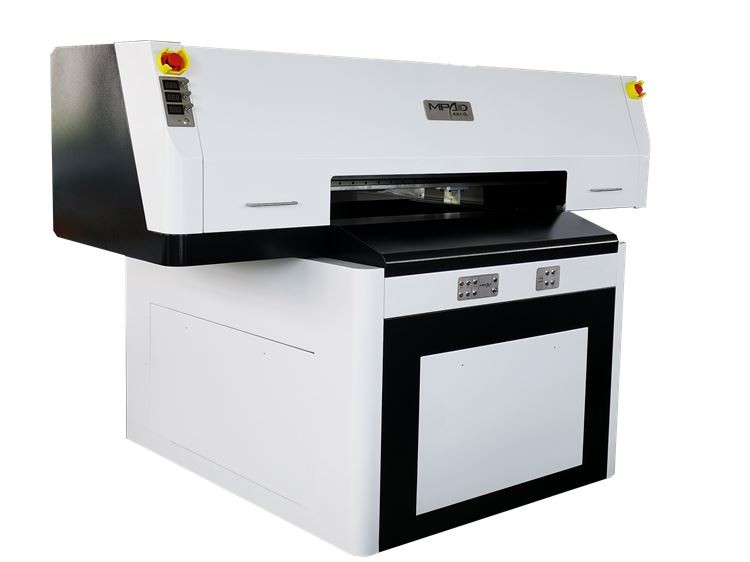
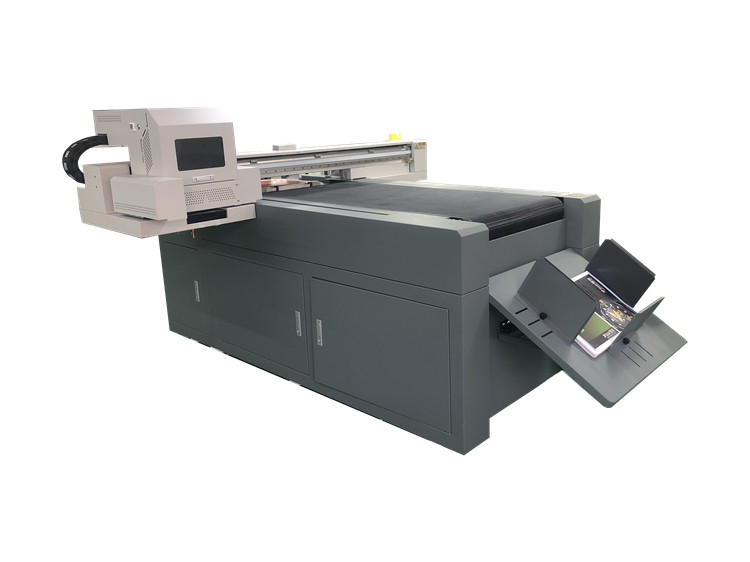
In the realm of modern printing, UV spot printers have emerged as a revolutionary tool, offering unparalleled precision and versatility in creating eye - catching prints. As a dedicated UV Spot Printer supplier, I understand the importance of optimizing the printing settings to achieve the best results. This blog post will guide you through the key aspects of optimizing the printing settings of a UV spot printer.
Understanding the Basics of UV Spot Printing
Before delving into the optimization process, it's crucial to understand what UV spot printing is. UV spot printing, also known as UV Spot Varnish Printing, involves applying a clear, glossy varnish to specific areas of a printed piece. This creates a high - contrast effect between the shiny, varnished parts and the matte background, adding depth and visual appeal to the print.
UV spot printers use ultraviolet light to cure the varnish almost instantly. This not only speeds up the printing process but also ensures that the varnish adheres well to the substrate, resulting in a durable and high - quality finish.
Selecting the Right Substrate
The first step in optimizing the printing settings of a UV spot printer is choosing the appropriate substrate. Different substrates, such as paper, cardboard, plastic, and metal, have different surface properties that can affect the adhesion and appearance of the UV varnish.
- Paper and Cardboard: These are the most commonly used substrates in UV spot printing. For best results, choose a paper or cardboard with a smooth surface. Rough or porous surfaces may absorb the varnish unevenly, leading to a less - than - perfect finish. Additionally, make sure the substrate is compatible with the UV varnish you are using. Some papers may require a pre - treatment to improve adhesion.
- Plastic and Metal: When printing on plastic or metal, surface energy is a critical factor. Low - surface - energy materials may not allow the UV varnish to spread evenly. In such cases, you may need to use a primer or treat the surface with corona discharge to increase its surface energy and improve varnish adhesion.
Adjusting the Varnish Flow Rate
The flow rate of the UV varnish is a key parameter that affects the thickness and appearance of the printed varnish layer. A too - low flow rate may result in a thin and patchy varnish layer, while a too - high flow rate can cause the varnish to overflow or create a messy finish.
- Testing and Calibration: Start by running test prints on a sample substrate. Begin with a moderate flow rate and gradually adjust it based on the results. You can use a thickness gauge to measure the thickness of the varnish layer on the printed sample. Aim for a consistent and even thickness across the printed area.
- Consider the Design: The complexity of the design also influences the flow rate. For detailed designs with small spots, a lower flow rate may be required to ensure precision. On the other hand, larger areas may need a slightly higher flow rate to cover the surface adequately.
Controlling the UV Curing Intensity
The UV curing intensity determines how quickly the varnish dries and cures. Insufficient curing can lead to a sticky or tacky finish, while over - curing can cause the varnish to become brittle and crack.
- UV Lamp Selection: Most UV spot printers come with adjustable UV lamps. Choose a lamp with the appropriate power output for your printing requirements. Higher - power lamps can cure the varnish more quickly, but they may also generate more heat, which can be a problem for heat - sensitive substrates.
- Speed and Distance: The speed at which the substrate passes under the UV lamp and the distance between the lamp and the substrate also affect the curing intensity. A slower speed and a shorter distance will result in more exposure to the UV light, leading to better curing. However, you need to find the right balance to avoid over - curing.
Optimizing the Print Resolution
The print resolution determines the level of detail and sharpness in the UV spot print. Higher resolutions can produce more detailed and precise prints, but they also require more time and may increase the risk of clogging the print heads.
- Design Requirements: Consider the design of your print when choosing the resolution. For simple designs with large areas of varnish, a lower resolution may be sufficient. However, for designs with fine details, such as text or intricate patterns, a higher resolution is recommended.
- Print Head Maintenance: To ensure optimal print resolution, regular print head maintenance is essential. Clean the print heads regularly to prevent clogging, which can cause uneven printing and reduce the overall quality of the print.
Managing the Printing Environment
The printing environment can have a significant impact on the performance of a UV spot printer. Factors such as temperature, humidity, and dust can affect the adhesion, curing, and appearance of the UV varnish.
- Temperature and Humidity: Maintain a stable temperature and humidity level in the printing area. High temperatures can cause the varnish to dry too quickly, while low temperatures may slow down the curing process. Similarly, high humidity can lead to poor adhesion, while low humidity can cause the varnish to dry out too fast.
- Dust and Contamination: Keep the printing area clean and free of dust and debris. Dust particles can settle on the substrate or in the print heads, causing defects in the print. Use air filters and regular cleaning to minimize the risk of contamination.
Software Optimization
Modern UV spot printers are often equipped with advanced software that allows you to control and optimize various printing settings.
- Design Import and Editing: Use the software to import your design and make any necessary adjustments. You can resize, rotate, and crop the design to fit the substrate. Additionally, the software may offer features such as color management and previewing, which can help you visualize the final print before starting the actual printing process.
- Printing Profiles: Create custom printing profiles for different substrates, designs, and printing requirements. These profiles can save you time and ensure consistent results. You can adjust settings such as varnish flow rate, curing intensity, and print resolution in each profile.
Troubleshooting Common Issues
Even with the best - optimized settings, you may encounter some common issues in UV spot printing. Here are some solutions to the most frequently encountered problems:
- Poor Adhesion: If the varnish is not adhering well to the substrate, check the substrate compatibility, surface energy, and pre - treatment. You may need to adjust the varnish flow rate or use a different type of varnish.
- Uneven Varnish Distribution: Uneven varnish distribution can be caused by a clogged print head, incorrect flow rate, or a dirty substrate. Clean the print head, adjust the flow rate, and ensure the substrate is clean before printing.
- Curing Problems: If the varnish is not curing properly, check the UV lamp intensity, speed, and distance. You may need to increase the curing time or adjust the lamp settings.
Conclusion
Optimizing the printing settings of a UV spot printer is a multi - step process that requires careful consideration of various factors, including substrate selection, varnish flow rate, curing intensity, print resolution, and the printing environment. By following the tips and guidelines outlined in this blog post, you can achieve high - quality, durable, and visually appealing UV spot prints.
As a leading UV Spot Printer supplier, we are committed to providing you with the best products and support to help you optimize your printing process. If you have any questions or need further assistance in setting up or optimizing your UV spot printer, please do not hesitate to contact us. We look forward to discussing your printing needs and exploring how our UV Varnish Printer can meet your requirements.
References
- "UV Printing Technology: Principles and Applications" by John Smith
- "Advanced Printing Techniques for UV Spot Printing" by Jane Doe
- Manufacturer's manuals for UV spot printers and UV varnishes