

As a supplier of flatbed printers, I understand the importance of maintaining the print head, which is the heart of any flatbed printer. A well - maintained print head ensures high - quality prints, prolongs the printer's lifespan, and reduces operational costs. In this blog, I'll share some essential tips on how to protect the print head of a flatbed printer.
1. Choose the Right Ink
The quality of ink you use has a direct impact on the health of your print head. Low - quality inks often contain impurities such as dust, particles, or chemical substances that can clog the tiny nozzles of the print head. These clogs can lead to uneven printing, missing dots, and eventually, permanent damage to the print head.
When selecting ink, opt for inks that are specifically formulated for your printer model. Reputable ink manufacturers conduct extensive research and development to ensure their inks are compatible with different printer heads, have the right viscosity, and dry properly. For example, our UV LED Flatbed Printer is designed to work optimally with high - quality UV inks. These inks are cured quickly by UV light, which not only gives excellent print quality but also reduces the risk of ink residue building up in the print head.
It's also important to check the expiration date of the ink. Expired ink can change in consistency and quality, increasing the likelihood of clogging. Always store ink in a cool, dry place to maintain its quality.
2. Keep the Printer Environment Clean
The environment in which the flatbed printer operates plays a crucial role in print head protection. Dust, dirt, and humidity can all cause problems for the print head.
Dust particles can easily enter the printer and settle on the print head. Over time, these particles can block the nozzles and interfere with the ink flow. To prevent this, make sure the printer is placed in a clean room. Regularly vacuum the area around the printer to remove loose dust. You can also use a soft, lint - free cloth to wipe the exterior of the printer.
Humidity is another factor to consider. High humidity can cause ink to dry slower, leading to smudging and potential clogging. On the other hand, low humidity can cause the ink to dry too quickly at the nozzle tips. Aim to keep the humidity in the printer's environment between 40% - 60%. You can use a dehumidifier or humidifier to adjust the humidity levels as needed.
3. Perform Regular Maintenance
Regular maintenance is essential for the longevity of the print head. One of the most important maintenance tasks is head cleaning. Most flatbed printers come with a built - in cleaning function. You should perform a gentle cleaning cycle at least once a week, even if the printer is not in frequent use.
During the cleaning process, the printer will pump ink through the nozzles to remove any dried ink or debris. However, be careful not to over - clean the print head, as excessive cleaning can wear out the nozzles.
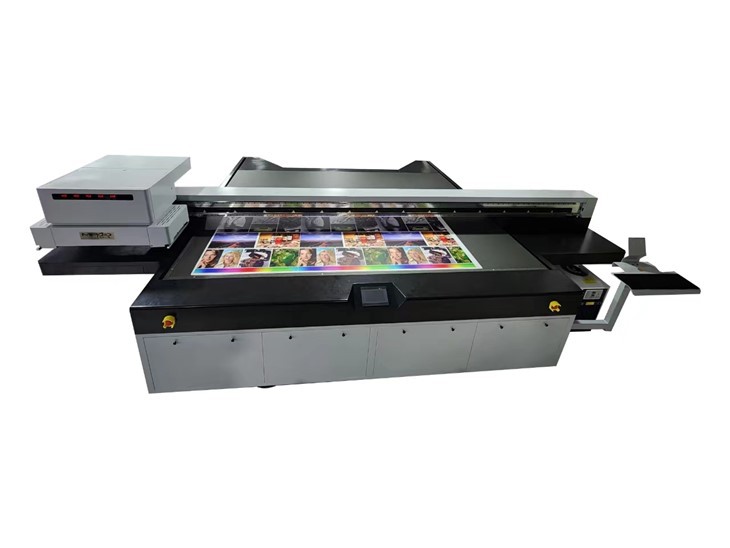
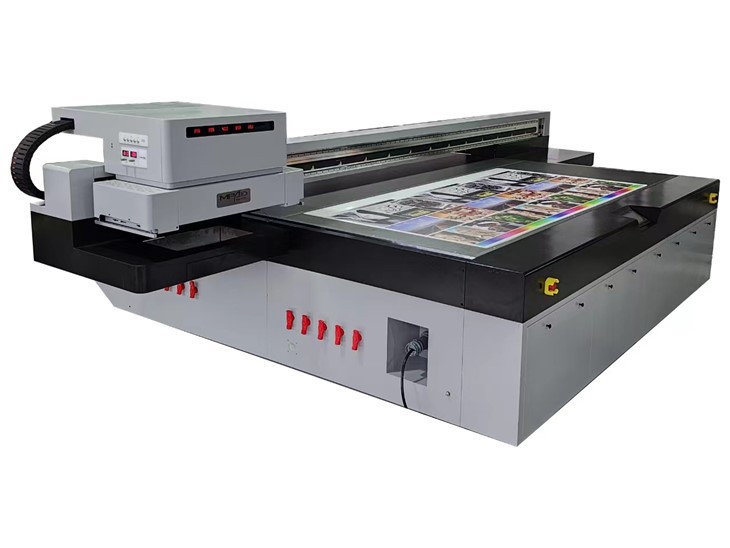
In addition to automatic cleaning, you can also perform manual cleaning if necessary. Use a cleaning solution recommended by the printer manufacturer and a soft, lint - free swab to gently clean the print head surface. Avoid using abrasive materials that could scratch the print head.
Another important maintenance step is to check the ink levels regularly. Running the printer with low ink levels can cause air to enter the ink lines and the print head, which can lead to clogging. Always refill the ink cartridges before they run out completely.
4. Use the Printer Properly
Proper usage of the flatbed printer can significantly reduce the risk of print head damage. When loading media, make sure it is properly aligned and flat. Uneven media can cause the print head to come into contact with the media surface, which can scratch or damage the print head.
Avoid sudden power cuts or turning off the printer while it is in the middle of a print job. This can cause ink to dry in the nozzles and lead to clogging. Always use the proper shutdown procedure provided by the printer manufacturer.
Also, do not move the printer while it is printing. Vibration during the printing process can cause the print head to misalign or produce uneven prints.
5. Store the Printer Correctly
If you need to store the flatbed printer for an extended period, proper storage is crucial to protect the print head. First, make sure to clean the print head thoroughly before storage. Then, fill the ink lines and the print head with a special storage solution recommended by the manufacturer. This solution helps to prevent the ink from drying and clogging the nozzles.
Cover the printer with a dust - proof cover to protect it from dust and dirt. Store the printer in a cool, dry place. If possible, store the printer in an upright position to prevent ink from leaking into the print head.
6. Train Your Operators
If you have multiple operators using the flatbed printer, it's essential to provide them with proper training. Make sure they understand the importance of print head protection and know how to operate the printer correctly.
Training should cover topics such as ink handling, printer maintenance, and proper usage. Operators should also be trained to recognize the signs of print head problems, such as poor print quality or clogged nozzles, and know how to take appropriate action.
7. Consider Professional Servicing
Even with regular maintenance, there may come a time when the print head needs professional servicing. If you notice persistent problems with print quality, such as streaks, missing dots, or uneven color, it's a good idea to contact a professional technician.
Professional technicians have the expertise and tools to diagnose and repair print head problems. They can also perform more in - depth cleaning and calibration to ensure the print head is working at its best.
8. Choose the Right Printer for Your Needs
Selecting the right flatbed printer for your specific printing needs is also important for print head protection. Different printers are designed for different applications, and using a printer beyond its intended capabilities can put extra stress on the print head.
For example, if you need to print high - volume commercial jobs, our Commercial UV Printer is a great choice. It is built with a durable print head that can handle continuous operation. On the other hand, if you have large - scale industrial printing requirements, our Industrial Flatbed Printer offers advanced features and a robust print head design.
In conclusion, protecting the print head of a flatbed printer requires a combination of proper ink selection, a clean environment, regular maintenance, correct usage, proper storage, operator training, professional servicing, and the right printer choice. By following these tips, you can ensure that your print head lasts longer and provides high - quality prints consistently.
If you are interested in purchasing a flatbed printer or have any questions about print head protection, feel free to contact us for further discussion and procurement. Our team of experts is ready to assist you in finding the best solution for your printing needs.
References
- Manufacturer's manuals for flatbed printers
- Industry research on print head technology and maintenance