

Optimizing the printing parameters of a 2513 UV printer is crucial for achieving high-quality prints, enhancing efficiency, and reducing costs. As a 2513 UV printer supplier, I've witnessed firsthand how proper parameter adjustment can transform the printing process. In this blog, I'll share some valuable insights on how to optimize these parameters.
Understanding the Basics of 2513 UV Printers
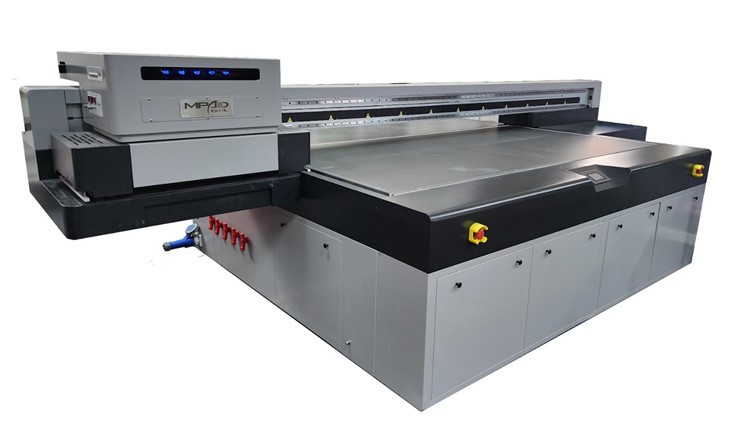
Before delving into parameter optimization, it's essential to understand what a 2513 UV printer is. The "2513" in the name typically refers to the printer's working area, which is 2500mm in length and 1300mm in width. This large-format printer uses UV-curable inks, which are cured instantly by UV light, allowing for printing on a wide range of materials, including glass, metal, wood, and plastic.
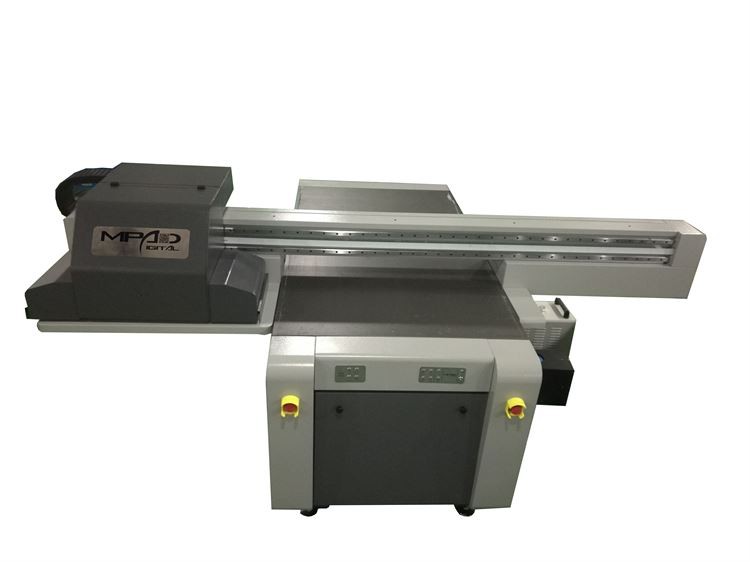
Our company offers a variety of UV printers, such as the Digital UV Flatbed Printing Machine, High Speed UV Printer, and Large Flatbed Printer. These printers are designed to meet different customer needs, whether it's for high-speed production or large-format printing.
Key Printing Parameters to Optimize
1. Resolution
Resolution is one of the most critical parameters in printing. It refers to the number of dots per inch (DPI) that the printer can produce. A higher DPI generally results in a sharper and more detailed print, but it also increases the printing time and ink consumption.
To optimize the resolution, you need to consider the printing requirements. For example, if you're printing large banners or signs that will be viewed from a distance, a lower DPI (e.g., 360 DPI) may be sufficient. On the other hand, if you're printing high-quality photographs or detailed graphics, a higher DPI (e.g., 720 DPI or 1440 DPI) is recommended.
2. Ink Density
Ink density determines the amount of ink applied to the printing surface. It affects the color saturation and the overall appearance of the print. Too little ink can result in faded colors, while too much ink can cause bleeding and slow down the curing process.
To find the optimal ink density, you can perform test prints on a sample material. Start with a moderate ink density setting and gradually adjust it up or down until you achieve the desired color and quality. Keep in mind that different materials may require different ink densities, so it's important to test each material separately.
3. Curing Speed
Curing speed is the rate at which the UV light cures the ink. It's closely related to the ink density and the printing speed. If the curing speed is too fast, the ink may not be fully cured, leading to smudging and poor adhesion. If the curing speed is too slow, it can reduce the printing efficiency.
To optimize the curing speed, you need to find a balance between the ink density and the printing speed. You can start by setting the curing speed according to the manufacturer's recommendations and then make adjustments based on the test prints. Monitor the curing process carefully to ensure that the ink is fully cured without overheating the material.
4. Printing Speed
Printing speed is another important parameter that affects the production efficiency. It refers to the rate at which the printer moves across the printing surface. A higher printing speed can increase the output, but it may also sacrifice the print quality.
To optimize the printing speed, you need to consider the resolution, ink density, and curing speed. If you're printing at a high resolution or using a high ink density, you may need to reduce the printing speed to ensure that the ink is properly applied and cured. On the other hand, if you're printing at a lower resolution or using a low ink density, you can increase the printing speed to improve the efficiency.
Tips for Parameter Optimization
1. Conduct Regular Maintenance
Regular maintenance is essential for keeping the printer in good condition and ensuring accurate parameter settings. Clean the print heads, UV lamps, and other components regularly to prevent clogging and ensure proper functioning. Check the ink levels and replace the ink cartridges as needed.
2. Use High-Quality Materials
The quality of the printing material can also affect the print quality and the parameter settings. Use high-quality materials that are compatible with the UV inks and the printer. Test the materials before printing to ensure that they can withstand the UV curing process and produce the desired results.
3. Keep Records of Parameter Settings
Keep a record of the parameter settings for different materials and printing jobs. This will help you reproduce the same results in the future and make adjustments more easily. You can also use the records to analyze the performance of the printer and identify any potential issues.
4. Seek Professional Support
If you're having trouble optimizing the printing parameters, don't hesitate to seek professional support. Our company offers technical support and training services to help you get the most out of your 2513 UV printer. Our experts can provide personalized advice and guidance based on your specific needs and requirements.
Conclusion
Optimizing the printing parameters of a 2513 UV printer is a continuous process that requires patience, experimentation, and attention to detail. By understanding the key parameters, following the tips for optimization, and seeking professional support when needed, you can achieve high-quality prints, enhance efficiency, and reduce costs.
If you're interested in learning more about our 2513 UV printers or need help with parameter optimization, please feel free to contact us for a consultation. We're committed to providing our customers with the best printing solutions and support.
References
- Manufacturer's manual of the 2513 UV printer
- Industry best practices for UV printing