

As a supplier of Hybrid UV Printers, I understand that users may encounter various common problems during the operation of these advanced printing devices. In this blog, I will share some practical troubleshooting methods for these issues to help you keep your Hybrid UV Printer running smoothly.
1. Print Quality Issues
Uneven Printing
One of the most common problems is uneven printing, where some parts of the printed image appear lighter or darker than others. This can be caused by several factors.
- Nozzle Blockage: Nozzle blockage is a frequent culprit. Over time, ink can dry up in the nozzles, preventing the smooth flow of ink. To check for nozzle blockage, you can run a nozzle check pattern on your Hybrid Printer. If you notice missing or faint lines in the pattern, it indicates that some nozzles are blocked. To clean the nozzles, most printers have a built - in cleaning function. Run this function several times, and if the problem persists, you may need to perform a more thorough manual cleaning. Refer to the printer's user manual for detailed instructions on manual nozzle cleaning.
- Incorrect Ink Level: Low ink levels can also lead to uneven printing. Make sure that all ink cartridges are properly installed and have sufficient ink. If an ink cartridge is almost empty, replace it with a new one. Some printers have an ink level indicator on the control panel, which can help you monitor the ink levels.
Blurry or Fuzzy Prints
Blurry or fuzzy prints can significantly affect the quality of your output.
- Print Head Alignment: Incorrect print head alignment can cause the printed image to appear blurry. You can use the printer's alignment function to adjust the print head position. Usually, this involves printing a test pattern and then entering the alignment values based on the pattern's appearance.
- Printing Speed: Printing at too high a speed can sometimes result in blurry prints. Try reducing the printing speed and see if the print quality improves. Slower printing speeds allow the printer more time to deposit the ink accurately on the substrate.
Color Mismatch
Color mismatch occurs when the printed colors do not match the original image.
- Ink Quality: Using low - quality or incompatible inks can lead to color discrepancies. Always use the recommended inks for your UV Hybrid Printer. Different printers are designed to work with specific types of inks, and using the wrong ink can affect the color accuracy.
- Color Profile Settings: Incorrect color profile settings can also cause color mismatch. Check the color profile settings in your printing software. You may need to calibrate the printer to ensure accurate color reproduction. Some printers come with calibration tools that can help you adjust the color settings.
2. Mechanical and Electrical Problems
Paper Jam
Paper jams are a common annoyance in any printer, including Hybrid UV Printers.
- Check the Paper Path: First, turn off the printer and unplug it from the power source to avoid any electrical hazards. Then, carefully open the printer cover and look for any jammed paper. Remove the paper slowly, following the paper path. Make sure not to tear the paper, as small pieces left inside the printer can cause further jams.
- Paper Quality and Loading: Using low - quality or incorrectly loaded paper can increase the risk of paper jams. Ensure that you are using the recommended paper type and size for your printer. Also, make sure that the paper is loaded properly in the paper tray, without any wrinkles or misalignments.
Printer Not Responding
If your printer is not responding to commands from your computer, there are several things you can check.
- Connection Issues: Check the connection between the printer and your computer. Make sure that the USB cable or Wi - Fi connection is secure. If you are using a wireless connection, try restarting both the printer and your computer. You can also try connecting the printer to another computer to see if the problem persists.
- Printer Driver: Outdated or corrupted printer drivers can cause the printer not to respond. Visit the manufacturer's website to download and install the latest driver for your Hybrid UV Printing device. Follow the installation instructions carefully.
Overheating
Overheating can damage the printer's components and affect its performance.
- Ventilation: Make sure that the printer has adequate ventilation. Do not place the printer in a confined space or near heat sources. Check the ventilation ports on the printer to ensure that they are not blocked by dust or debris. You can use a can of compressed air to clean the ventilation ports periodically.
- Usage Time: Continuous long - term use can cause the printer to overheat. If you need to print a large volume of documents, take breaks between print jobs to allow the printer to cool down.
3. Software - Related Problems
Printing Software Errors
Errors in the printing software can prevent the printer from working correctly.
- Software Updates: Keep your printing software up - to - date. Software updates often include bug fixes and performance improvements. Check the software developer's website regularly for the latest updates and install them as soon as they are available.
- Compatibility Issues: Ensure that the printing software is compatible with your operating system and printer model. If you are experiencing compatibility issues, try using a different version of the software or contact the software vendor for support.
Incorrect Print Settings
Using incorrect print settings can lead to various problems, such as incorrect paper size, orientation, or resolution.
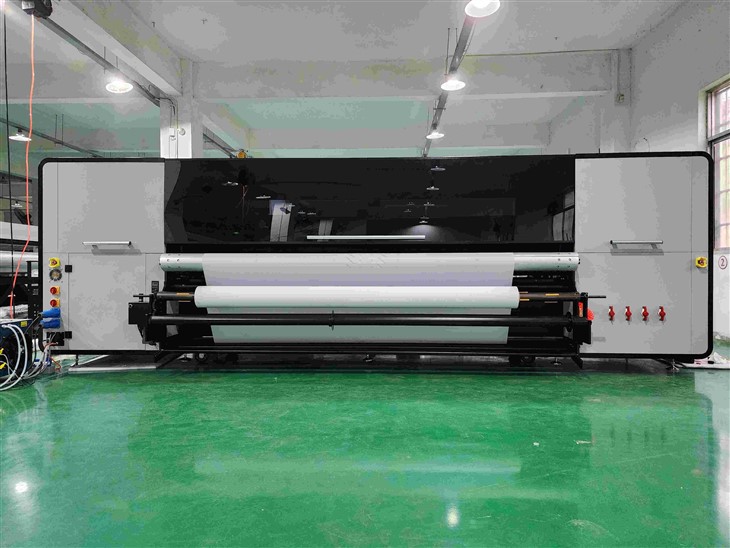
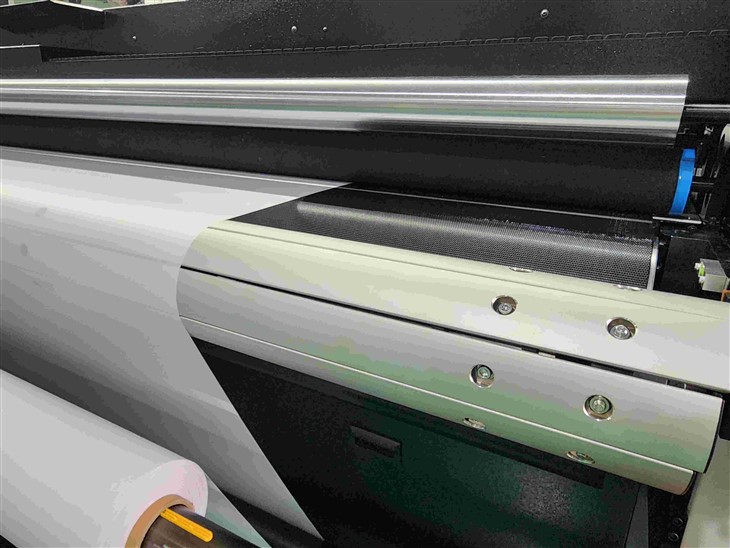
- Check Print Settings: Before printing, double - check the print settings in your software. Make sure that the paper size, orientation, and resolution match your requirements. You can also preview the print job to ensure that everything looks correct.
In conclusion, troubleshooting common problems of a Hybrid UV Printer requires a systematic approach. By following the methods mentioned above, you can identify and resolve most issues on your own. However, if you encounter persistent problems or are unsure about how to proceed, do not hesitate to contact our professional support team. We are dedicated to providing you with the best solutions to ensure the optimal performance of your Hybrid UV Printer.
If you are interested in purchasing a Hybrid UV Printer or have any questions about our products, please feel free to contact us for a detailed discussion. We look forward to serving you and helping you achieve high - quality printing results.
References
- Manufacturer's User Manual for Hybrid UV Printers
- Technical Documents on Hybrid UV Printing Technology