

Hey there! I'm a supplier of UV flatbed printers, and I often get asked about the installation space requirements for these machines. In this blog post, I'll break down everything you need to know to ensure you have the right space for your UV flatbed printer.
Why Space Matters
First off, you might be wondering why the installation space is such a big deal. Well, a UV flatbed printer is not your average office printer. It's a large, sophisticated piece of equipment that needs enough room to operate safely and efficiently. Having the right space ensures that the printer functions properly, reduces the risk of accidents, and makes it easier for you to maintain and operate the machine.
Dimensions of UV Flatbed Printers
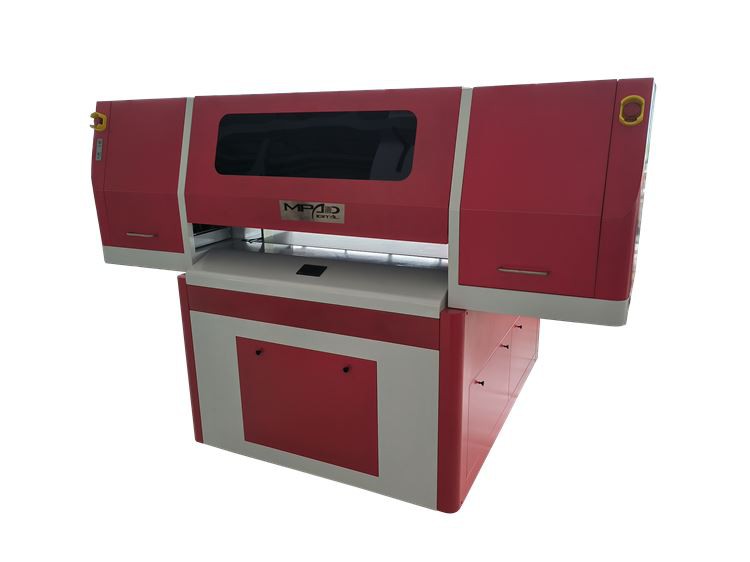
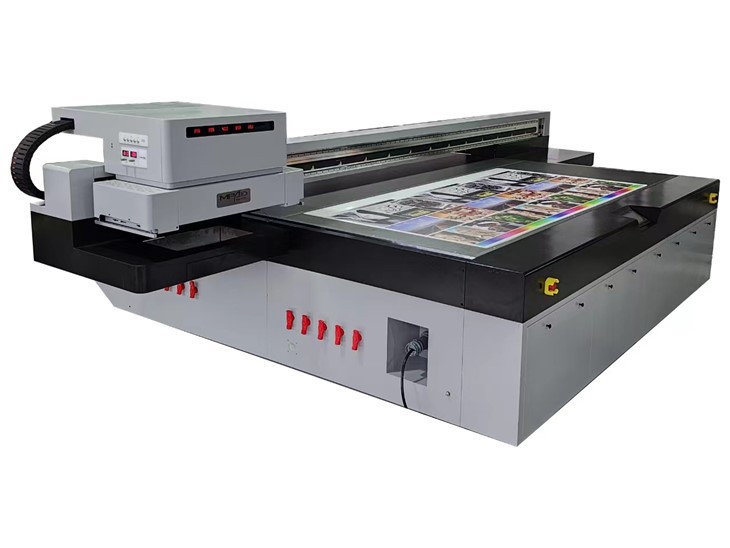
UV flatbed printers come in various sizes, and the dimensions can vary significantly depending on the model and its capabilities. Generally, the smaller models can have a footprint of around 2 - 3 square meters, while larger industrial - grade printers can take up 10 square meters or more.
For example, a basic entry - level UV Printing Flatbed might have a length of about 1.5 meters, a width of 1.2 meters, and a height of around 1.8 meters. On the other hand, a high - end UV Flatbed Machine designed for large - scale production could be as long as 3 meters, 2 meters wide, and 2 meters tall.
Clearance Around the Printer
It's not just the printer's footprint that you need to consider. You also need to leave enough clearance around the machine. Here's a breakdown of the different types of clearance you should provide:
Front Clearance
The front of the printer is where you'll be loading and unloading materials, performing maintenance, and monitoring the printing process. You should leave at least 1 - 1.5 meters of clear space in front of the printer. This allows you to move freely and access the printer's controls and the printing area without any restrictions.
Side Clearance
On the sides of the printer, you need to leave about 0.5 - 1 meter of space. This is important for ventilation. UV flatbed printers generate heat during operation, and proper ventilation helps to keep the machine cool and prevent overheating. It also gives you enough room to access the printer's side panels for maintenance and troubleshooting.
Rear Clearance
The rear of the printer usually houses the power supply, cables, and other components. You should leave at least 0.5 meters of space at the back. This allows for easy access to the cables in case you need to make any connections or repairs.
Height Requirements
The height of the installation area is also crucial. Most UV flatbed printers have a significant height, and you need to ensure that there is enough vertical space above the machine. A good rule of thumb is to have at least 0.5 - 1 meter of clearance above the printer. This not only prevents any interference with the printer's operation but also allows for proper air circulation.
Floor Requirements
The floor where you install the UV flatbed printer needs to be strong and level. These printers are heavy, and an uneven or weak floor can cause the printer to tilt, which can affect the printing quality and even damage the machine.
The floor should be able to support the weight of the printer, as well as any additional equipment or materials that might be placed near it. For larger printers, a reinforced concrete floor is often the best option.
Environmental Considerations
In addition to the physical space requirements, you also need to consider the environmental conditions of the installation area.
Temperature and Humidity
UV flatbed printers work best in a stable environment. The ideal temperature range is between 20 - 25 degrees Celsius, and the humidity should be kept between 40 - 60%. Extreme temperatures or humidity can affect the ink drying process, the performance of the UV lamps, and the overall quality of the prints.
Lighting
Good lighting is essential in the installation area. You need to be able to clearly see the printer's controls, the printing area, and the materials you're working with. Natural light is great, but you should also have sufficient artificial lighting to ensure visibility at all times.
Dust and Debris
The installation area should be kept clean and free of dust and debris. Dust can get into the printer's components and cause damage or affect the printing quality. You might want to consider using air filters or keeping the area well - ventilated to reduce the amount of dust.
Additional Space for Accessories
Don't forget to account for the space needed for any accessories that come with the printer. This could include ink cartridges, cleaning supplies, spare parts, and a computer or control panel. You might need to set up a small storage area near the printer to keep these items organized and easily accessible.
Planning Your Installation Space
Before you install your UV flatbed printer, it's a good idea to create a detailed plan. Measure the available space in your facility, taking into account all the requirements we've discussed. Draw a layout that shows the position of the printer, the clearance around it, and the location of any accessories or storage areas.
If you're not sure about the specific requirements for your printer model, you can always contact the manufacturer or a technical support team. They can provide you with detailed information based on the printer's specifications.
Conclusion
In conclusion, the installation space requirement for a UV flatbed printer is an important factor that you need to consider carefully. By providing the right amount of space, maintaining the proper environmental conditions, and planning ahead, you can ensure that your printer operates at its best and provides high - quality prints for years to come.
If you're interested in purchasing a Printer UV Flatbed and need more information about installation space or any other aspects of the printer, feel free to reach out. I'm here to help you make the right decision for your business. Let's start a conversation and see how we can meet your printing needs!
References
- Manufacturer's specifications for UV flatbed printers
- Industry standards for printer installation and operation