

When it comes to using a Hybrid UV Printer, safety precautions are of utmost importance. As a supplier of Hybrid UV Printers, I understand the significance of ensuring that users operate these machines safely and efficiently. In this blog post, I will discuss some essential safety precautions that should be taken when using a Hybrid UV Printer.
1. Personal Protective Equipment (PPE)
One of the first steps in ensuring safety when using a Hybrid UV Printer is to wear appropriate personal protective equipment. This includes:
- Safety Glasses: UV light can be harmful to the eyes. Wearing safety glasses that are specifically designed to block UV rays can prevent eye damage. When the printer is operating, the UV lamps emit intense light, and even a brief exposure to unprotected eyes can cause irritation, redness, and in severe cases, long - term damage.
- Gloves: Hybrid UV Printers use UV inks, which can be irritating to the skin. Wearing chemical - resistant gloves can protect your hands from direct contact with the inks. Some inks may contain solvents or other chemicals that can cause allergic reactions or skin burns if they come into contact with bare skin.
- Respirator: In a well - ventilated area, the risk is reduced, but in some cases, especially when printing large volumes or in a confined space, fumes from the UV inks can be released. Wearing a respirator can help filter out harmful particles and vapors, protecting your respiratory system.
2. Ventilation
Proper ventilation is crucial when using a Hybrid UV Printer. The UV inks used in these printers often contain volatile organic compounds (VOCs) that can be harmful if inhaled in large quantities. A good ventilation system can help remove these fumes from the printing area.
- Exhaust Fans: Install exhaust fans near the printer to draw out the fumes. The fans should be powerful enough to effectively remove the air containing the VOCs from the room. Make sure the exhaust ducts lead outside the building to prevent the fumes from recirculating.
- Air Filtration: Consider using air filtration systems in addition to exhaust fans. These systems can help capture any remaining particles and odors in the air, improving the overall air quality in the printing environment.
3. Electrical Safety
Hybrid UV Printers are electrical devices, and electrical safety should be a top priority.
- Proper Grounding: Ensure that the printer is properly grounded. A grounded printer reduces the risk of electrical shock in case of a short circuit or other electrical malfunctions. Always plug the printer into a grounded electrical outlet.
- Inspect Cords and Plugs: Regularly inspect the power cords and plugs for any signs of damage, such as fraying or exposed wires. If you notice any damage, replace the cords or plugs immediately. Do not use the printer if there are any electrical issues.
- Avoid Overloading Circuits: Do not plug too many electrical devices into the same circuit as the printer. Overloading a circuit can cause overheating and increase the risk of a fire. Make sure the electrical circuit can handle the power requirements of the printer.
4. UV Lamp Safety
The UV lamps in a Hybrid UV Printer are a key component of the printing process, but they also pose some safety risks.
- Avoid Direct Exposure: Never look directly at the UV lamps when they are on. The intense UV light can cause serious eye damage. When opening the printer for maintenance or other operations, make sure the UV lamps are turned off.
- Lamp Replacement: When replacing the UV lamps, follow the manufacturer's instructions carefully. The lamps may be hot when they are turned off, and improper handling can cause burns. Also, make sure to dispose of the old lamps properly, as they may contain hazardous materials.
5. Machine Maintenance
Regular maintenance of the Hybrid UV Printer is essential for both its performance and safety.
- Cleaning: Keep the printer clean to prevent the build - up of dust and debris. Dust can accumulate on the printer's components, including the print heads and UV lamps, which can affect their performance and increase the risk of malfunctions. Use a soft, dry cloth to clean the exterior of the printer, and follow the manufacturer's instructions for cleaning the internal components.
- Calibration: Regularly calibrate the printer to ensure accurate printing. A misaligned printer can cause problems such as uneven printing, which may require additional handling and increase the risk of accidents.
- Inspection: Periodically inspect the printer for any signs of wear and tear, loose parts, or other issues. If you notice any problems, address them immediately to prevent further damage and ensure safe operation.
6. Training
Proper training is essential for anyone who will be using the Hybrid UV Printer.
- Operator Training: Provide comprehensive training to all operators on how to use the printer safely and effectively. This training should cover all aspects of the printer, including its functions, controls, maintenance procedures, and safety precautions.
- Emergency Procedures: Make sure operators are familiar with the emergency procedures in case of a fire, electrical shock, or other accidents. This includes knowing how to turn off the printer quickly, where to find the fire extinguisher, and how to contact emergency services.
7. Material Handling
When using a Hybrid UV Printer, proper material handling is also important for safety.
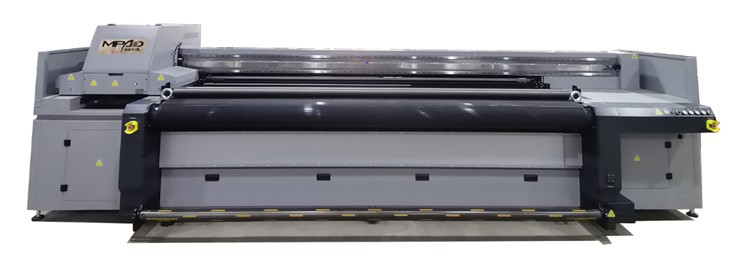
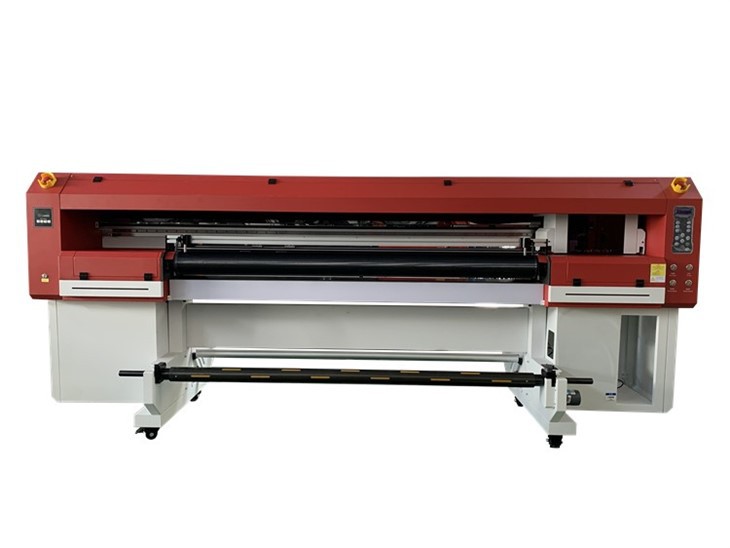
- Loading and Unloading: When loading and unloading materials onto the printer, be careful not to damage the printer or the materials. Make sure the materials are properly aligned on the printing bed to prevent jams or other issues.
- Handling Heavy Materials: If you are printing on heavy materials, use appropriate lifting equipment to avoid back injuries. Do not try to lift heavy materials by yourself if they are too large or heavy.
8. Software and Firmware Updates
Keep the printer's software and firmware up - to - date.
- Bug Fixes: Software and firmware updates often include bug fixes that can improve the printer's performance and stability. These updates can also address any security vulnerabilities that may exist in the system.
- New Features: Updates may also introduce new features that can enhance the safety and efficiency of the printer. For example, new software may include improved error - handling mechanisms or safety warnings.
9. Storage of Supplies
Proper storage of supplies such as UV inks and spare parts is important.
- Ink Storage: Store UV inks in a cool, dry place away from direct sunlight. Exposure to heat and light can cause the inks to degrade, affecting their quality and potentially causing problems during printing. Make sure the ink containers are tightly sealed to prevent leakage.
- Spare Parts: Keep spare parts organized and stored in a clean, dry location. This makes it easier to find the parts when needed and helps prevent damage to the parts.
10. Regular Audits
Conduct regular safety audits of the printing area.
- Identify Hazards: Look for any potential safety hazards in the printing environment, such as loose cords, cluttered workspaces, or malfunctioning equipment. Address these hazards immediately to prevent accidents.
- Review Procedures: Review the safety procedures regularly to ensure that they are up - to - date and being followed correctly. If necessary, make adjustments to the procedures based on new information or changes in the printing process.
In conclusion, using a Hybrid UV Printer safely requires a combination of proper personal protective equipment, ventilation, electrical safety, and regular maintenance. By following these safety precautions, you can minimize the risks associated with using a Hybrid UV Printer and ensure a safe and productive printing environment.
If you are interested in purchasing a Hybrid Printer, Hybrid Flatbed Printers, or UV Inkjet Printer, or have any questions about the safety precautions mentioned above, please feel free to contact us. We are here to provide you with the best products and support to meet your printing needs.
References
- "UV Printing Technology: Principles and Applications" by [Author's Name]
- Manufacturer's manual for Hybrid UV Printers