

Hey there! As a supplier of UV Flatbed Printers, I often get asked if these machines require special software. Well, let's dive right into it and find out.
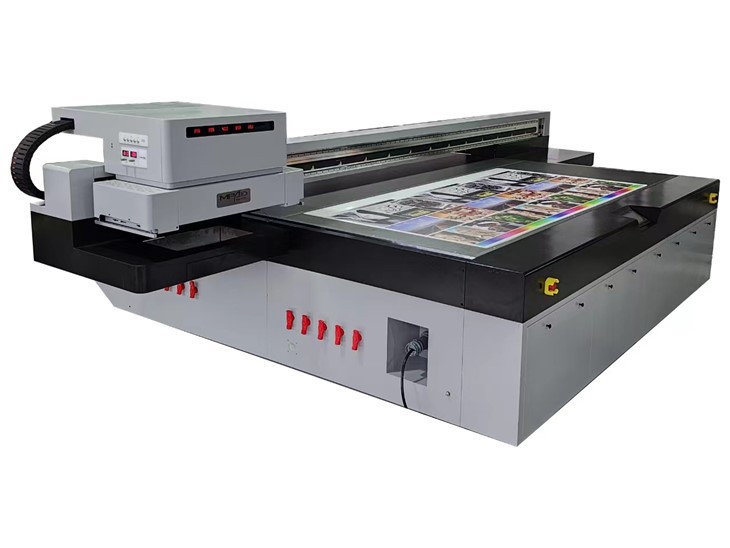
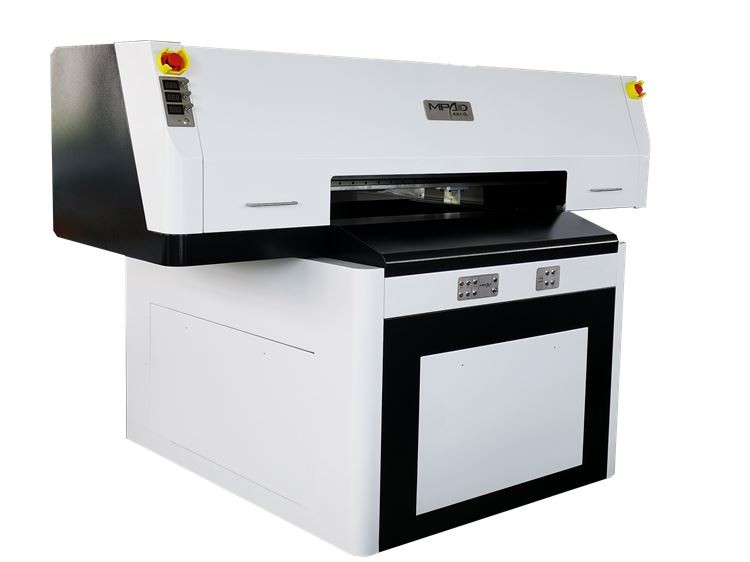
First off, what are UV Flatbed Printers? These bad boys are pretty amazing. They can print high - quality, durable images directly onto a wide range of flat surfaces, like wood, glass, metal, and plastic. Whether you're a small business looking to add custom designs to your products or a large - scale commercial printer, UV Flatbed Printers offer a lot of flexibility.
Now, back to the question of special software. The short answer is yes, but it's not as complicated as it might sound. UV Flatbed Printers do need specific software to function properly, and here's why.
Why Special Software is Needed
1. Image Processing
The software for UV Flatbed Printers is designed to handle image processing tasks. You can't just take any random image from the internet and expect it to print perfectly. The software helps to adjust the color, resolution, and size of the image to ensure that it looks great on the final product. For example, if you want to print a detailed logo on a small piece of jewelry, the software can resize the logo without losing its quality. It also allows you to convert the image into a format that the printer can understand.
2. Printer Control
Another crucial function of the software is to control the printer itself. It manages things like the movement of the print head, the amount of ink being dispensed, and the speed of printing. Different materials require different settings, and the software makes it easy to adjust these parameters. For instance, when printing on a porous material like wood, you might need to use more ink and a slower printing speed compared to printing on a smooth surface like glass.
3. Job Management
If you're running a business, you're likely to have multiple printing jobs to handle. The software helps you manage these jobs efficiently. You can queue up different jobs, set priorities, and monitor the progress of each one. This way, you can ensure that everything gets printed in a timely manner and that you're making the most of your printer's capabilities.
Types of Software for UV Flatbed Printers
RIP Software
RIP stands for Raster Image Processor. This is one of the most common types of software used with UV Flatbed Printers. RIP software takes the digital image and converts it into a series of instructions that the printer can follow. It also optimizes the image for printing, taking into account factors like ink coverage and color accuracy. Some RIP software even allows you to create custom color profiles, which is great if you need to match specific colors for your products.
Design Software
In addition to RIP software, you might also need design software to create or modify your images. Programs like Adobe Photoshop and Illustrator are popular choices for this. They offer a wide range of tools for creating high - quality graphics, and you can easily export your designs in a format that can be used with the printer's software.
Compatibility and Ease of Use
When choosing software for your UV Flatbed Printer, compatibility is key. You need to make sure that the software you choose is compatible with your specific printer model. Most printer manufacturers provide their own software, which is designed to work seamlessly with their printers. However, there are also third - party software options available that offer additional features and flexibility.
Ease of use is another important factor. You don't want to spend hours learning how to use complicated software. Look for software that has an intuitive interface and provides clear instructions. Some software even offers tutorials and support to help you get started.
Real - World Applications
Let's take a look at some real - world applications of UV Flatbed Printers and how the software plays a role.
Printing on Golf Balls
If you're in the business of customizing golf balls, a UV Flatbed Printer can be a game - changer. You can print logos, names, or even custom designs on the golf balls. The software allows you to accurately position the image on the spherical surface of the ball and adjust the printing settings to ensure a clear and durable print. Check out UV Printer Golf Balls for more information on this application.
Digital Flatbed Printing
Digital Flatbed Printers are used in a variety of industries, from signage to furniture manufacturing. The software enables you to print large - format images with high precision. You can print detailed patterns on furniture panels or create eye - catching signs for your store. To learn more about Digital Flatbed Printers, visit Digital Flatbed Printer.
Commercial UV Printing
For commercial printers, UV Flatbed Printers offer a cost - effective and efficient way to produce high - quality prints. The software helps manage large - scale printing jobs, ensuring that everything is printed accurately and on time. Whether you're printing promotional materials or packaging, a Commercial UV Printer can meet your needs. Find out more about Commercial UV Printers at Commercial UV Printer.
Conclusion
In conclusion, UV Flatbed Printers do require special software, but it's an essential part of the printing process. The software helps with image processing, printer control, and job management, ensuring that you get the best possible results. When choosing software, make sure it's compatible with your printer and easy to use.
If you're interested in purchasing a UV Flatbed Printer or have any questions about the software, don't hesitate to reach out. We're here to help you make the most of your printing capabilities and find the right solutions for your business. Let's start a conversation and see how we can take your printing to the next level.
References
- Industry knowledge and experience as a UV Flatbed Printer supplier.
- General understanding of printing technology and software in the market.