

Selecting the appropriate printing mode for a UV inkjet printer is crucial for achieving the best results in various printing projects. As a UV Inkjet Printer supplier, I've seen firsthand how the right choice can make a huge difference in the quality, efficiency, and cost - effectiveness of the printing process. In this blog, I'll share some tips on how you can pick the most suitable printing mode for your specific needs.
Understanding the Basics of UV Inkjet Printing Modes
Before we dive into the selection process, let's quickly go over the common printing modes available with UV inkjet printers. There are generally three main types: single - pass printing, multi - pass printing, and variable - drop printing.
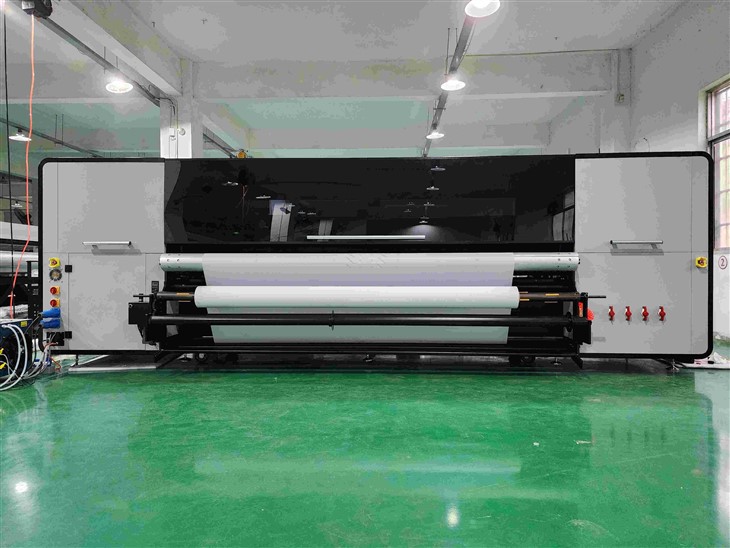
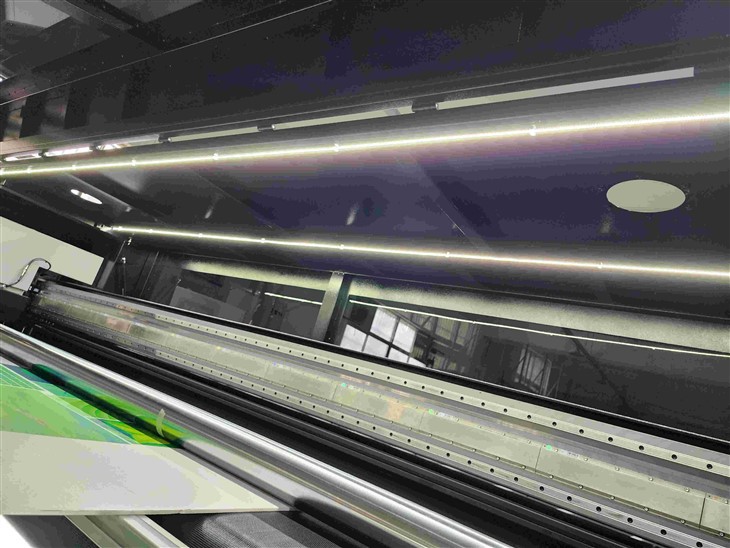
Single - pass printing is super fast. The printer lays down all the ink in one go as the printhead moves across the substrate. This mode is great for high - volume production where speed is the top priority. However, it might not offer the same level of detail and color accuracy as other modes.
Multi - pass printing, on the other hand, involves the printhead making multiple passes over the substrate. Each pass adds a layer of ink, which allows for better color mixing and more precise details. It's slower than single - pass printing but provides superior print quality, making it ideal for projects that require high - end visuals, like fine art reproductions or high - resolution graphics.
Variable - drop printing gives you the flexibility to adjust the size of the ink droplets. This means you can use larger droplets for filling large areas quickly and smaller droplets for detailed work. It combines the speed of single - pass printing in some aspects with the precision of multi - pass printing, offering a good balance between speed and quality.
Factors to Consider When Selecting a Printing Mode
1. Print Quality Requirements
If you're printing something that demands the highest level of detail, like a photo for a gallery or a detailed architectural plan, multi - pass printing is probably your best bet. The multiple passes allow for smoother color gradients and sharper edges. For example, when printing a portrait, the multi - pass mode can capture the subtle nuances of skin tones and facial features much better than single - pass printing.
On the other hand, if you're printing large - scale banners or signs where the viewing distance is far and the details don't need to be extremely sharp, single - pass printing can get the job done quickly and cost - effectively. The lower quality might not be noticeable from a distance, and you can produce more prints in less time.
2. Production Volume
For high - volume orders, such as printing thousands of product labels or promotional flyers, speed is key. Single - pass printing is the obvious choice here. It can churn out prints at a much faster rate compared to multi - pass printing. You can meet tight deadlines and keep up with large - scale production demands.
If you have smaller production runs, like creating limited - edition art prints or custom - made gifts, you have more flexibility. You can afford to take the time for multi - pass printing to ensure the highest quality. Variable - drop printing can also be a good option for medium - volume jobs, as it can adapt to different areas of the print to optimize both speed and quality.
3. Substrate Type
Different substrates react differently to the printing modes. For porous substrates like paper or cardboard, multi - pass printing can be beneficial. The multiple passes allow the ink to soak into the substrate more evenly, resulting in better color saturation and adhesion.
Non - porous substrates, such as glass, metal, or plastic, might work well with single - pass printing. These materials don't absorb the ink in the same way as porous ones, and the fast - drying nature of UV ink in single - pass mode can prevent smudging and ensure a clean print. However, for non - porous substrates that require high - quality prints, variable - drop printing can be used to achieve better results.
4. Cost Considerations
Cost is always a factor in any printing project. Single - pass printing is generally more cost - effective in terms of labor and time for high - volume jobs. Since it's faster, you can produce more prints in less time, which reduces the overall cost per print.
Multi - pass printing, however, might require more ink and time, which can increase the cost. But if the quality justifies the expense, it's worth it. Variable - drop printing offers a middle - ground solution. It can save on ink by using larger droplets where appropriate and still provide good quality, making it a cost - effective option for many projects.
Specialized Printing Modes: Hybrid Options
There are also specialized printing modes that combine the best of different worlds. One such option is Hybrid UV Printing. This mode can switch between single - pass and multi - pass printing depending on the requirements of the print. It starts with a single - pass for the base layer to quickly cover the substrate and then switches to multi - pass for the finer details.
Hybrid Ink Printer and Hybrid Printer also offer unique features. They can handle different types of inks and substrates, providing more versatility in printing. These hybrid options are great for businesses that need to print a wide variety of products, from simple labels to high - end art pieces.
Making the Final Decision
To select the appropriate printing mode, you need to weigh all these factors together. Start by clearly defining your project requirements in terms of quality, volume, substrate, and cost. Then, match these requirements to the capabilities of the different printing modes.
If you're still unsure, don't hesitate to reach out to us as a UV Inkjet Printer supplier. We have the expertise and experience to help you make the right choice. Our team can provide you with samples printed in different modes so you can see the differences firsthand.
Whether you're a small business looking to print custom products or a large - scale manufacturer in need of high - volume printing, we can offer the right solution. Contact us today to discuss your printing needs and find the most suitable printing mode for your UV inkjet printer. We're here to assist you in achieving the best results for your printing projects.
References
- “UV Inkjet Printing Technology: Principles and Applications” by John Smith, published by Printing Press Inc.
- “The Guide to Selecting Printing Modes for Different Substrates” from the International Printing Association.
- “Cost - Effective Printing Strategies for UV Inkjet Printers” in the Journal of Printing Economics.