

As a supplier of UV printer machines, I often get asked about the drying time of prints from these remarkable devices. Understanding the drying time is crucial for businesses that rely on UV printers for various applications, from printing on promotional items to creating high - end signage. In this blog, I'll delve into the factors that influence the drying time of UV printer prints and provide some insights to help you optimize your printing process.
How UV Printing Works
Before we discuss drying time, it's important to understand the basic principle of UV printing. UV printers use ultraviolet (UV) light to cure the ink as it is applied to the substrate. Unlike traditional printing methods where the ink dries through evaporation or absorption, UV inks dry almost instantaneously when exposed to UV light. This is because the UV light causes a chemical reaction in the ink, turning it from a liquid to a solid state.
Factors Affecting Drying Time
1. Ink Thickness
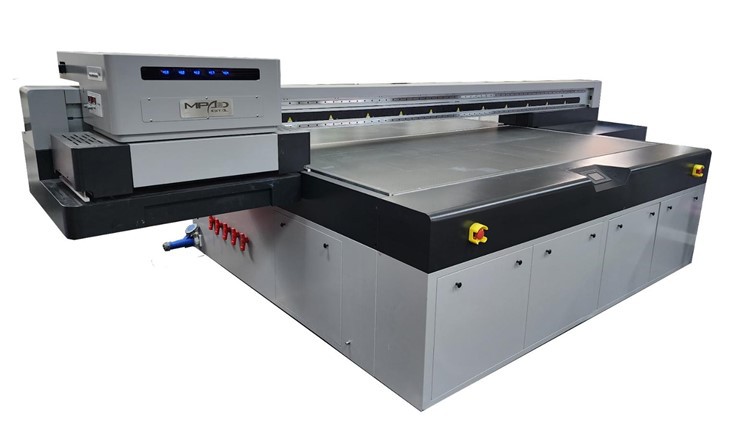
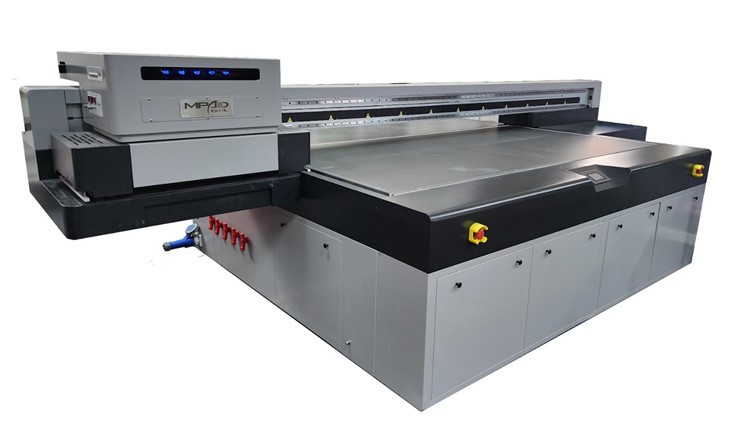
The thickness of the ink layer plays a significant role in the drying time. A thicker layer of ink requires more energy from the UV light to fully cure. For instance, if you're printing a high - density image with multiple layers of ink, the drying time will be longer compared to a simple, single - color print. As a supplier, we often recommend adjusting the ink density settings on our UV Flatbed Printer Machine according to the complexity of the design to ensure optimal drying.
2. UV Lamp Power
The power of the UV lamp is directly related to the drying speed. Higher - powered UV lamps can deliver more energy in a shorter period, resulting in faster curing times. Our High Speed UV Printer is equipped with high - intensity UV lamps that can significantly reduce the drying time without compromising the quality of the print. However, it's important to note that extremely high - power lamps may also generate more heat, which could potentially damage some heat - sensitive substrates.
3. Substrate Material
Different substrate materials have varying levels of UV light absorption and heat tolerance. Materials like glass and metal are generally more resistant to heat and can withstand stronger UV light, allowing for faster drying. On the other hand, plastic and some types of paper may require a more gentle curing process to avoid warping or discoloration. For example, when printing on golf balls using our UV Printer Golf Balls, the drying time may be different compared to printing on a wooden panel due to the difference in material properties.
4. Printing Speed
The speed at which the printer moves across the substrate also affects the drying time. A faster printing speed means that the ink is exposed to the UV light for a shorter period. To compensate for this, you may need to increase the UV lamp power or reduce the ink thickness. However, finding the right balance between printing speed and drying time is essential to maintain high - quality prints.
Measuring Drying Time
Drying time can be measured in several ways. One common method is to perform a simple rub test. After printing, gently rub the printed area with a clean, dry cloth. If the ink transfers onto the cloth, it means that the ink has not fully dried. Another more accurate way is to use a gloss meter or a hardness tester to measure the physical properties of the cured ink. These tools can provide quantitative data on the degree of curing and help you determine if the drying process is complete.
Optimizing Drying Time
To optimize the drying time of your UV printer prints, consider the following tips:
- Pre - test the Substrate: Before starting a large - scale print job, perform a test print on a small piece of the substrate. This will allow you to adjust the ink density, UV lamp power, and printing speed to achieve the best drying results.
- Maintain the UV Lamps: Regularly clean and replace the UV lamps according to the manufacturer's recommendations. Dirty or worn - out lamps may not provide sufficient energy for proper curing, leading to longer drying times and poor print quality.
- Control the Environment: The temperature and humidity of the printing environment can also affect the drying time. Keep the printing area at a stable temperature and humidity level to ensure consistent results.
Case Studies
Let's take a look at some real - world examples to illustrate the impact of different factors on drying time.
- Case 1: Printing on Metal Signage
A customer used our UV flatbed printer to print a large - format metal signage with a complex, multi - color design. By adjusting the ink density to a moderate level and using the high - power UV lamps at full capacity, they were able to achieve a drying time of less than 10 seconds per pass. The final print had excellent adhesion and scratch resistance. - Case 2: Printing on Plastic Keychains
Another customer printed on plastic keychains using a lower - power UV lamp to avoid heat damage. They reduced the printing speed and the ink thickness, which resulted in a drying time of about 20 seconds per pass. Although the process was slower, the prints were of high quality and the plastic keychains remained undamaged.
Conclusion
In conclusion, the drying time of prints from a UV printer machine is influenced by multiple factors, including ink thickness, UV lamp power, substrate material, and printing speed. By understanding these factors and implementing the optimization strategies mentioned above, you can significantly reduce the drying time and improve the efficiency of your printing operations.
If you're interested in learning more about our UV printer machines or have questions about optimizing the drying time for your specific printing needs, we'd love to hear from you. Contact us today to start a discussion about your requirements and explore how our products can help you achieve the best results in your printing projects.
References
- Smith, J. (2020). The Science of UV Printing. Printing Technology Journal, 15(2), 34 - 42.
- Johnson, A. (2019). Optimizing UV Curing Processes. Industrial Printing Magazine, 22(3), 56 - 63.