

Hey there! As a supplier of Digital UV Printers, I'm super excited to share some tips on how to use these awesome machines safely. Digital UV Printers are really cool tech that can print high - quality images on all sorts of materials. But just like any piece of equipment, you gotta use them right to stay safe and get the best results.
1. Read the Manual First
This might sound like a no - brainer, but seriously, the first thing you should do when you get your Digital UV Printer is to read the manual. It's packed with all the important info about setting up, operating, and maintaining the printer. The manual will tell you things like the right power requirements, how to load ink properly, and what kind of materials are safe to print on. Skipping this step is like trying to drive a car without knowing where the brakes are.
2. Set Up a Safe Workspace
Your workspace is super important when it comes to using a Digital UV Printer safely. First of all, make sure the area is well - ventilated. UV inks can give off fumes, and breathing those in isn't good for you. You can use an exhaust fan or open some windows to keep the air fresh.
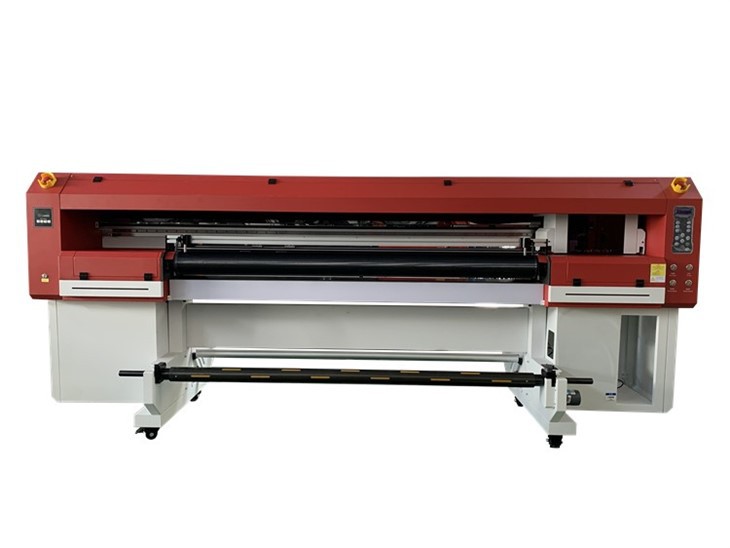
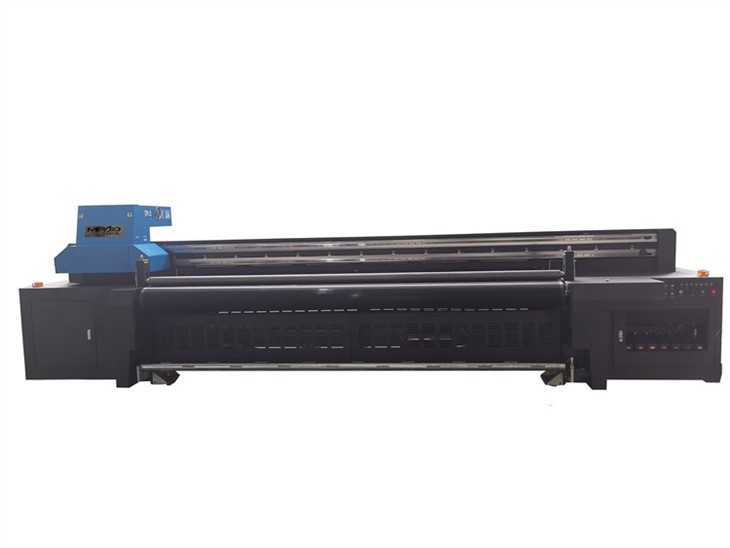
Also, keep the workspace clean and clutter - free. A messy area can lead to accidents. Make sure there's enough room around the printer so you can move freely and access all the parts easily. And don't forget to have a stable surface to place the printer on. A wobbly table can cause the printer to malfunction or even fall.
3. Wear the Right Protective Gear
When you're working with a Digital UV Printer, wearing the right protective gear is a must. Start with safety glasses. UV light can be harmful to your eyes, and the printer uses UV light to cure the ink. So, put on those glasses to protect your peepers.
Gloves are also important. UV inks can be sticky and might contain chemicals that can irritate your skin. Wearing gloves will keep your hands clean and safe. You might also want to consider wearing a lab coat or an apron to protect your clothes from ink splashes.
4. Handle the Ink Correctly
Ink is a key part of the Digital UV Printer, but it needs to be handled carefully. When you're refilling the ink cartridges, make sure you do it in a well - lit area. Read the labels on the ink bottles to make sure you're using the right type of ink for your printer.
Don't overfill the cartridges. Overfilling can lead to leaks, which can not only make a mess but also damage the printer. And if you spill any ink, clean it up right away. Use a clean cloth or paper towel to wipe it up, and dispose of the used cloth properly.
5. Understand the UV Light System
The UV light system in a Digital UV Printer is what cures the ink, but it can also be dangerous if you're not careful. Never look directly at the UV light. The intense light can cause eye damage, like burns or long - term vision problems.
When the printer is in operation, make sure the UV light cover is closed. This will prevent the UV light from shining out and harming you. If you need to access the area near the UV light for maintenance or something, turn off the printer first and wait for the light to cool down.
6. Regular Maintenance
Regular maintenance is crucial for the safe and efficient operation of your Digital UV Printer. Clean the printer regularly to remove any dust or ink residue. You can use a soft, dry cloth to wipe the exterior of the printer.
For the internal parts, follow the maintenance schedule in the manual. This might include cleaning the print heads, checking the belts and rollers, and replacing any worn - out parts. By keeping the printer in good condition, you'll reduce the risk of malfunctions and accidents.
7. Be Careful with Moving Parts
Digital UV Printers have moving parts, like the print head carriage and the conveyor belt. These parts can be dangerous if you're not careful. Never put your fingers or any other objects near the moving parts while the printer is running.
If you need to clear a jam or make an adjustment, turn off the printer first and wait for the moving parts to stop completely. This will prevent any accidental injuries.
8. Keep an Eye on the Temperature
UV printers can generate heat during operation. It's important to monitor the temperature of the printer to make sure it doesn't overheat. If the printer gets too hot, it can damage the internal components and even pose a fire risk.
Most printers have built - in temperature sensors that will alert you if the temperature gets too high. If you see a warning, stop the printer and let it cool down before continuing. You can also make sure the printer has enough space around it for proper air circulation to help keep it cool.
9. Train Your Staff
If you have a team using the Digital UV Printer, make sure they're all properly trained. Everyone should know how to use the printer safely, from setting it up to handling any emergencies. Provide them with hands - on training and make sure they understand all the safety procedures.
You can also create a safety checklist for them to follow every time they use the printer. This will help ensure that they don't miss any important steps.
10. Know What to Do in an Emergency
Even if you follow all the safety rules, emergencies can still happen. That's why it's important to know what to do in case of an accident. Have a first - aid kit nearby in case of minor injuries.
If there's a fire, know the location of the fire extinguisher and how to use it. And if there's a major malfunction or a chemical spill, evacuate the area immediately and contact the appropriate authorities.
Now, if you're in the market for a great Digital UV Printer, we've got some amazing options for you. Check out our Hybrid Ink Printer, Hybrid Printer, and UV Hybrid Printers. These printers are top - notch and come with all the features you need for high - quality printing.
If you're interested in learning more or making a purchase, don't hesitate to reach out. We're here to help you find the perfect printer for your needs and answer any questions you might have.
References
- Manufacturer's manual for Digital UV Printers
- Safety guidelines for industrial printing equipment
- Occupational Safety and Health Administration (OSHA) standards for printing operations