

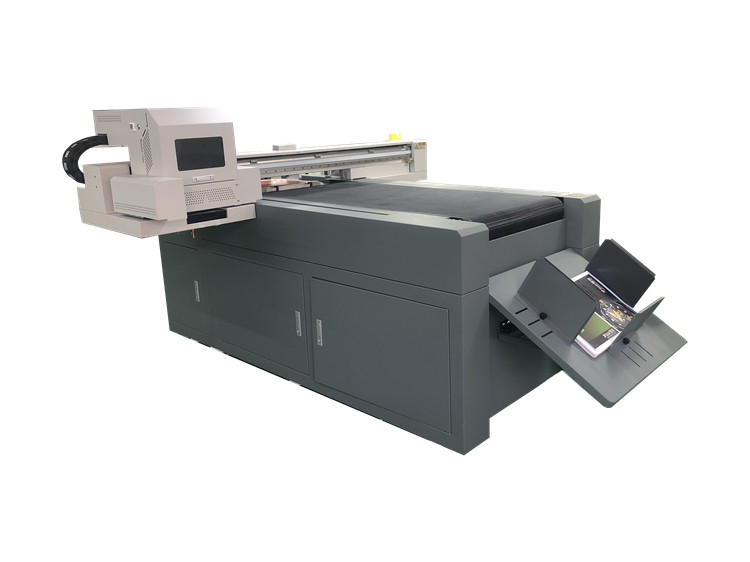
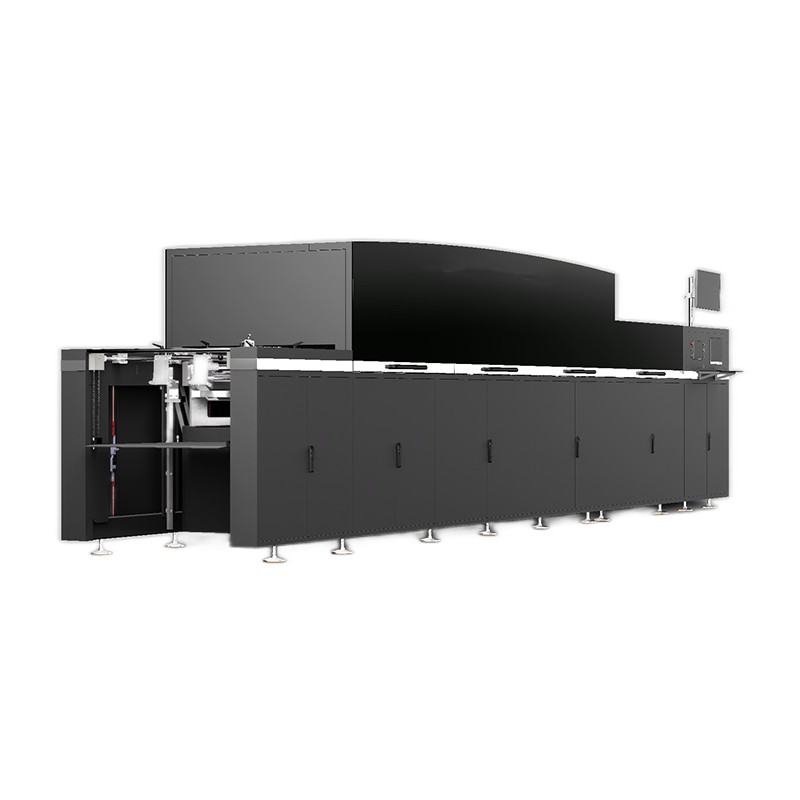
As a supplier of Spot UV Printers, I understand the importance of safety when operating these advanced machines. Spot UV printers are widely used in the printing industry for adding high - gloss, tactile effects to printed materials, such as brochures, business cards, and packaging. However, like any industrial equipment, they come with potential risks that need to be managed properly. In this blog, I will share some essential safety precautions when using a Spot UV Printer.
1. Personal Protective Equipment (PPE)
Wearing appropriate PPE is the first line of defense when using a Spot UV Printer.
Safety Glasses
UV light used in Spot UV Printers can cause serious damage to the eyes. Prolonged exposure to UV radiation can lead to conditions like photokeratitis (similar to a sunburn of the eye) and may increase the risk of cataracts over time. Therefore, safety glasses with UV protection should be worn at all times when the printer is in operation. These glasses are designed to block harmful UV rays and protect your eyes from direct and reflected light.
Gloves
The UV inks used in Spot UV Printers can be irritating to the skin. Some inks may contain chemicals that can cause allergic reactions or skin burns. Wearing chemical - resistant gloves will prevent direct contact between the inks and your skin. When handling the printer, especially during ink refilling or maintenance, gloves should be worn to ensure safety.
Respirators
In some cases, the UV inks and the process of curing can release fumes. These fumes may contain volatile organic compounds (VOCs) that are harmful when inhaled. A respirator can filter out these harmful particles and gases, protecting your respiratory system. Make sure to choose a respirator that is suitable for the type of fumes generated by your specific Spot UV Printer and inks.
2. Machine Installation and Environment
Proper installation and a suitable operating environment are crucial for the safe use of a Spot UV Printer.
Installation
The printer should be installed on a stable and level surface. An unstable surface can cause the printer to vibrate during operation, which may affect the print quality and also pose a safety risk. The electrical connections should be made by a qualified electrician to ensure that there are no short - circuits or electrical hazards. The power supply should be compatible with the printer's requirements, and a proper grounding system should be in place to prevent electrical shocks.
Ventilation
Good ventilation is essential to remove the fumes generated during the printing and curing process. The printer should be installed in a well - ventilated area, such as a room with exhaust fans or near an open window. Adequate ventilation helps to maintain a safe working environment by reducing the concentration of harmful fumes in the air.
Temperature and Humidity
Spot UV Printers are sensitive to temperature and humidity. Extreme temperatures can affect the performance of the printer and the quality of the prints. High humidity can cause moisture to accumulate on the printer components, which may lead to corrosion and electrical problems. The recommended temperature and humidity range for most Spot UV Printers is between 20 - 25°C and 40 - 60% relative humidity. Monitoring and controlling these environmental factors can help ensure the safe and efficient operation of the printer.
3. Machine Operation
Following correct operating procedures is vital for safety.
Training
All operators should receive proper training before using the Spot UV Printer. The training should cover the basic functions of the printer, how to load and unload materials, how to refill inks, and how to operate the curing system. Operators should also be trained on how to recognize and respond to potential safety hazards, such as ink spills, electrical malfunctions, and overheating.
Pre - operation Checks
Before starting the printer, a thorough pre - operation check should be conducted. Check the ink levels to ensure that there is enough ink for the job. Inspect the printer for any visible damage, such as loose parts or broken cables. Check the curing system to make sure it is working properly. Any issues found during the pre - operation check should be addressed before starting the printer.
During Operation
During the printing process, operators should stay focused and avoid distractions. Do not touch the moving parts of the printer, such as the print heads or conveyor belts, while the printer is running. Keep hands and other objects away from the UV light source to prevent burns. If any abnormal noises or vibrations are detected during operation, stop the printer immediately and investigate the cause.
4. Ink Handling and Storage
Proper handling and storage of UV inks are important for safety.
Handling
When handling UV inks, follow the manufacturer's instructions carefully. Use the appropriate tools, such as syringes or pumps, to transfer the inks. Avoid splashing or spilling the inks. In case of an ink spill, clean it up immediately using a suitable absorbent material. Do not let the inks come into contact with open flames or heat sources, as they may be flammable.
Storage
UV inks should be stored in a cool, dry place away from direct sunlight. The storage area should be well - ventilated to prevent the accumulation of fumes. Inks should be stored in their original containers, and the containers should be tightly sealed to prevent evaporation and contamination. Keep the inks out of reach of children and unauthorized personnel.
5. Maintenance and Troubleshooting
Regular maintenance and proper troubleshooting can prevent safety problems.
Maintenance
Follow the manufacturer's recommended maintenance schedule for the Spot UV Printer. This may include cleaning the print heads, replacing filters, and lubricating moving parts. Regular maintenance helps to keep the printer in good working condition and reduces the risk of breakdowns and safety hazards.
Troubleshooting
If the printer malfunctions, do not attempt to repair it without proper knowledge and training. Follow the troubleshooting guide provided by the manufacturer. In some cases, it may be necessary to contact the manufacturer's technical support team for assistance. Do not operate the printer if it is not working properly, as this can pose a safety risk.
In conclusion, using a Spot UV Printer safely requires a combination of proper personal protection, correct installation and operation, careful ink handling, and regular maintenance. By following these safety precautions, you can ensure a safe working environment and get the most out of your Spot UV Printer.
If you are interested in learning more about UV Spot Varnish Printing, UV Varnish Printer, or Digital Foiling Printing Machine, or if you are considering purchasing a Spot UV Printer, please feel free to contact us. We are more than happy to discuss your specific needs and provide you with the best solutions.
References
- Manufacturer's manuals of Spot UV Printers
- Safety guidelines for industrial printing equipment
- Research on the safety of UV inks and curing processes