

MPA Digital Technology : Your Trustworthy Digital Label Printer Supplier!
MPA Digital Technology Co., Ltd. (hereinafter referred to as MPAD) was established in 2012 and is composed of experts dedicated to the research and development of digital large-format printers. MPAD has an independent R&D team with rich experience and knowledge in large-format printer design, especially complete control systems for UV flatbed printers and UV roll-to-roll printers, allowing us to provide customers with stable and exciting products and continuous technological innovation.
Rich Products
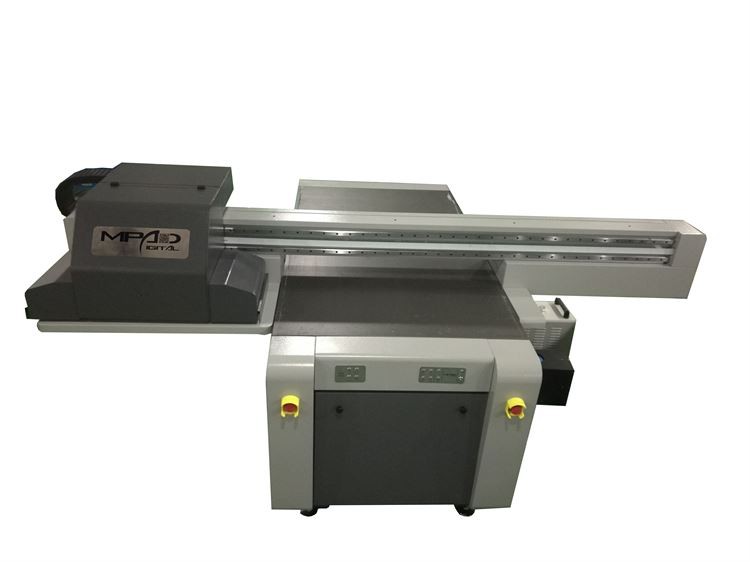
We can produce UV printers, UV flatbed printers, UV roll printers, hybrid UV printers, single-channel inkjet printers, digital UV flatbed printers, high-speed UV printers, UV printer flatbed printers, and more.
Products Widely Used
The products we produce can be widely used in signage and graphics, interior decoration, textiles and apparel, outdoor advertising, labels and packaging, promotional products, fine art reproductions, architectural graphics and more.
Many Partners
We have customers and partners in many countries, including the United States, United Kingdom, Spain, Greece, Poland, Russia, India, Turkey, Kazakhstan, Singapore, Israel, United Arab Emirates, Algeria, etc.
Customizable
Our team has 10 years of professional R&D and production experience in the field of digital large-format printer product R&D and is able to meet the needs of different markets and customers.
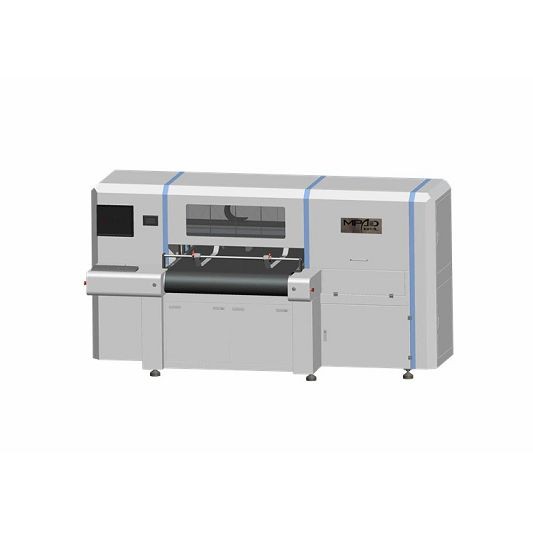
Carton printing machine aims at small, new and fast orders. It is Ideal for Industrial, home, personal care, security, health and safety, automotive, chemical, pharmaceutical, food and beverage packaging sectors.
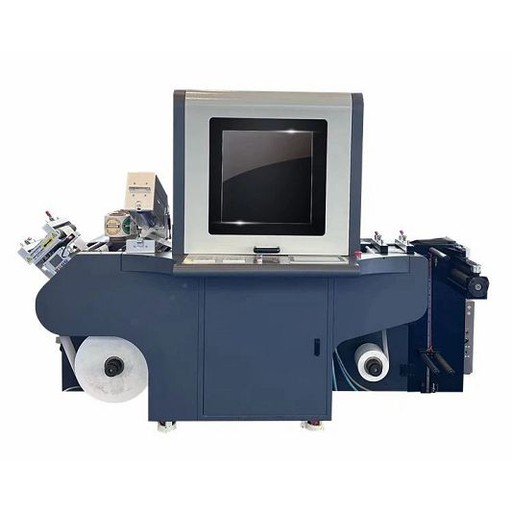
A UV label printer is a type of printing device that uses ultraviolet light to cure or dry the ink as it is applied onto the label or substrate material. This printing process offers exceptional resolution, durability, and color vibrancy compared to other traditional printing methods. The UV ink used in these printers is designed to bond quickly and strongly to various substrates, making it ideal for printing on plastic, films, and other non-porous materials. UV label printers are commonly used in the labeling, packaging, and printing industries to create high-quality, durable, and long-lasting labels for products, containers, and equipment.
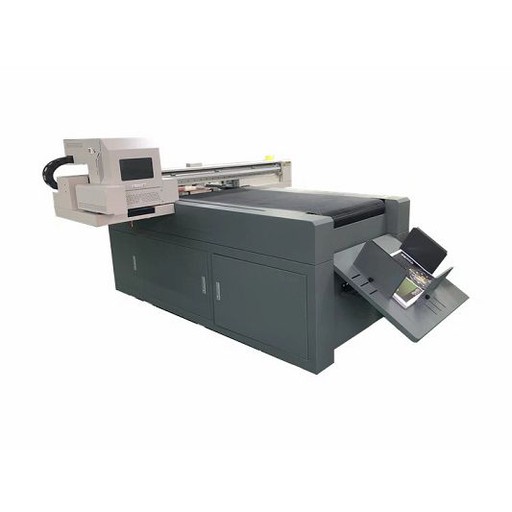
UV Varnish Printer is a type of inkjet printer that uses UV (ultraviolet) light-cured varnish to create a glossy or matte finish on printed materials. It is commonly used in the printing industry to add a protective coating to printed products such as labels, packaging, and promotional materials. The UV varnish is applied to the surface of the print job and then cured instantly using UV light. This process creates a durable and high-quality finish that enhances the appearance and lifespan of the printed piece. UV varnish printers are known for their ability to provide clear and bright colors, crisp images, and excellent resolution.
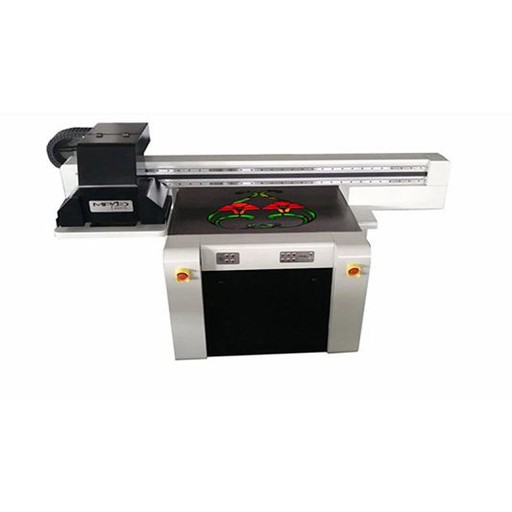
Spot UV coating machine is a type of printing machine that applies a high-gloss, clear coating onto specific areas of a printed piece, creating contrast and enhancing visual appeal. The coating is cured using ultraviolet (UV) light, resulting in a durable and long-lasting finish with a tactile feel. This technique is commonly used in the production of high-end business cards, flyers, brochures, packaging, and other marketing materials.
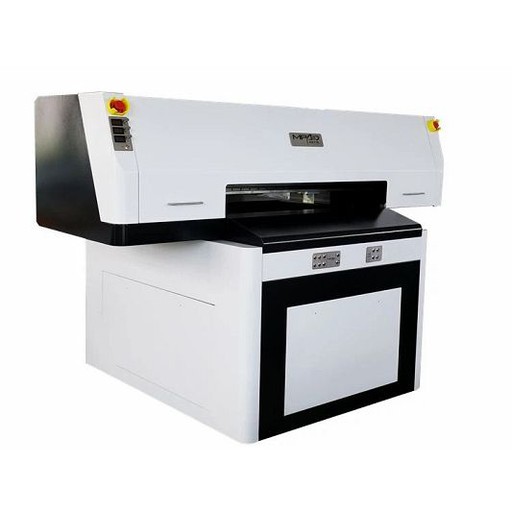
A UV spot printer is a type of printer that is designed to place a glossy or matte spot coating on specific areas of a printed document, such as logos or images. This process of adding a spot coating is achieved through the use of ultraviolet (UV) light, which is used to cure the coating, resulting in a finish that is durable and resistant to smudging or scratching. UV spot printing is most commonly used in the creation of high-quality print materials such as brochures, business cards, and packaging, as it helps to create a professional and visually appealing finish.
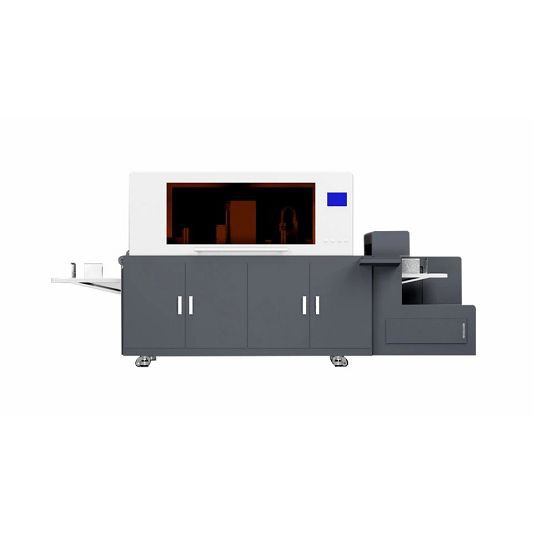
Digital Foiling Printing Machine
A digital foiling printing machine is a specialized printing machine that uses a process called digital foiling to apply metallic or colored foil accents to printed materials. This process involves printing a digital design onto a substrate with an adhesive layer, and then using the printing machine to apply heat and pressure to a foil roll, transferring the foil onto the adhesive area of the printed design. This creates a shiny, metallic or colored accent that enhances the look and texture of the printed material. Digital foiling printing machines are commonly used in the production of high-end packaging, invitations, business cards, and other printing projects where a premium finish is desired.
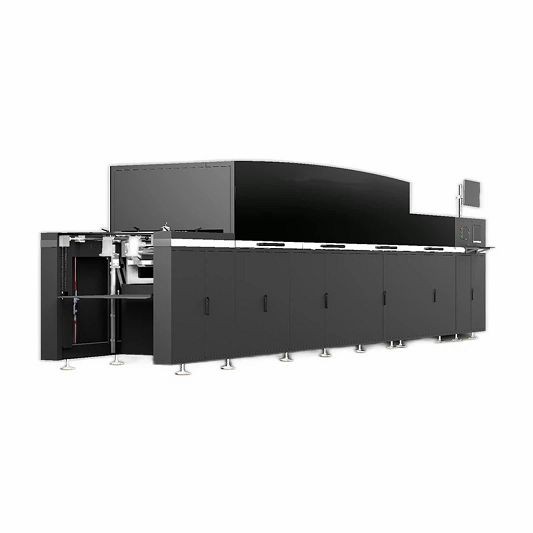
UV spot varnish printing is a printing technique that involves applying a high-gloss coating to select areas of a printed piece using ultraviolet (UV) light-cured varnish. This process creates a visual and tactile effect that enhances the appearance and texture of the printed design. The result is a subtle yet striking contrast between the coated and uncoated areas, adding dimension and depth to the overall design. UV spot varnish printing is commonly used on packaging, business cards, book covers, and other printed materials that require a high-end, luxurious finish.
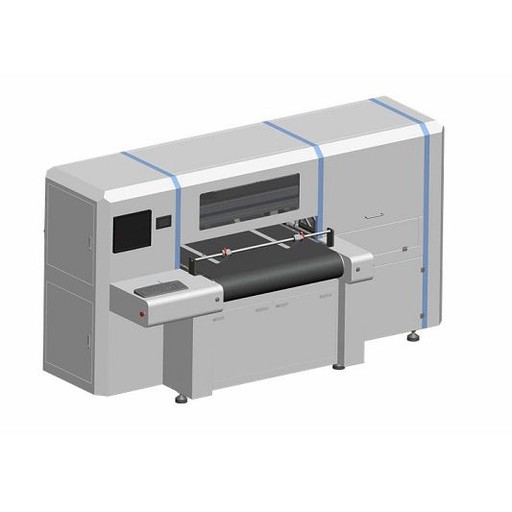
Corrugated Board Printing Machine
A Corrugated Board Printing Machine is a specialized machine that is used to print graphics and designs onto corrugated cardboard sheets. The machine works by transferring ink onto the surface of the cardboard using a printing plate, and can use various printing techniques such as flexographic printing, lithographic printing, and digital printing. Corrugated board printing machines are widely used in the packaging and cardboard production industry to create high-quality, custom-designed packaging solutions. They provide accurate and consistent printing results with high efficiency, making them an indispensable part of modern packaging production lines.
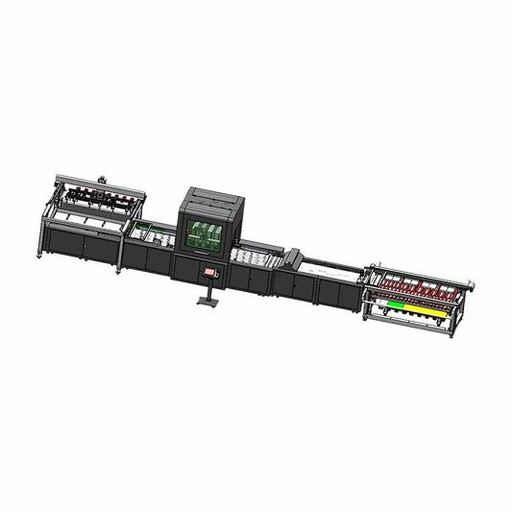
A One Pass UV printer is a type of digital inkjet printer that uses UV-curable inks to print directly onto a variety of substrates in just one pass. This type of printer can print high-resolution, full-color images quickly and with high quality. The UV ink used in this printer is cured instantly by a UV light source, allowing for immediate handling and use of the printed materials. The One Pass UV printer is commonly used in the production of banners, signs, decals, and other printed promotional materials. It is also used in industrial printing applications, such as printing onto glass, plastics, and metals.
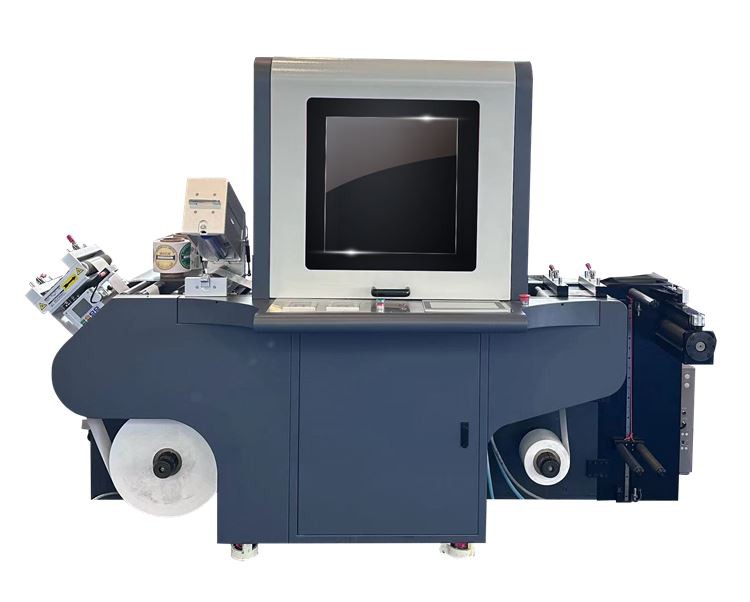
A digital label printer is a printing device that prints labels using digital technology. It can produce high-quality labels with customizable text, images, and barcodes. Digital label printers can handle various widths and types of materials, including paper, vinyl, polyester, and more. They are ideal for printing product labels, packaging labels, identification labels, and more. Digital label printers are cost-effective, efficient, and eco-friendly compared to traditional label print methods.
Features of Digital Label Printer
High Quality Printing Resolution
Digital label printers use advanced technology to produce high-quality prints. Their high printing resolution ensures the labels produced are clear and of high quality. The printer uses advanced printing technology to ensure high quality labels and clear images or text.
Flexibility to Print Different Types of Labels
Digital label printers can print various types of labels, including waterproof, heat-resistant and tear-resistant labels. These printers can also print labels in different shapes and sizes, making them versatile and ideal for printing labels for a variety of purposes.
Quick Label Making
Digital label printers can print labels quickly. Unlike traditional label printers, they don't require any setup time. Labels are created on demand, and the printing process can be customized to suit the user's needs, making them ideal for low-volume label production.
Label Customization
Digital label printers allow users to customize their labels. The software they come with enables users to create unique labels with different designs and graphics. Users can choose different fonts, logos and colors to create personalized labels for their products.
Desktop Label Printer
Desktop label printers are the most basic digital label printers. It is a small printer designed for low-volume label printing. Desktop label printers typically have a small footprint and are easy to operate. They are suitable for small businesses and home operations. They are usually affordable and come with basic label design software.
Industrial Label Printer
The industrial label printer is a high-volume printer designed for high-performance label printing. Suitable for large-scale manufacturing and packaging operations. Industrial label printers are built to withstand harsh production environments, including extreme temperatures and dust. They are generally larger than desktop printers and print at higher speeds.
Portable Label Printer
A portable label printer is a compact, battery-operated printer that is easy to carry. They are ideal for printing labels in locations such as retail stores, hospitals and warehouses. Portable label printers are easy to set up and use, and come in different label sizes and types.
Color Label Printer
Color label printers are specialized printers designed for printing color labels. It's suitable for businesses that need high-quality graphics on labels, such as product labels, food labels, and medical labels. They use special dyes or pigment inks to achieve bright, vivid colors on labels.
RFID Label Printer
RFID label printer is a special printer used to print RFID (Radio Frequency Identification) labels. These tags contain microchips that store information about the product or item. RFID tags are commonly used to track inventory and in the retail and healthcare industries. RFID label printers usually have a higher price tag due to their advanced technology and features.
Parts of Digital Label Printer
Print Head
The print head is one of the most important parts of a digital label printer. It is a key component in converting digital information into visual labels. The print head will apply ink or thermal transfer tape when printing and transfer it to the bottom of the label to form the print on the label.
Control Panel
The control panel is the operational center of a digital label printer. It is usually located on the front of the machine and has a user-friendly interface. Through the control panel, users can select parameters such as label size, color, quantity and printing speed. In addition, users can use the control panel to monitor the printing process and detect and resolve any problems in a timely manner.
Motion Control System
Motion control systems include motors, sensors, encoders and other motion control components. Digital label printers utilize motion control systems to precisely move the print head and labels to ensure printing accuracy and repeatability.
Application
Application software is the core component of a digital label printer. They are the foundation that enables digital label printers to print labels. Application software typically includes branding software, label design software, and label printing software. With these software, users can style labels, defining their size, color, and other characteristics. The software then sends the labels to a digital label printer for printing.
Label Material
The last important component is the label material. Label materials can be used to produce a variety of different labels, such as paper, plastic, cloth and photosensitive materials. Different label materials have different characteristics and application ranges, and the appropriate label material should be selected according to the application scenario.
Benefits of Using Digital Label Printer
Faster Turnaround Time
You can expect faster turnaround times with digital label printing. It is because digital label print doesn't require setting up plates or ink mixing. So, the time spent on the initial setup is minimal. This makes it an ideal option for urgent or last-minute printing jobs.
Customization
Digital label printing allows for customization of each printed piece, such as variable data printing, where each piece can have unique information, such as names or barcodes.
Labeling Requirements
Carefully evaluate the types of labels you need to print. Label size, material, and application area are important in determining the right printer. Some printers are designed for specific materials, such as vinyl, while others can print on a variety of materials, such as paper, foil, and polyester.
Print Yield
Consider the number of labels you want to print. Production volume will determine the type of printer you need. If you need a large number of labels, consider a printer with higher print speeds and larger capacities. Smaller printing needs can be met with desktop or desktop printers.
Print Resolution
Printing resolution directly affects the print quality of labels. Higher resolution delivers sharper, clearer, and clearer details. Choose a printer with a resolution that meets your needs; this will depend on the label design and what you intend to use the label for.
Label Design Software
Most digital label printers come with software for designing labels. The software should be user-friendly and produce professional results. Check whether the software supports all the label designs you need and whether it can be integrated with other design software programs.
Maintenance and Support
Make sure the printer has adequate technical support from the manufacturer or dealer. Choose a printer that offers regular maintenance and has a good warranty. If something goes wrong, make sure the printer is easy to troubleshoot and service.
How to Use Digital Label Printer
Choose the Right Printer For Your Needs
The first step in using a digital label printer is selecting the right printer for your needs. There are many different printers available, each with different features and capabilities. When choosing a printer, consider the size and type of labels you need to print, as well as the speed and quality you require.
Install the Software
Once you have selected a printer, the next step is to install the software provided with the printer. This will allow you to design and print labels from your computer. The software should come with a user guide, so be sure to read through it carefully to understand how to use the program.
Design Your Labels
With the software installed, you can start designing your labels. Most digital label printers come with pre-designed templates to get you started, but you can also create your own designs from scratch. Be sure to consider factors such as color, font, and branding when designing your labels.
Load the Label Material
Once you have designed your labels, the next step is to load the label material into the printer. Follow the instructions provided with the printer to ensure that the material is loaded correctly. Be sure to use the correct type of label material for your printer, as using the wrong type can lead to poor quality prints.
Print Your Labels
With the label material loaded and your design in place, you can now print your labels. Be sure to set the printer to the correct settings for the label material and design you are using. This may include adjusting the print resolution, speed, and print density.
Dispense and Apply the Labels
Once your labels are printed, you will need to dispense them from the printer and apply them to your products or packaging. Some digital label printers come with a built-in label dispenser, while others may require you to dispense the labels manually. Be sure to apply the labels carefully to ensure they are straight and free from wrinkles or bubbles.
How to Maintain Digital Label Printer
Clean the Print Head
The print head is the most important part of the digital label printer. It is responsible for applying the ink to the label. If the print head is not clean, the ink will not be applied properly, and the print quality will suffer. Use a cleaning solution to clean the print head regularly.
Use Genuine Ink Cartridges
Always use genuine ink cartridges that are recommended by the manufacturer. Using counterfeit or non-genuine cartridges may cause damage to the printer and reduce print quality.
Keep the Printer Clean
Dust and debris can accumulate on the printer over time, affecting performance. Keep the printer clean by wiping it down regularly with a soft cloth. Do not use any chemicals or abrasive materials that may damage the printer.
Maintain the Paper Tray
The paper tray is the part of the printer that holds the label stock. It is important to keep this area clean and free from dust, debris, and moisture. Make sure to clean the paper tray regularly with a soft cloth.
Perform Regular Maintenance
It is important to perform regular maintenance tasks, such as cleaning the print head, changing ink cartridges, and cleaning the printer, as recommended by the manufacturer. This will help keep the printer running smoothly and extend its lifespan.
Store the Printer Properly
When the printer is not in use, it should be stored in a clean and dry location. This will protect it from moisture, dust, and other environmental factors that may damage the printer.
Applications of Digital Label Printer
Food and Beverage Industry
In the food and beverage industry, digital label printers are used to create labels that comply with regulatory standards and requirements while ensuring products are clear and attractive. These labels may include information about content, nutritional value, expiration date and other important details. Customizable designs can also be used to make products stand out on the shelf, highlighting their unique qualities and features.
Pharmaceutical Industry
In the pharmaceutical industry, digital label printers are used to produce labels for medicine bottles, packaging, and other products. These labels contain important information such as dosage instructions, potential side effects, precautions, and warnings. Labels must be accurate, easy to read, and error-free to protect patient health and safety. Digital printers can more easily meet these requirements while improving the overall appearance and efficiency of label printing.
Cosmetics Industry
The cosmetics industry also benefits from digital label printers, which can print labels with vibrant and eye-catching designs for products such as shampoo, soap, lotion and more. These designs help differentiate products from competitors on the shelf and attract customers. Digital printers can also produce labels that accurately reflect product ingredients, directions for use and other details.
Industrial Applications
Digital label printers are also used in industrial applications such as manufacturing, transportation, and logistics. These printers can generate barcodes, shipping labels, identification labels and other labels that help identify and track products as they move through the supply chain. Digital printing is often faster and more accurate than traditional printing methods, making it ideal for time-sensitive applications.
Certificate

Frequently Asked Questions
Q: What is a digital label printer and how does it work?
Q: What are the benefits of using digital label printers compared to traditional printing methods?
Q: What are the different types of digital label printers available on the market?
Q: What features of a digital label printer should I consider when making a purchase?
Q: What is the maximum print resolution of most digital label printers?
Q: How fast can a digital label printer print labels?
Q: What types of materials can be printed on with a digital label printer?
Q: What types of labels can be printed with a digital label printer?
Q: What software is typically used with digital label printers?
Q: Can digital label printers be integrated into existing labeling systems?
Q: How easy is it to set up and use a digital label printer?
Q: What is the lifespan of a digital label printer?
Q: What is the cost of a digital label printer and how does it compare to traditional printing methods?
Q: Are there any ongoing maintenance or operating costs associated with using a digital label printer?
Q: What kind of technical support is available for digital label printers?
Q: Can digital label printers be used for variable data printing?
Q: What are the environmental benefits of using a digital label printer?
Q: How can I maximize the lifespan of my digital label printer?
Q: Are there any regulations or standards that digital label printers must comply with?
Q: What industries or applications are best suited for digital label printers?
Hot Tags: carton printing machine, China carton printing machine suppliers, maintenance single pass printer, digital corrugated box printing machine, single pass digital printing,


