

MPA Digital Technology : Your Trustworthy UV Label Printer Supplier!
MPA Digital Technology Co., Ltd. (hereinafter referred to as MPAD) was established in 2012 and is composed of experts dedicated to the research and development of digital large-format printers. MPAD has an independent R&D team with rich experience and knowledge in large-format printer design, especially complete control systems for UV flatbed printers and UV roll-to-roll printers, allowing us to provide customers with stable and exciting products and continuous technological innovation.
Rich Products
We can produce UV printers, UV flatbed printers, UV roll printers, hybrid UV printers, single-channel inkjet printers, digital UV flatbed printers, high-speed UV printers, UV printer flatbed printers, and more.
Products Widely Used
The products we produce can be widely used in signage and graphics, interior decoration, textiles and apparel, outdoor advertising, labels and packaging, promotional products, fine art reproductions, architectural graphics and more.
Many Partners
We have customers and partners in many countries, including the United States, United Kingdom, Spain, Greece, Poland, Russia, India, Turkey, Kazakhstan, Singapore, Israel, United Arab Emirates, Algeria, etc.
Customizable
Our team has 10 years of professional R&D and production experience in the field of digital large-format printer product R&D and is able to meet the needs of different markets and customers.
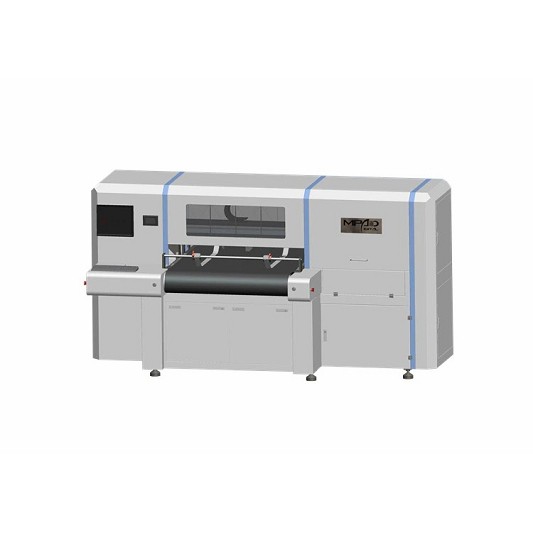
Carton printing machine aims at small, new and fast orders. It is Ideal for Industrial, home, personal care, security, health and safety, automotive, chemical, pharmaceutical, food and beverage packaging sectors.
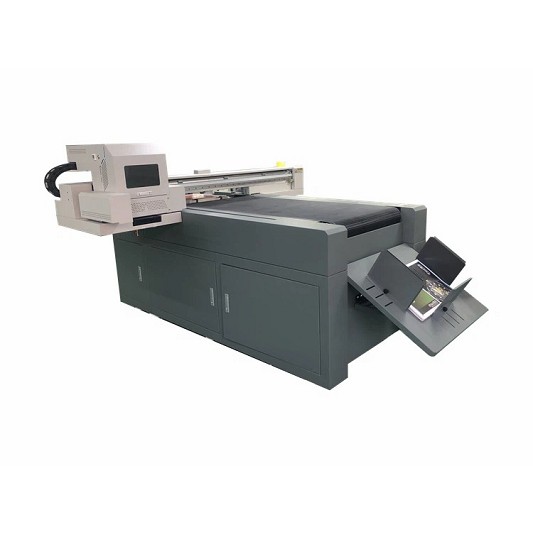
UV Varnish Printer is a type of inkjet printer that uses UV (ultraviolet) light-cured varnish to create a glossy or matte finish on printed materials. It is commonly used in the printing industry to add a protective coating to printed products such as labels, packaging, and promotional materials. The UV varnish is applied to the surface of the print job and then cured instantly using UV light. This process creates a durable and high-quality finish that enhances the appearance and lifespan of the printed piece. UV varnish printers are known for their ability to provide clear and bright colors, crisp images, and excellent resolution.
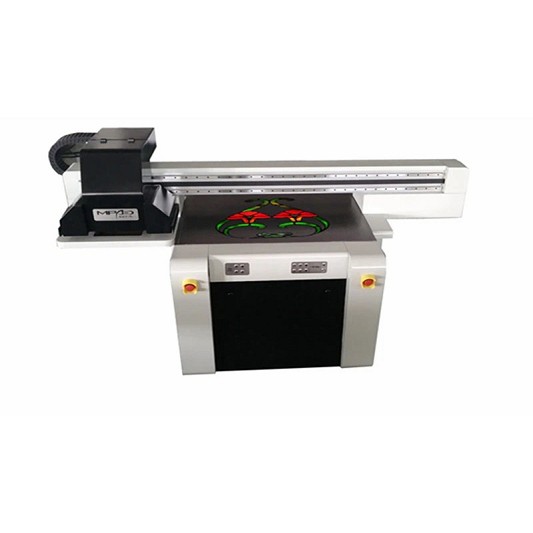
Spot UV coating machine is a type of printing machine that applies a high-gloss, clear coating onto specific areas of a printed piece, creating contrast and enhancing visual appeal. The coating is cured using ultraviolet (UV) light, resulting in a durable and long-lasting finish with a tactile feel. This technique is commonly used in the production of high-end business cards, flyers, brochures, packaging, and other marketing materials.
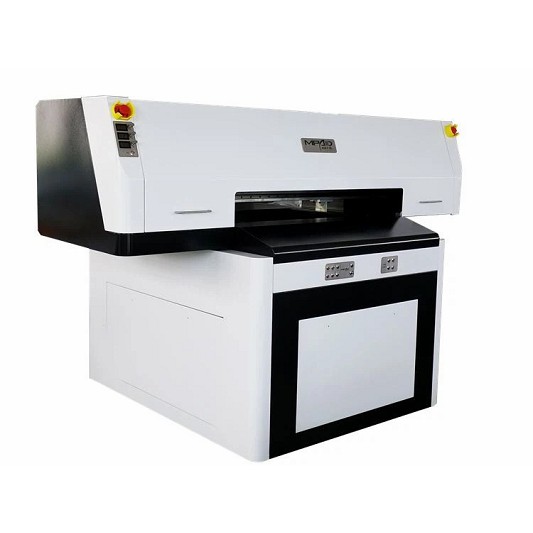
A UV spot printer is a type of printer that is designed to place a glossy or matte spot coating on specific areas of a printed document, such as logos or images. This process of adding a spot coating is achieved through the use of ultraviolet (UV) light, which is used to cure the coating, resulting in a finish that is durable and resistant to smudging or scratching. UV spot printing is most commonly used in the creation of high-quality print materials such as brochures, business cards, and packaging, as it helps to create a professional and visually appealing finish.
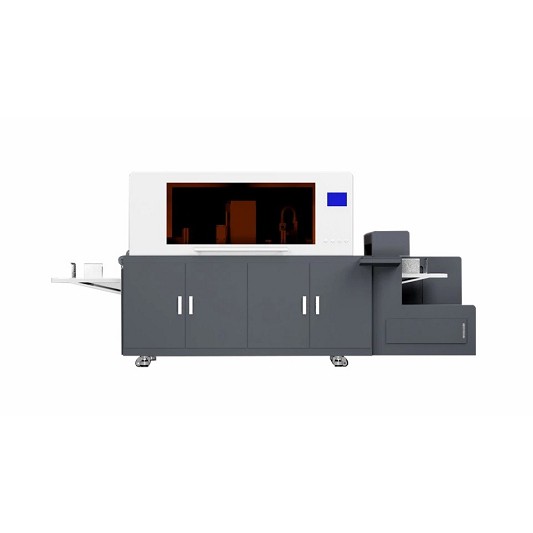
Digital Foiling Printing Machine
A digital foiling printing machine is a specialized printing machine that uses a process called digital foiling to apply metallic or colored foil accents to printed materials. This process involves printing a digital design onto a substrate with an adhesive layer, and then using the printing machine to apply heat and pressure to a foil roll, transferring the foil onto the adhesive area of the printed design. This creates a shiny, metallic or colored accent that enhances the look and texture of the printed material. Digital foiling printing machines are commonly used in the production of high-end packaging, invitations, business cards, and other printing projects where a premium finish is desired.
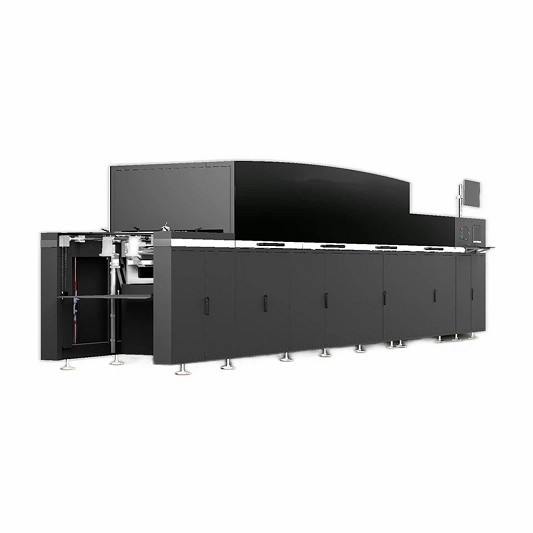
UV spot varnish printing is a printing technique that involves applying a high-gloss coating to select areas of a printed piece using ultraviolet (UV) light-cured varnish. This process creates a visual and tactile effect that enhances the appearance and texture of the printed design. The result is a subtle yet striking contrast between the coated and uncoated areas, adding dimension and depth to the overall design. UV spot varnish printing is commonly used on packaging, business cards, book covers, and other printed materials that require a high-end, luxurious finish.
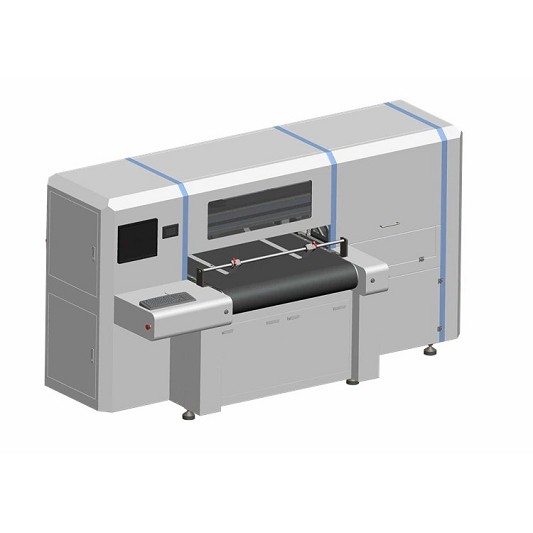
Corrugated Board Printing Machine
A Corrugated Board Printing Machine is a specialized machine that is used to print graphics and designs onto corrugated cardboard sheets. The machine works by transferring ink onto the surface of the cardboard using a printing plate, and can use various printing techniques such as flexographic printing, lithographic printing, and digital printing. Corrugated board printing machines are widely used in the packaging and cardboard production industry to create high-quality, custom-designed packaging solutions. They provide accurate and consistent printing results with high efficiency, making them an indispensable part of modern packaging production lines.
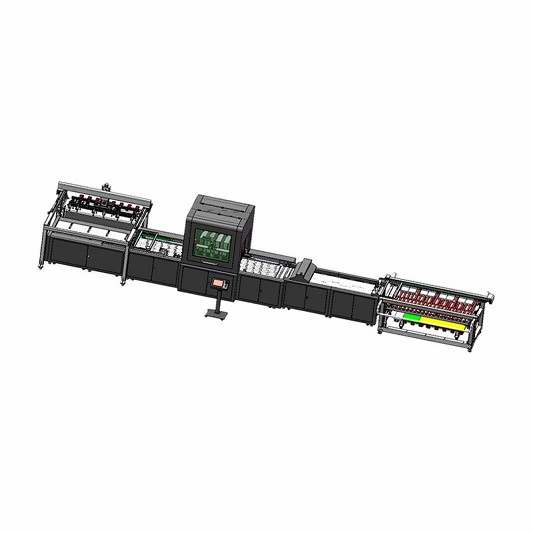
A One Pass UV printer is a type of digital inkjet printer that uses UV-curable inks to print directly onto a variety of substrates in just one pass. This type of printer can print high-resolution, full-color images quickly and with high quality. The UV ink used in this printer is cured instantly by a UV light source, allowing for immediate handling and use of the printed materials. The One Pass UV printer is commonly used in the production of banners, signs, decals, and other printed promotional materials. It is also used in industrial printing applications, such as printing onto glass, plastics, and metals.
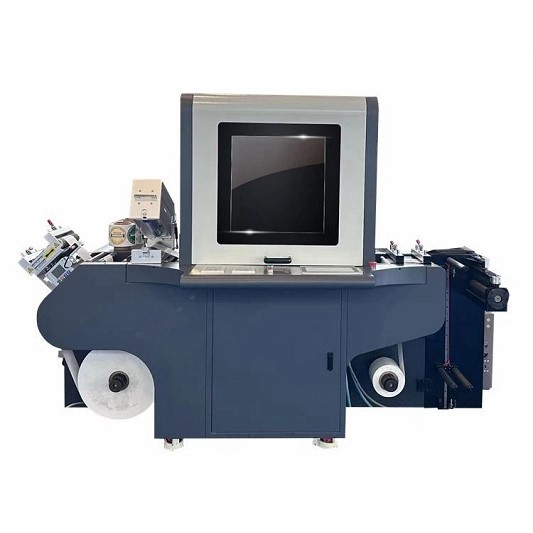
A digital label printer is a device that prints high-quality label designs onto various materials, such as paper, plastic, and polyester. It uses digital printing technology that allows for greater precision, color accuracy, and customization of label designs. These printers are commonly used in industries such as food and beverage, cosmetics, pharmaceuticals, and logistics for labeling products and packaging. Digital label printers offer several advantages compared to traditional label printers, including faster printing speeds, cost-effectiveness, and the ability to print on-demand, reducing waste and inventory.
A UV label printer is a type of digital label printer that uses ultraviolet (UV) light to cure or dry ink as it prints onto label materials. This process uses UV light to instantly dry the ink, resulting in high-quality, durable, and scratch-resistant labels that are resistant to fading, water, and harsh chemicals. UV label printers are popular in the label printing industry as they offer outstanding print quality, fast printing speeds, and low printing costs. They are commonly used to print product labels, stickers, barcodes, and other branding or promotional labels.
Features of UV Label Printer
High Speed Production
The biggest feature of UV Label Printer is high-speed production. Because it uses UV curing technology, it dries immediately once printed. This way, labels can be applied instantly without worrying about the print peeling off or fading over time.
Excellent Quality
UV Label Printer not only has fast printing speed, but also has very high printing quality. Because UV curing technology dries prints quickly, UV Label Printer can maintain high resolution and accuracy during the printing process. Therefore, even when printing complex images or text, excellent print quality can be guaranteed.
Waterproof
UV Label Printer not only dries quickly, but also brings waterproof and sun protection effects to labels. UV Label Printer can print using inks that are UV resistant and waterproof. This way, labels stay nice and clear even in bad weather or water.
Adaptable
UV Label Printer can print labels on various materials, including paper, plastic, glass, metal, etc., and can meet the printing needs of different industrial fields. This adaptability not only brings convenient and fast printing experience to manufacturers, but also provides enterprises with more and broader application markets.
Flat UV Label Printer
Flat UV label printers are suitable for printing on large-area flat materials, such as paper, plastic sheets, metal plates, etc. This type of printer usually uses flat-surface inductive printing technology to complete printing tasks quickly and efficiently.
Tubular UV Label Printer
Tubular UV label printers are suitable for applications that require printing labels on pipes, such as food, cosmetics, pharmaceuticals, etc. This type of printer usually uses adsorption printing technology to print labels accurately and quickly.
Roll UV Label Printer
Roll-type UV label printers are suitable for application scenarios that require printing labels on roll materials, such as pharmaceutical, electronics, clothing and other industries. This type of printer usually uses conveyor belt printing technology, which can complete printing tasks efficiently and stably.
Flatbed UV Label Printer
Flatbed UV label printers are suitable for application scenarios that require printing labels on flat materials, such as electronics, home furnishings, home appliances, etc. This type of printer uses flatbed transfer printing technology to complete printing tasks accurately and stably.
Parts of UV Label Printer
Nozzle
The nozzle is a key part of a UV label printer, which creates images or text by spraying ink onto the label. Printheads typically consist of hundreds of tiny nozzles that produce very detailed images and text.
Ink System
The ink system of a UV label printer consists of an ink tank, pump and pipeline. The ink tank stores the ink, the pump transports the ink from the ink tank to the nozzle, and the pipe transports the ink to the location where printing is required.
Electronic Control System
The electronic control system is the brain of a UV label printer. It controls all operations of the printer, including ink ejection, print head movement, image processing and transmission, data management, and more.
Conveyor Belt
The conveyor belt is an important part that allows the labels to continue to flow during the printing process. The conveyor belt must simultaneously move the label steadily and accurately to ensure that the ink is accurately sprayed onto the surface of the label.
LED Ultraviolet Irradiation Device
The LED UV irradiation device is a very important part, it cures the ink after printing is completed, making it a dry and durable label. The LED UV irradiation device enables the printed labels to be used immediately, thereby improving the production efficiency of the UV label printer.
Vertical Adjustment Device
The vertical adjustment device can adjust the vertical distance between the nozzle and the label to ensure that the ink is ejected to the correct position of the label.
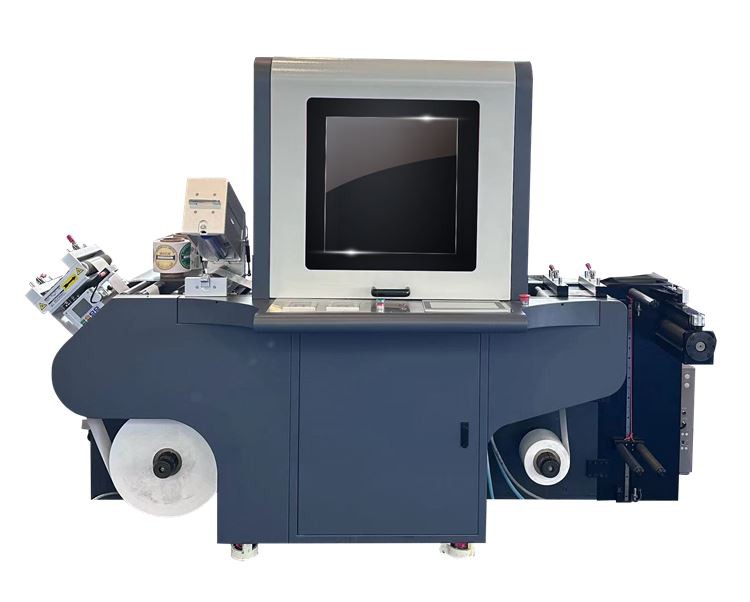
How to Choose UV Label Printer
Printing Speed
Printing speed is an important factor when choosing a UV label printer. If you need to print thousands of labels every day, you need to consider the printing speed to ensure production efficiency. When purchasing a UV label printer, you should choose one that is suitable for the speed required for production.
Print Width
Print width is another factor to consider and determines the size of labels your printer can print. Before purchasing a UV label printer, you need to determine the size of the printed labels. If you need to print larger-size labels, you need to purchase a printer with a larger printing width.
Printing Accuracy
Printing accuracy is a key performance indicator of a printer, which determines the quality of label printing. When purchasing a UV label printer, you need to consider printing accuracy to ensure that the label printing quality meets the requirements.
Ink Type
UV label printers use ultraviolet light-cured ink, and there are two types, hardening ink and non-hardening ink. Hardened inks cure better in the presence of light and are suitable for higher cost and more demanding applications. Non-hardening ink is cheaper and has a wider range of applications, but it is easy to cause printed labels to fade in low-light environments.
Choose the Right UV Label Printer
First, we need to purchase a UV label printer that suits our needs. Choosing the right machine can ensure we get better printing results and meet our high-quality label production needs.
Install and Run a UV Label Printer
Before installing the UV label printer, we need to clean and prepare the printer work area. Finally, we need to follow the printer's instruction manual and install it according to the equipment manufacturer's instructions to ensure that the equipment can work properly.
Connect/Install Software and Drivers
Next, we need to install the appropriate software and drivers. Once completed, we will have a better connection and print quality, and it will ensure that we can start managing the printer directly from the computer, which is an efficient way to work.
Print File Preparation
Before printing the file, we need to prepare the label file we need to print. We can create files through professional label making software or other label editing software to ensure that the design and layout of the files comply with corporate standards.
Run the Printer
Finally, we only need to import the label file into the printer and run the printing program. During the printing process, ensure that the stickiness and quality of the label meet the requirements. Printing speed depends on the configuration of our printer, to ensure quality it is recommended to stay at medium speed.
How to Maintain UV Label Printer
Clean the Print Head
The print head is an important part of the UV label printer and needs to be kept clean to ensure clear and clear printing. The printhead should be cleaned at least once a week or when printing begins to be blurry or uneven. To clean the printhead, gently wipe the printhead with a cotton swab dipped in cleaning solution. Avoid using abrasive materials or excessive force to avoid damaging the print head.
Check Ink Levels
Running out of ink during a printing process can be frustrating and a huge waste of time. Therefore, it is important to check the ink levels regularly to ensure that there is enough ink to complete the printing job. Some UV label printers have low-ink warnings, while others require regular monitoring to avoid running out of ink.
Replace Old Parts
Over time, certain parts of a UV label printer can become worn or damaged, resulting in poor print quality. In order to maintain the performance level of your printer, it is necessary to replace important components such as printheads, ink cartridges, and other critical components.
Keep Your Printer Clean
Dust, dirt, or debris can accumulate on the printer surface, affecting printer performance and causing paper jams. It is important to regularly wipe the outside with a damp cloth to keep the printer clean. Make sure the surface is completely dry before using the printer to avoid damaging the machine.
Adjust Printer Settings
UV label printers have different settings to suit different printing preferences and requirements. Adjusting printer settings such as resolution, color, and speed can give you better print quality and extend the life of your printer. However, before changing printer settings, make sure you know what you are doing, or you can consult your printer's user manual for guidance.
Applications of UV Label Printer
Pharmaceutical Industry
In the pharmaceutical industry, drug labels need to meet specific regulatory requirements to ensure drug safety. UV label printers can print high-quality drug labels and add necessary information to the labels to facilitate traceability, tracking, and ensure drug quality. In addition, UV label printers can also be used for label printing on many medical devices.
Food Industry
In the food industry, food labels also need to meet specific regulatory requirements to ensure food safety. UV label printers can print high-quality food labels and add necessary information on the labels, such as ingredients, shelf life, nutritional ingredients, etc., so that consumers can check them when purchasing food to ensure their health and safety.
Cosmetics and Personal Care Products Industry
In the cosmetics and personal care products industry, product labels need to be beautiful, durable, and remain legible in water and chemicals. Using a UV label printer can print labels with high printing quality, thereby improving the quality and aesthetics of the product.
Beverage Industry
Using a UV label printer, labels can be printed to cover the surfaces of beverage bottles and cans and provide necessary information on these surfaces, such as beverage name, ingredients, capacity, nutritional value, production date, etc. In addition, UV label printers can print anti-counterfeiting labels to protect beverage brands from counterfeiting and piracy.
Chemical Industry
In the chemical industry, product labels need to withstand extreme environments such as the high temperatures, pressures and corrosiveness of chemicals and solvents. Using a UV label printer, you can print sun-hardened labels using UV ink, which can make the labels more durable and ensure the label of the product is readable and identifiable at full dosage and in all environments.
Electronics and Automotive Manufacturing
UV label printers can be used to print various product labels for electronic products and automobile manufacturing, such as battery packaging, PCB boards, plastic decorative covers, and automobile parts. UV label printers can print labels on different types of surfaces, such as metal, glass, plastic, paint, etc. The use of UV label printers can also be used in the automotive manufacturing industry, such as automotive logos, automotive labels, battery labels, etc.
Certificate

Frequently Asked Questions
Q: What is a UV label printer?
Q: What are the advantages of using a UV label printer?
Q: Is a UV label printer suitable for printing on any type of label material?
Q: How does the UV printing process work?
Q: What is the difference between UV printing and traditional printing?
Q: What is the maximum resolution that a UV label printer can print at?
Q: What is the maximum width that a UV label printer can print?
Q: What is the minimum width that a UV label printer can print?
Q: Can a UV label printer print in color?
Q: Are UV label printers easy to set up and operate?
Q: What maintenance is required for a UV label printer?
Q: How long does it take to print a batch of labels using a UV label printer?
Q: What is the maximum speed that a UV label printer can print at?
Q: What is the average lifespan of a UV lamp in a UV label printer?
Q: Do all UV label printers come with a warranty?
Q: What type of software is required to operate a UV label printer?
Q: Can a UV label printer be used for industrial or commercial labeling?
Q: What is the average cost of a UV label printer?
Q: What safety precautions should be taken when using a UV label printer?
Q: Can a UV label printer be upgraded or modified to suit specific printing needs?
Hot Tags: corrugated board printing machine, China corrugated board printing machine suppliers, single pass digital printing, fashionable single pass printer, digital corrugated box printing machine,


