

As a supplier of UV label printers, I understand the significance of production efficiency in the printing industry. In this blog post, I'll share some practical strategies to enhance the production efficiency of a UV label printer, which can help you save time, reduce costs, and increase your overall output.
1. Equipment Maintenance and Optimization
Regular maintenance is the cornerstone of a high - efficiency UV label printer. Just like a well - tuned car, a properly maintained printer will perform at its best.
First, keep the print heads clean. Over time, ink residues can accumulate on the print heads, leading to clogged nozzles and poor print quality. Use the appropriate cleaning solutions and follow the manufacturer's instructions for cleaning. For example, some printers have an automatic cleaning function that can be run during breaks or at the end of a workday.
Second, check and replace worn - out parts regularly. Components such as belts, rollers, and sensors can wear out over time and affect the printer's performance. By replacing these parts proactively, you can prevent unexpected breakdowns and ensure smooth operation.
In addition to maintenance, optimizing the printer settings can also significantly improve efficiency. Adjust the print resolution according to the specific requirements of the job. For labels that don't require extremely high - resolution printing, reducing the resolution can speed up the printing process without sacrificing too much quality. Also, optimize the ink usage settings. Some printers allow you to adjust the ink density, which can save ink and reduce printing time.
2. Workflow Streamlining
A well - organized workflow can make a huge difference in production efficiency. Start by analyzing your current workflow and identifying any bottlenecks or inefficiencies.
One way to streamline the workflow is to implement batch processing. Instead of printing labels one by one, group similar jobs together and print them in batches. This reduces the time spent on setting up the printer for each individual job. For example, if you have several labels with the same color scheme and size, print them all at once.
Another important aspect is the pre - press preparation. Make sure all the design files are properly formatted and ready for printing before sending them to the printer. This includes checking for any errors in the design, ensuring the correct color profiles are used, and sizing the labels accurately. By doing this, you can avoid costly mistakes and re - prints during the printing process.
Moreover, consider using software solutions to manage your workflow. There are many workflow management software programs available that can help you schedule jobs, track progress, and manage inventory. These tools can automate many manual tasks, such as job queuing and file transfer, which can save a significant amount of time.
3. Operator Training
Well - trained operators are essential for maximizing the efficiency of a UV label printer. Provide comprehensive training to your operators on how to operate the printer, perform basic maintenance tasks, and troubleshoot common problems.
Training should cover not only the technical aspects of the printer but also the best practices for achieving high - quality and efficient printing. For example, teach operators how to load materials correctly to avoid jams and how to adjust the printer settings for different types of labels.
Regularly update the training programs to keep operators informed about the latest features and technologies of the printer. This can help them take full advantage of the printer's capabilities and improve productivity.
4. Material Selection and Management
The choice of materials can have a significant impact on the production efficiency of a UV label printer. Select high - quality materials that are compatible with the printer and the ink. Low - quality materials may cause problems such as poor adhesion, smudging, or clogging of the print heads.
In addition to quality, consider the material's properties such as thickness, flexibility, and surface finish. These properties can affect the printing speed and quality. For example, thinner materials may allow for faster printing, while materials with a smooth surface finish may result in better print quality.
Proper material management is also crucial. Keep an organized inventory of materials and ensure that they are stored in the appropriate conditions. This can prevent damage to the materials and ensure that they are ready for use when needed. Avoid overstocking or understocking materials, as both can lead to inefficiencies.
5. Upgrading to Advanced Technologies
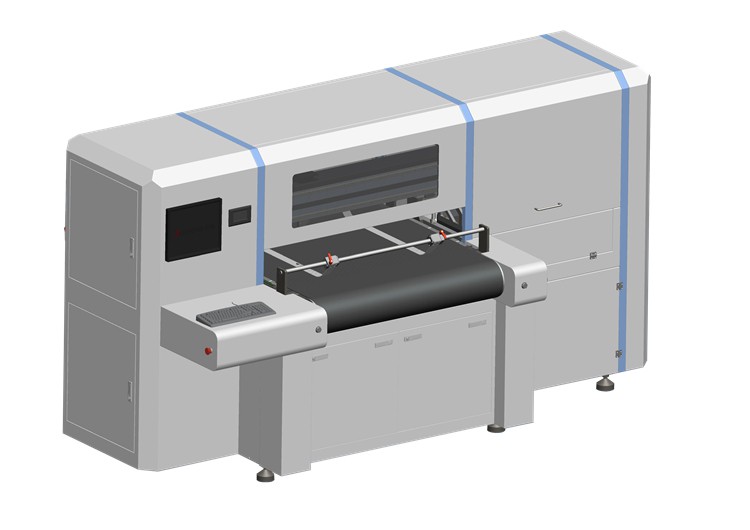
Investing in advanced technologies can bring a substantial improvement in production efficiency. For example, upgrading to a One Pass UV Printer can significantly reduce printing time. One - pass printers can print an entire label in a single pass, compared to traditional printers that may require multiple passes. This not only speeds up the printing process but also reduces the chances of misalignment and other printing errors.
Another advanced technology is the use of digital printing technology. Digital UV label printers offer more flexibility and faster turnaround times compared to traditional printing methods such as flexography. They can print variable data, such as barcodes and serial numbers, without the need for expensive plate - making.
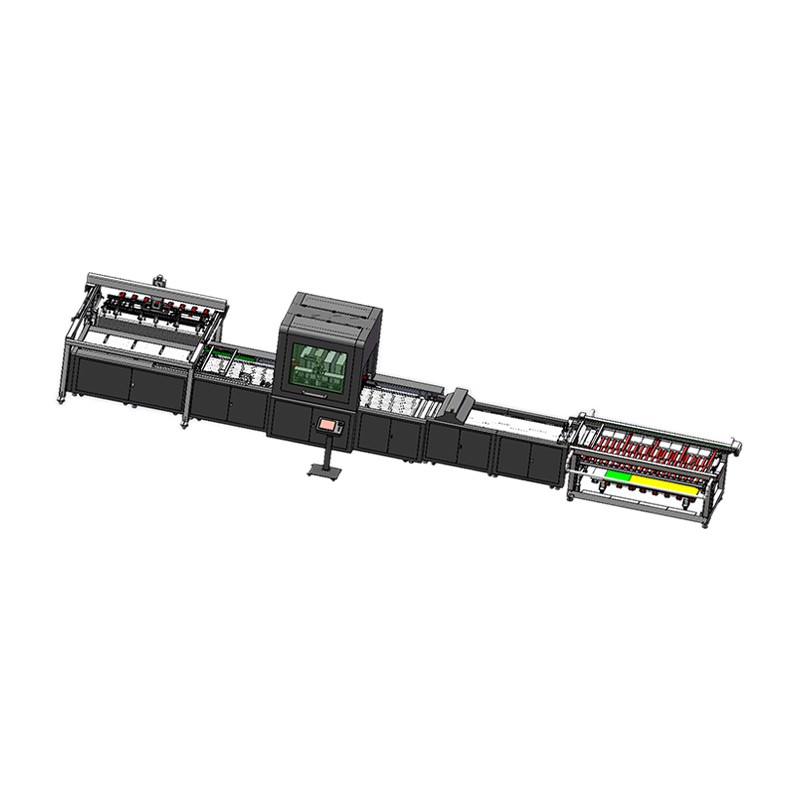
Furthermore, consider integrating your UV label printer with other production equipment. For example, connecting the printer to a cutting machine can automate the cutting process, eliminating the need for manual cutting and reducing production time.
6. Quality Control and Feedback Loop
Implementing a robust quality control system is essential for maintaining high - efficiency production. Regularly inspect the printed labels to ensure they meet the required quality standards. By catching any quality issues early, you can avoid re - prints and wasted materials.
Establish a feedback loop between the operators, quality control personnel, and the management. Encourage operators to report any issues or suggestions for improvement during the production process. Quality control personnel can provide detailed feedback on the quality of the printed labels, which can help identify areas for improvement. The management can then use this feedback to make informed decisions about process optimization and equipment upgrades.
7. Collaboration with Suppliers
As a UV label printer supplier, I understand the importance of collaboration between the printer supplier and the customer. We can work closely with you to provide technical support, training, and advice on how to improve the production efficiency of your printer.
For example, we can offer on - site training for your operators, which can be more effective than online training. We can also provide regular maintenance services to ensure the printer is in top - notch condition. In addition, we can keep you updated on the latest technological advancements in UV label printing and help you decide whether an upgrade is necessary.
If you are interested in Corrugated Board Printing Machine or Carton Printing Machine, we can also provide relevant information and guidance to help you choose the right equipment for your specific needs.
In conclusion, improving the production efficiency of a UV label printer requires a comprehensive approach that includes equipment maintenance, workflow streamlining, operator training, material management, technology upgrading, quality control, and collaboration with suppliers. By implementing these strategies, you can increase your output, reduce costs, and stay competitive in the market.
If you are looking to enhance the efficiency of your UV label printing operations or are interested in learning more about our UV label printers and related equipment, we invite you to reach out to us. Our team of experts is ready to assist you in finding the best solutions for your business.
References
- Smith, J. (2020). "Best Practices in UV Label Printing". Printing Industry Journal.
- Johnson, A. (2021). "Workflow Optimization for Digital Printing". Digital Printing Magazine.
- Brown, C. (2019). "Maintenance Strategies for UV Printers". Printer Maintenance Guide.