

What is the noise level of a UV inkjet printer?
As a supplier of UV inkjet printers, I often receive inquiries from customers about various aspects of our products. One question that comes up quite frequently is about the noise level of UV inkjet printers. In this blog post, I'll delve into this topic, explaining what factors influence the noise level, what the typical noise ranges are, and why it matters.
Factors Affecting the Noise Level of a UV Inkjet Printer
The noise generated by a UV inkjet printer is a result of multiple components working in tandem. Here are some of the key factors that contribute to the overall noise level:
-
Mechanical Movement:
- The movement of the print head carriage is one of the primary sources of noise. As the carriage moves back and forth across the printing surface, it creates vibrations and friction, which are audible. The speed at which the carriage moves can significantly impact the noise level. Faster movements generally result in more noise. For example, in high - speed production models, the carriage may move at a rate of several meters per second, generating a relatively high - pitched whirring sound.
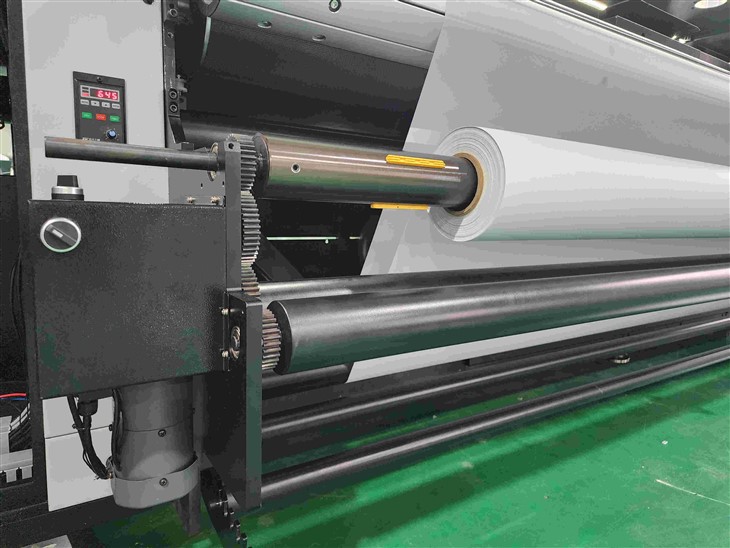
- The movement of the conveyor belt (if the printer has one) also adds to the noise. The belt's rotation and the interaction with the rollers can produce a low - frequency rumbling noise. This is especially noticeable in large - format printers where the conveyor belt is used to transport large and heavy substrates.
-
Ink Delivery System:
- The ink pumps are responsible for delivering the UV ink from the ink cartridges to the print head. These pumps operate under pressure, and the mechanical action of the pump pistons or diaphragms creates noise. The type of pump used can affect the noise level. For instance, some high - performance pumps may be noisier due to their higher pumping capacity and more powerful motors.
- The ink circulation system, which ensures that the ink is evenly distributed and prevents clogging, can also generate noise. The flow of ink through the tubes and valves can create a gurgling or hissing sound.
-
UV Curing System:
- The UV lamps used for curing the ink are another significant source of noise. These lamps generate heat and require a cooling system to maintain their optimal operating temperature. The fans in the cooling system can produce a loud, continuous blowing noise. The intensity of the noise depends on the size and power of the fans. Larger lamps with more powerful cooling requirements will generally have louder fans.
-
Electrical Components:
- The power supply unit of the printer can generate a humming noise. This is due to the electrical currents flowing through the transformers and other components. The quality of the power supply can affect the noise level. A well - designed and high - quality power supply unit may produce less noise compared to a cheaper, lower - quality one.
- Other electrical components such as the control boards and motors also contribute to the overall noise. The switching of electrical circuits and the operation of the motors can create a clicking or buzzing sound.
Typical Noise Ranges of UV Inkjet Printers
The noise level of a UV inkjet printer can vary widely depending on its size, type, and intended application. Here are some general guidelines for different types of UV inkjet printers:
-
Desktop UV Inkjet Printers:
- These printers are typically used for small - scale printing jobs, such as printing on small objects or prototypes. They usually have a relatively low noise level, ranging from 40 to 60 decibels (dB). This is comparable to the noise level of a normal conversation in a quiet room. The smaller size and lower - power components of desktop printers result in less noise generation.
-
Mid - Sized UV Inkjet Printers:
- Mid - sized printers, which are suitable for medium - volume production, generally have a noise level in the range of 60 to 70 dB. This is similar to the noise level of a busy office environment. These printers have larger print heads, more powerful ink delivery systems, and larger UV curing lamps, which contribute to a higher noise level compared to desktop printers.
-
Large - Format and Industrial UV Inkjet Printers:
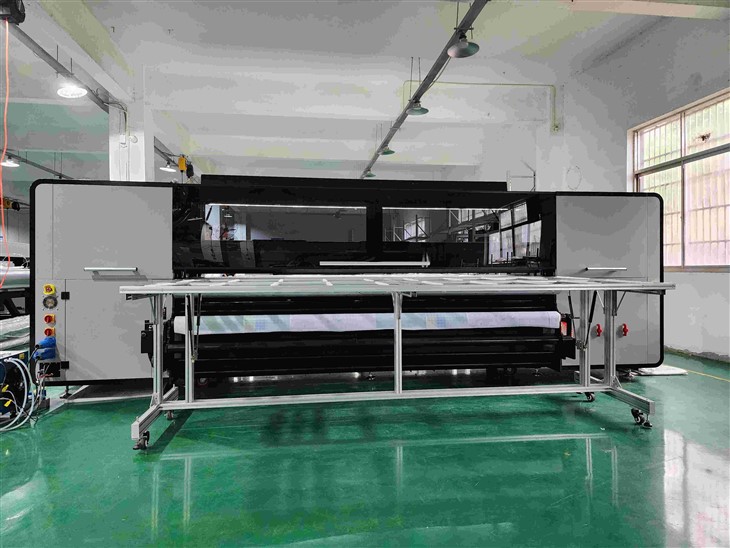
- Industrial - grade printers, especially those used for high - volume production in large factories, can have a noise level of 70 to 90 dB or even higher. This is comparable to the noise level of a vacuum cleaner or a lawn mower. The large size, high - speed operation, and powerful components of these printers result in significant noise generation.
Why the Noise Level Matters
The noise level of a UV inkjet printer is an important consideration for several reasons:
- Operator Comfort:
- Prolonged exposure to high - level noise can cause discomfort, stress, and even hearing damage to the operators. In a workplace where printers are running continuously, it is essential to ensure that the noise level is within acceptable limits to protect the health and well - being of the employees. For example, in a print shop where operators are working close to the printers for several hours a day, a noisy printer can lead to fatigue and reduced productivity.
- Workplace Environment:
- A noisy printer can disrupt the overall workplace environment. In an open - plan office or a shared workspace, the noise from a printer can be a distraction to other employees. It can also make it difficult for people to communicate effectively. For instance, in a design studio where designers need to focus on their work and have discussions, a loud printer can be a major nuisance.
- Location and Regulations:
- The location of the printer can also be affected by its noise level. In some areas, there may be noise regulations that limit the amount of noise that a business can generate. If a printer exceeds these limits, the business may face fines or other penalties. Additionally, if the printer is located in a residential area or a noise - sensitive environment, such as a hospital or a school, the high noise level can cause complaints from the neighbors.
Reducing the Noise Level of UV Inkjet Printers
As a UV inkjet printer supplier, we are aware of the importance of noise reduction. Here are some ways to reduce the noise level of our printers:
- Soundproofing Enclosures:
- We offer soundproofing enclosures for our printers. These enclosures are made of materials that absorb and dampen the sound waves, reducing the noise level significantly. The enclosures are designed to fit the specific dimensions of the printer and can be easily installed. They also have access doors and windows for maintenance and monitoring purposes.
- High - Quality Components:
- We use high - quality components in our printers to reduce noise. For example, we select low - noise fans for the UV lamp cooling systems and quiet - running motors for the mechanical movement. These components are designed to operate more smoothly and quietly, resulting in a lower overall noise level.
- Optimized Design:
- Our engineering team focuses on optimizing the printer's design to minimize noise. This includes reducing the vibration of the components, improving the airflow to reduce the need for high - speed fans, and isolating the noisy components from the rest of the printer. For example, we use rubber mounts to isolate the motors and pumps, which reduces the transmission of vibrations and noise.
If you are interested in our Hybrid UV Printing Machine, Hybrid UV Printing, or Hybrid Printing Machine, or if you have any questions about the noise level or other aspects of our UV inkjet printers, we encourage you to contact us. Our team of experts is ready to assist you in finding the right printer for your needs and providing you with detailed information about our products.
References
- ISO 11201:2010, Acoustics - Determination of sound power levels and sound energy levels of noise sources using sound pressure - Engineering methods for an essentially free field over a reflecting plane.
- OSHA (Occupational Safety and Health Administration) regulations on noise exposure in the workplace.
- Manufacturer's technical documentation for UV inkjet printers.